Apply localization
Unlock the full set of features for topo, set-out, and as-built surveys
This guide describes how to import localization parameters in Emlid Flow 360 or apply localization in Emlid Flow to work in a localized coordinate system.
Overview
Emlid Flow supports two methods for working a localized coordinate system in your project:
-
Import localization parameters from a DC/Cal or JSON file when setting up a local coordinate system in Emlid Flow 360. Emlid Flow 360 allows you to import localization parameters in DC/Cal or JSON format when setting up a coordinate system for your project. This way, you can import existing site calibrations from third-party software directly into your project, eliminating the need to manually recreate localization.
-
Apply localization manually by calculating parameters from control and measured points in Emlid Flow. The Localization feature in the Emlid Flow app allows you to calculate local
coordinate systemparameters or to adjust the existing one to fit control points in the survey area. When applying localization, Emlid Flow compares pairs of control and measured point coordinates and applies translation, rotation, and scaling to calculate the localCoordinate system is a coordinate-based local, regional or global system used to locate geographical entities. A spatial reference system defines a specific map projection, as well as transformations between different spatial reference systems.
coordinate systemparameters. The app automatically selects the best algorithm based on the number of points and the specified projection and allows horizontal and vertical adjustments to be used together or separately.Coordinate system is a coordinate-based local, regional or global system used to locate geographical entities. A spatial reference system defines a specific map projection, as well as transformations between different spatial reference systems.
Depending on your case, choose the method and follow the steps in the sections below.
When applying localization manually, Emlid Flow compares control and measured point pairs and calculates translation, rotation, and scale to define the local coordinate system.
Importing localization parameters
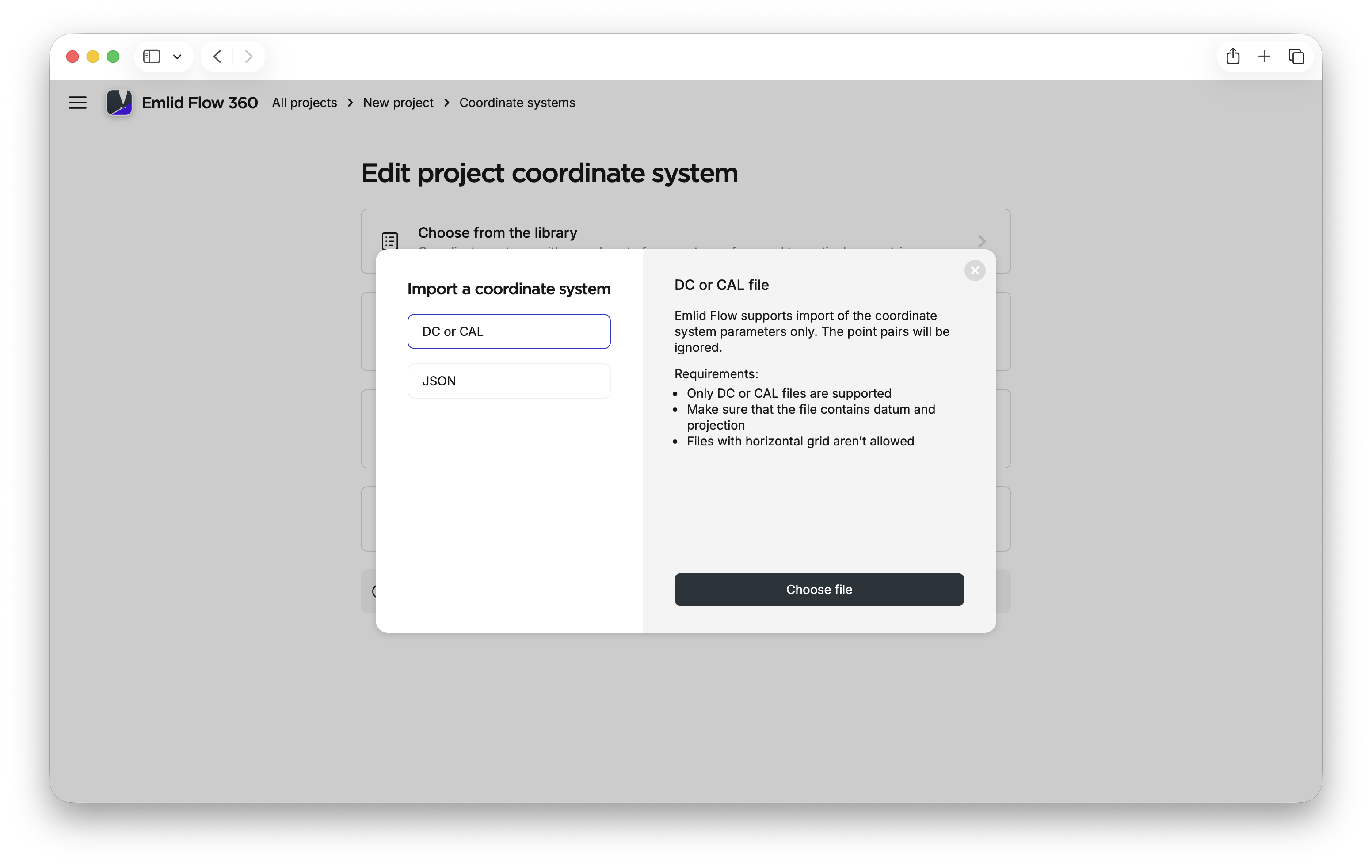
The localization parameters can be imported in the following formats:
- DC/Cal
- JSON
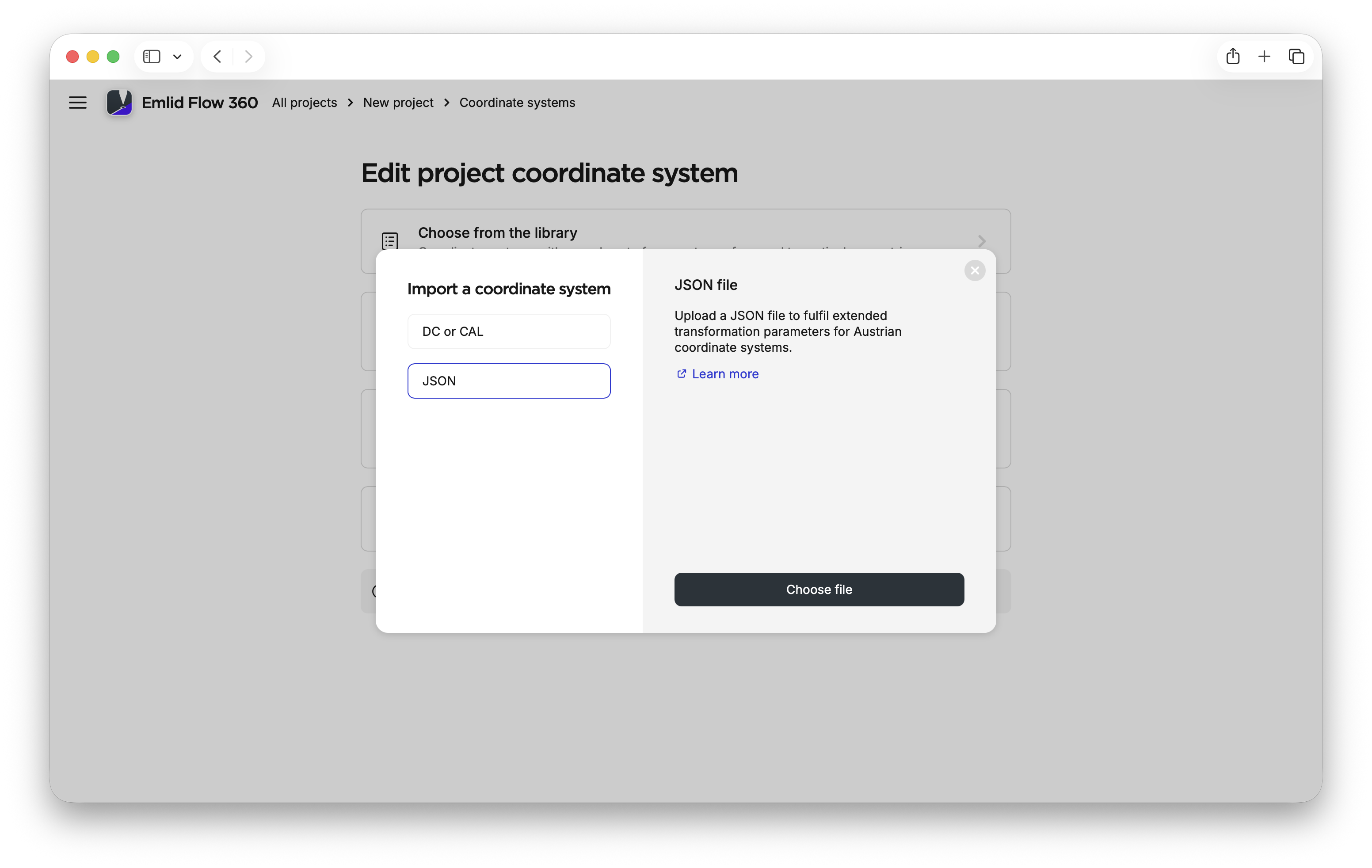
The JSON format is primarily used in Austria and relies on transformation parameters generated by the BEV Transformator service. After importing these parameters, you only need to specify the projection and vertical datum.
To import localization parameters in any supported format in Emlid Flow 360 and apply them to your project, follow the steps below:
-
Go to flow360.emlid.com.
-
Create a new project.
-
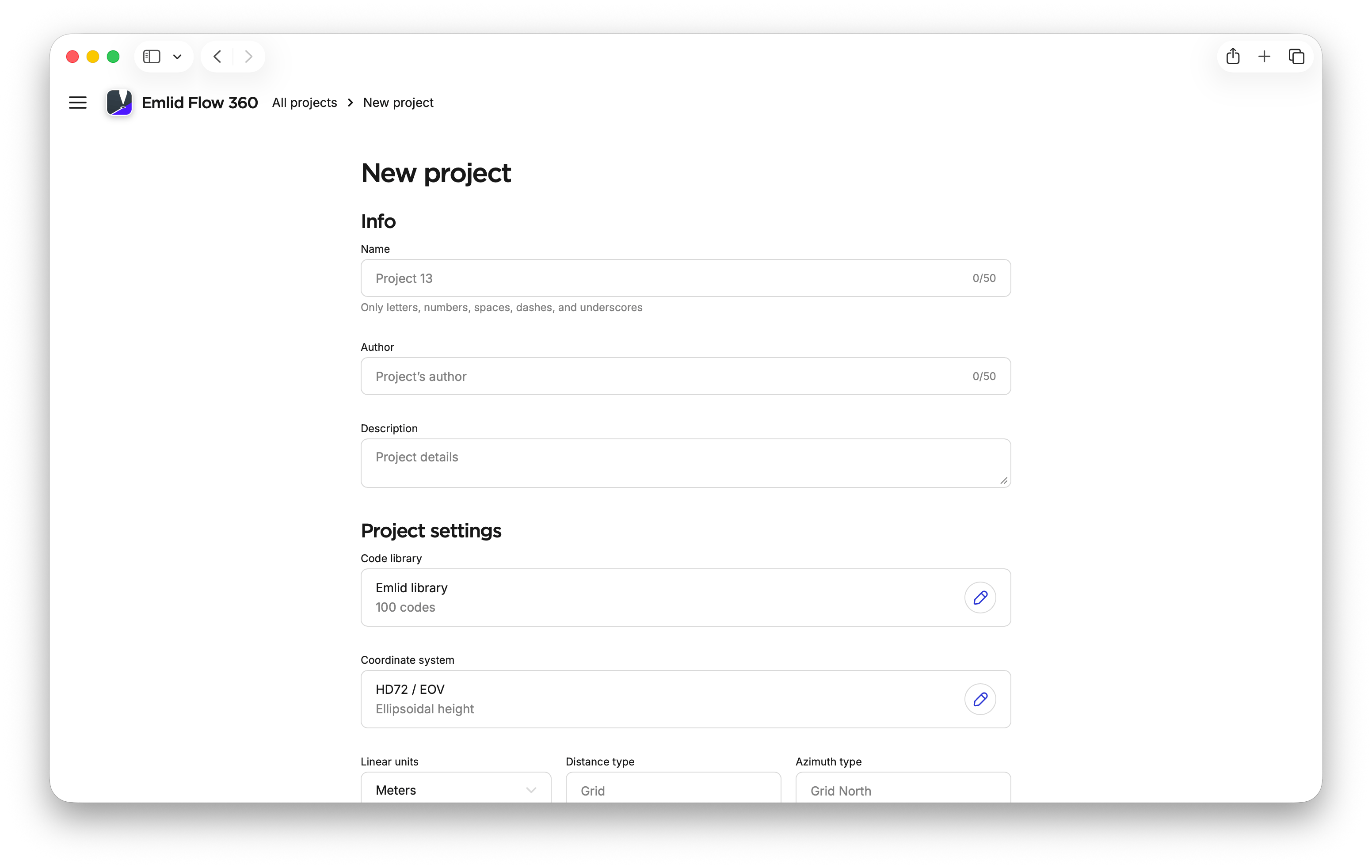
In Project settings, open Coordinate system.
-
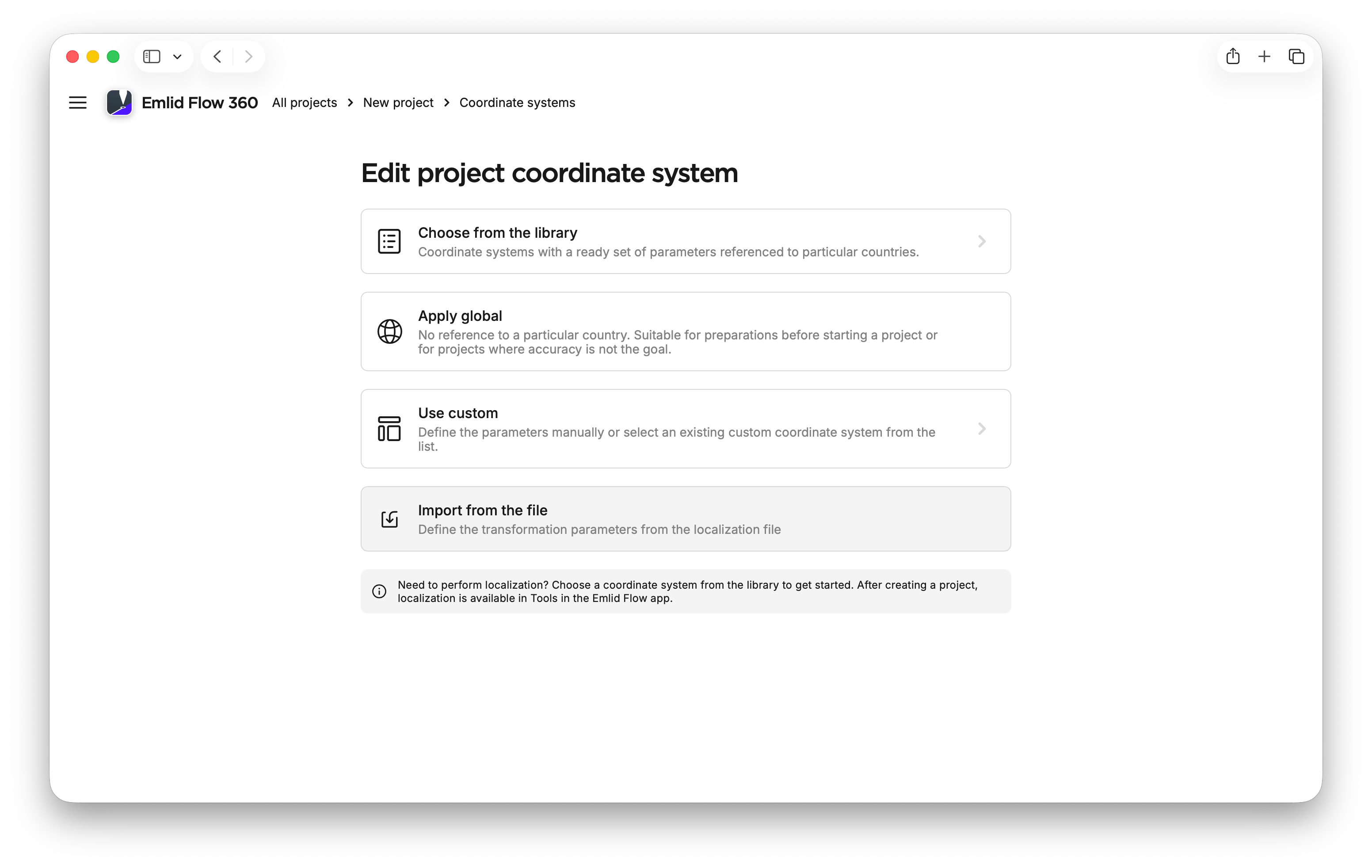
Click Import from file.
-
Make sure your file with localization parameters meets the requirements and upload it.
tipTo obtain the JSON file with localization parameters for Austria, use the BEV Transformator service BEV Transformator service.
-
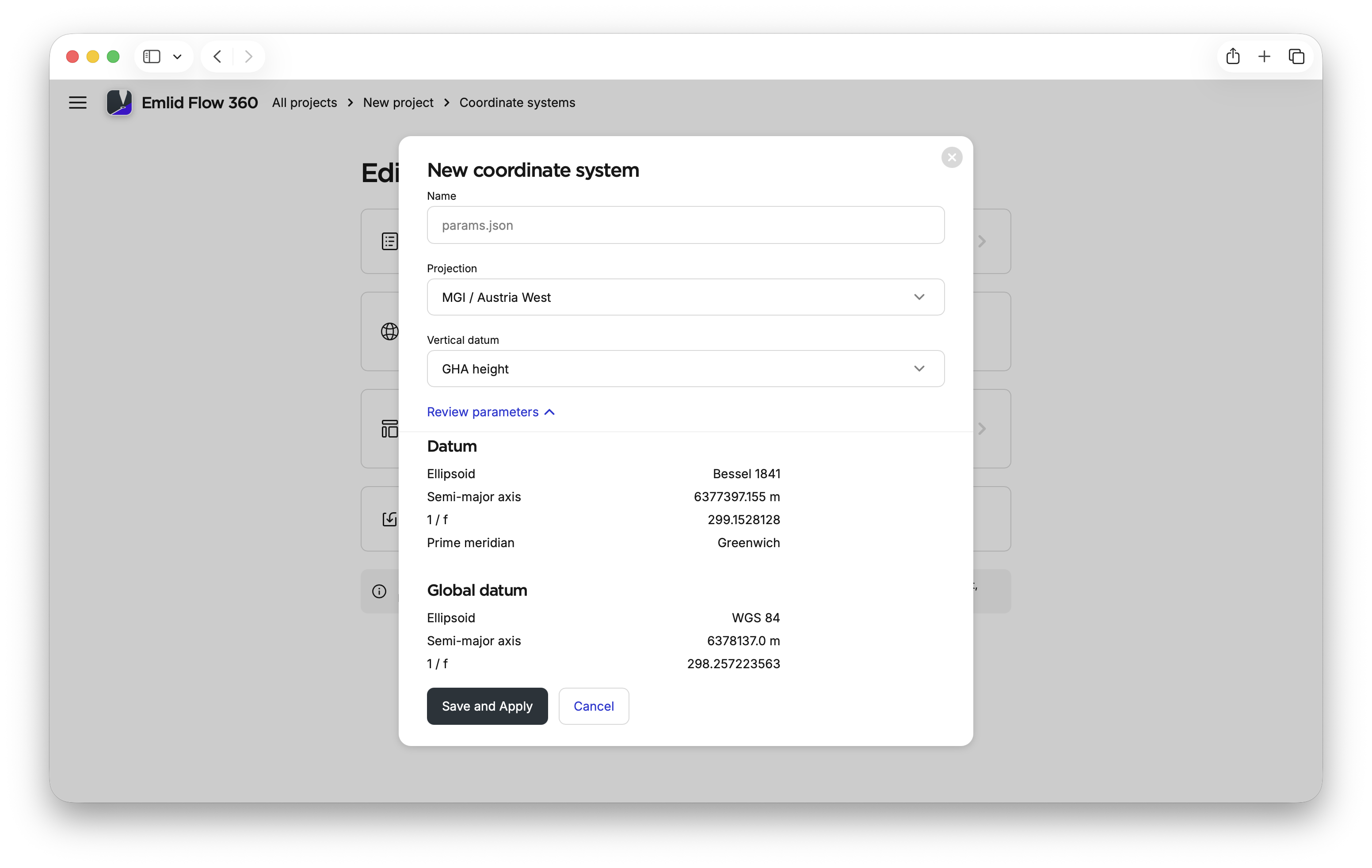
If you import the JSON file with localization parameters, specify the projection and vertical datum.
-
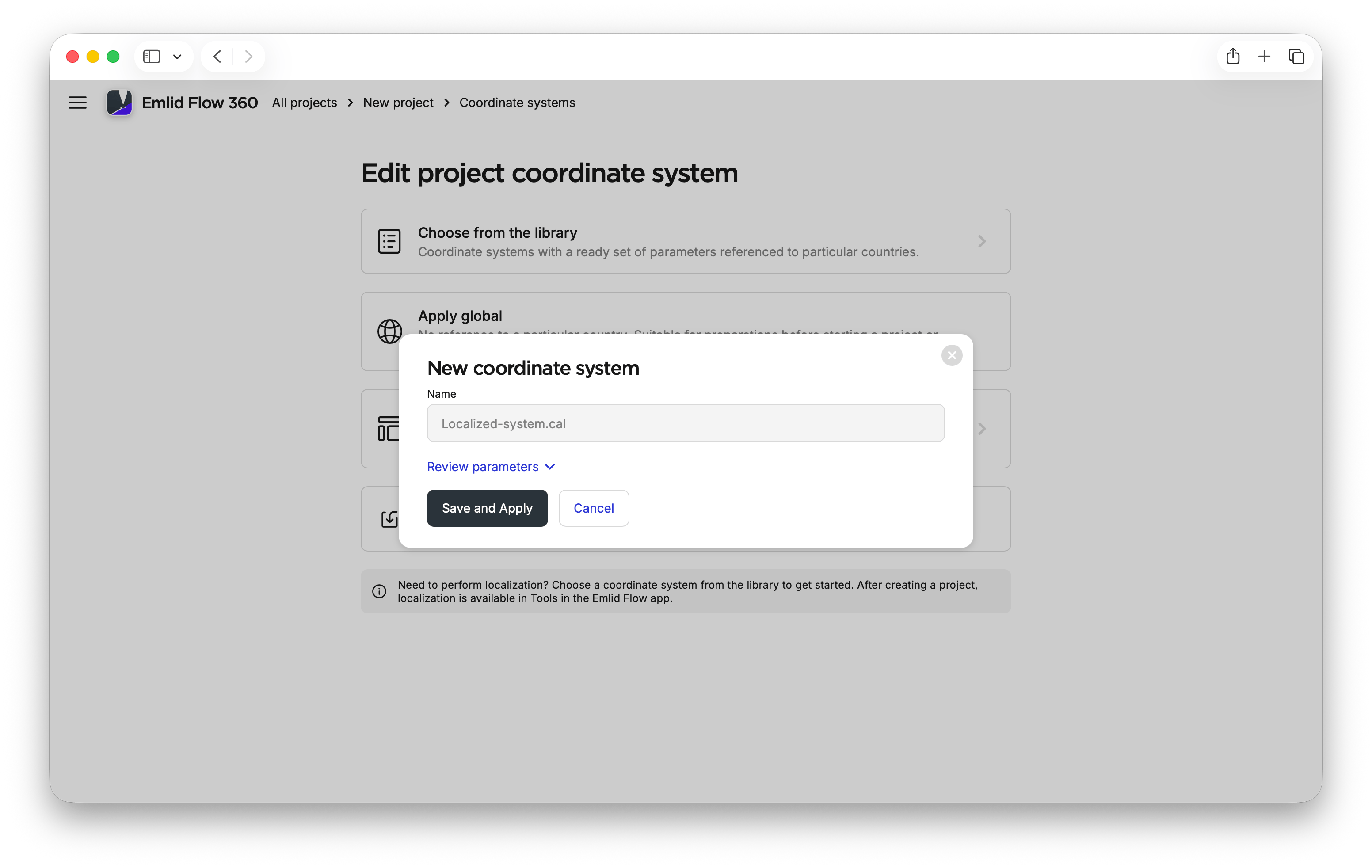
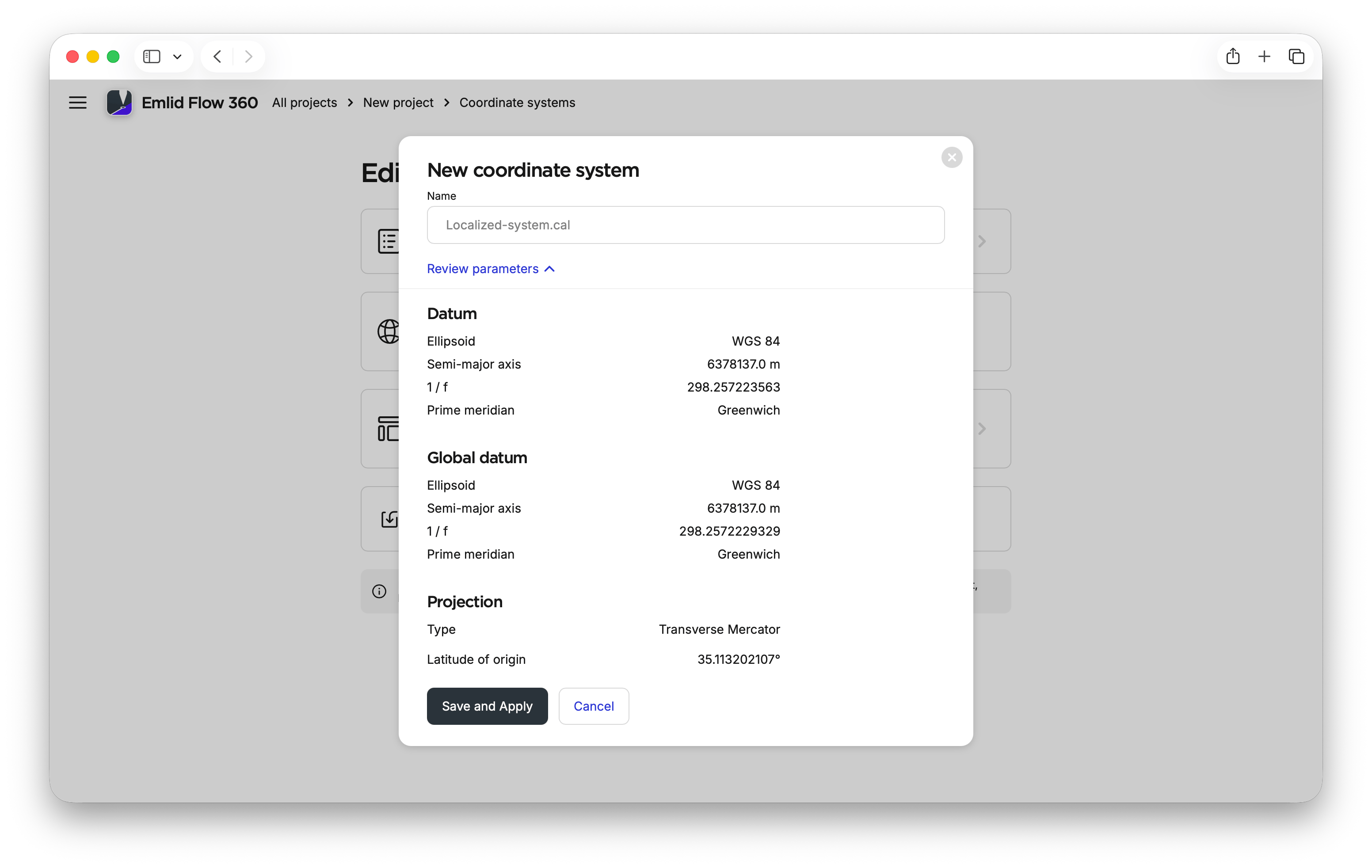
Review the imported parameters to make sure you import the needed ones.
noteIf you apply a geoid, Emlid Flow 360 may use a compatible one or prompt you to select a geoid from the list if it cannot use the original one. Emlid Flow 360 will display a notification in the review section when this occurs.
-
Click Save and apply.
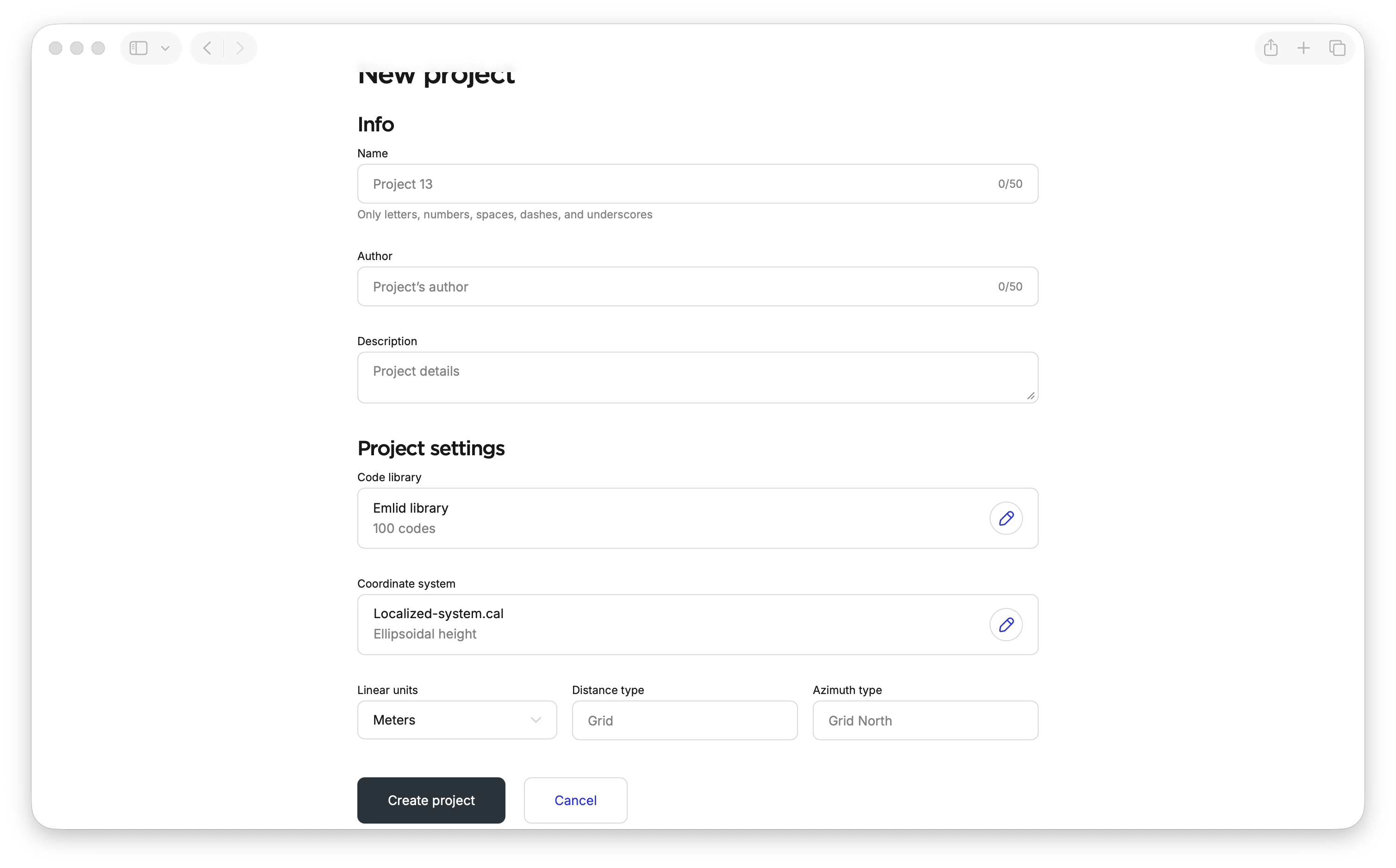
Emlid Flow 360 will apply the localization parameters and enable work in the localized coordinate system. You can then continue working with the project in Emlid Flow.
Performing localization in Emlid Flow
The Localization feature in the Emlid Flow app allows you to calculate local
Coordinate system is a coordinate-based local, regional or global system used to locate geographical entities. A spatial reference system defines a specific map projection, as well as transformations between different spatial reference systems.
When applying localization, Emlid Flow compares pairs of control and measured point coordinates and applies translation, rotation, and scaling to calculate the local
Coordinate system is a coordinate-based local, regional or global system used to locate geographical entities. A spatial reference system defines a specific map projection, as well as transformations between different spatial reference systems.
Localization can also be used when working with an arbitrary coordinate system. For example, if your project uses an existing local coordinate system established by benchmarks, you can align the benchmark coordinates with the design coordinates in your CAD software. For more information about preparing design data, see Working with CAD drawings. After that, you can either apply localization to stake out using the original design coordinates or convert the design data to the existing local coordinate system in your CAD software before importing it into Emlid Flow.
To apply localization, you’ll need to perform the following:
- Add control points.
- Measure the same control points with the roverin .
Rover is one of the two GNSS receivers that is used for collecting data in RTK or PPK scenarios. Rover is a moving unit: the surveyor uses rover to record the points, while rover receives the corrections from the static base.
- Pair the coordinates of the control points with the measured ones.
Preparation
To ensure high localization accuracy, we recommend making sure your input data is sufficient.
Number of points
The number of control points has a direct impact on the resulting accuracy of the performed localization. In general, we recommend using from 5 to 10 control points.
You can interact with the chart to view specific data in more detail.
RMSE within the range from the center of a 200x200 m localization area, depending on the number of control points. Both X and Y axes are in the log scale.
Based on the chart, we can see the following:
- Using 1 point for localization should be avoided.
- Using at least 3 points makes the accuracy much better.
- Using more than 10 points doesn’t make much difference.
Distribution of points
The distribution of control points also affects accuracy. In general, we recommend spreading the control points evenly across the entire area of interest.
You can interact with the chart to view specific data in more detail.
RMSE at distances from the center of the localization area, depending on the spread of 5 control points. Both X and Y axes are in the log scale.
Based on the chart, to achieve the best accuracy, we recommend performing localization for smaller work sites and collecting measurements only within the area where the control points were located.
Use of projection
Providing information about the projection can have both positive and negative effects on localization accuracy. We recommend that you try both options to see which works best for you.
Applying localization
- Emlid Flow
To apply localization, follow the steps below:
-
Depending on your use case, open an existing project or create a new one in Emlid Flow.
noteYour project can be in Global CS if you don’t have the parameters or in a particular local CS if you need to adjust it.
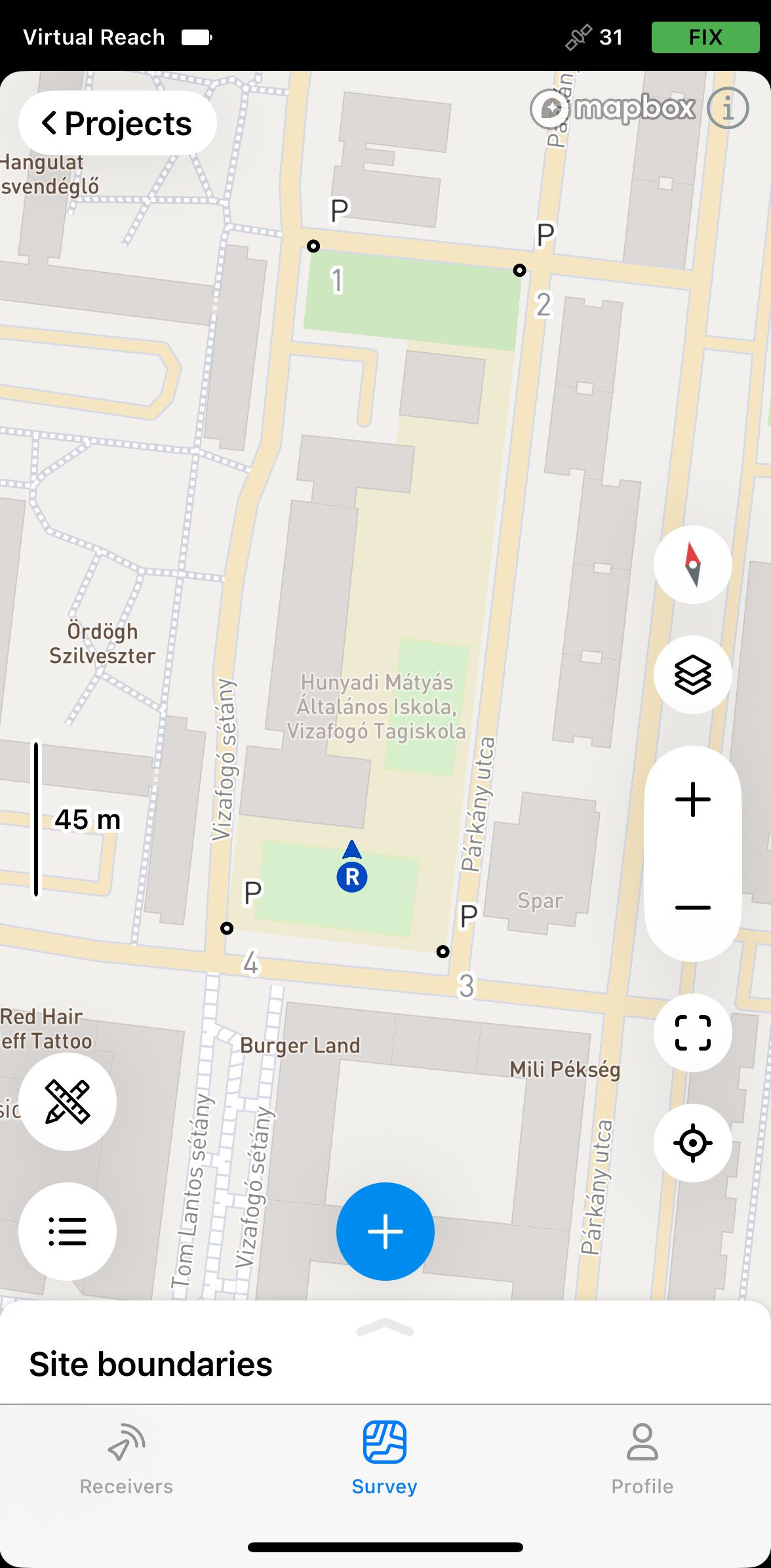
-
Tap the Tools icon and select Localization.
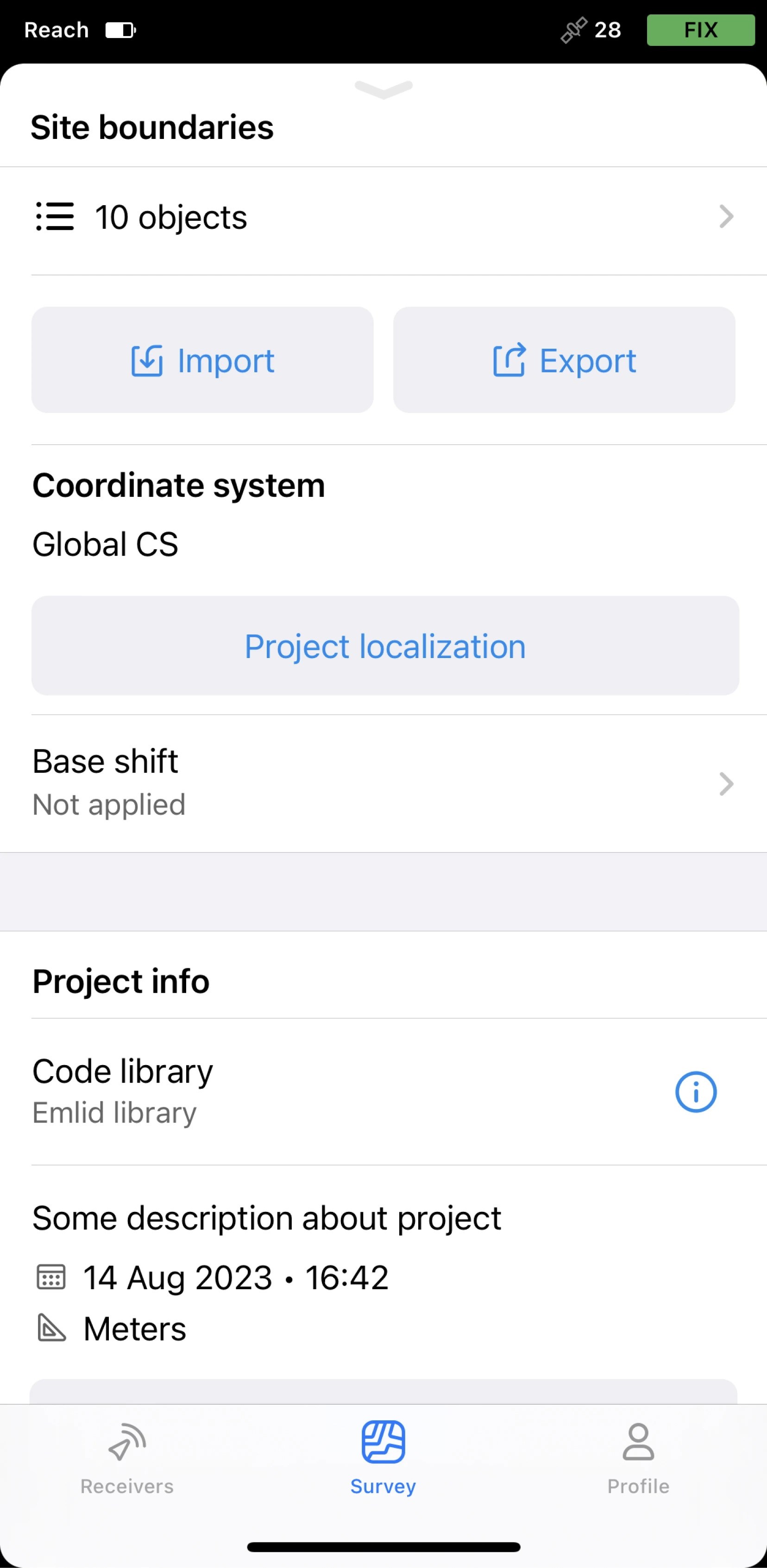
-
Tap Add pair.
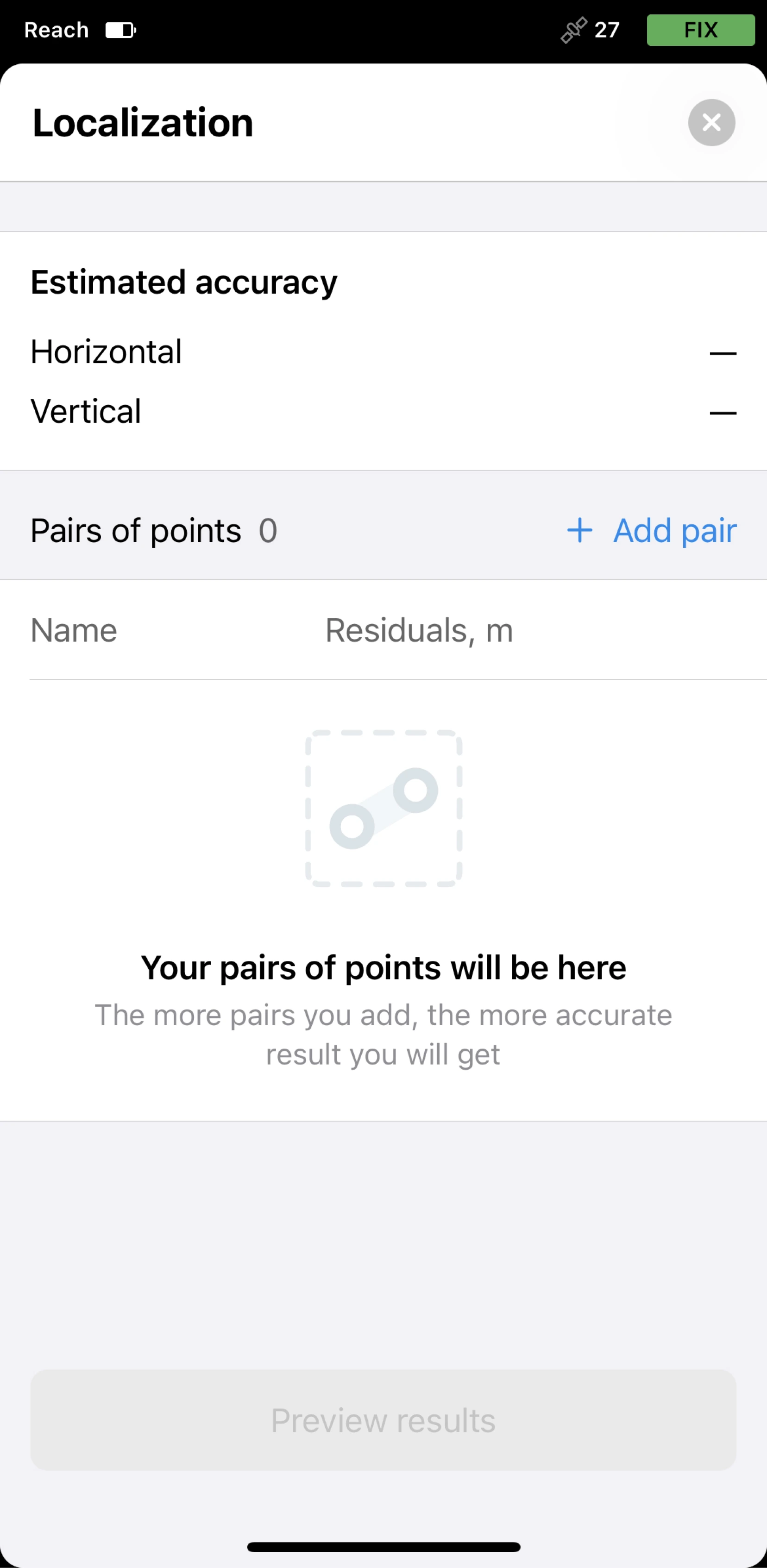
-
Select the pairs of control and measured points from the project in the following way:
tipEmlid Flow allows you to enter control point coordinates or select existing points from the project. You can also edit a point’s coordinates by duplicating the point.
- For each point, choose whether you want to use both horizontal (H) and vertical (V) coordinates or only one of them.
- Make sure that control points have local coordinates in feet/meters and measured points have global coordinates in degrees.
- Add the required number of pairs of points. The maximum number is 50.
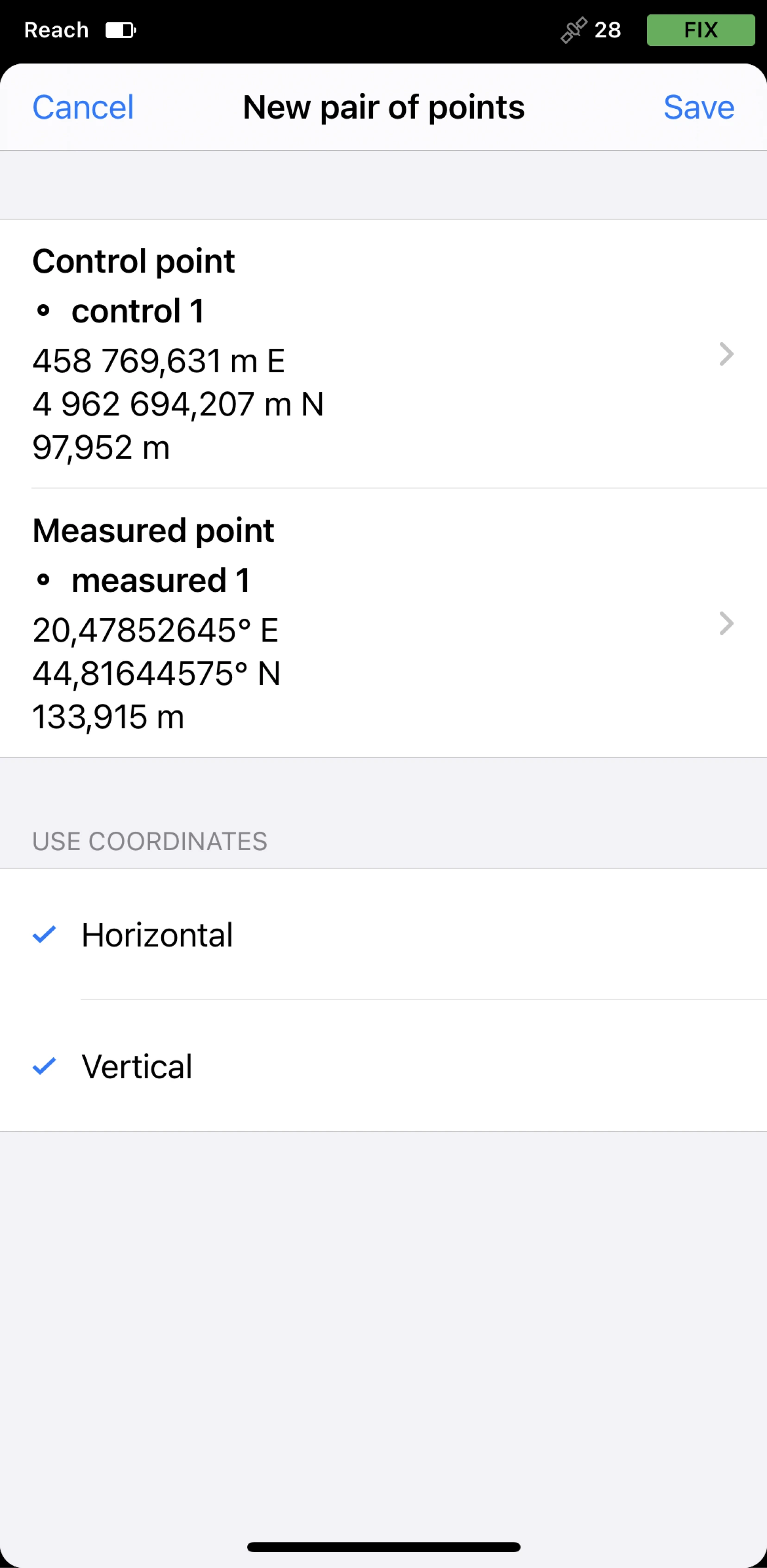
-
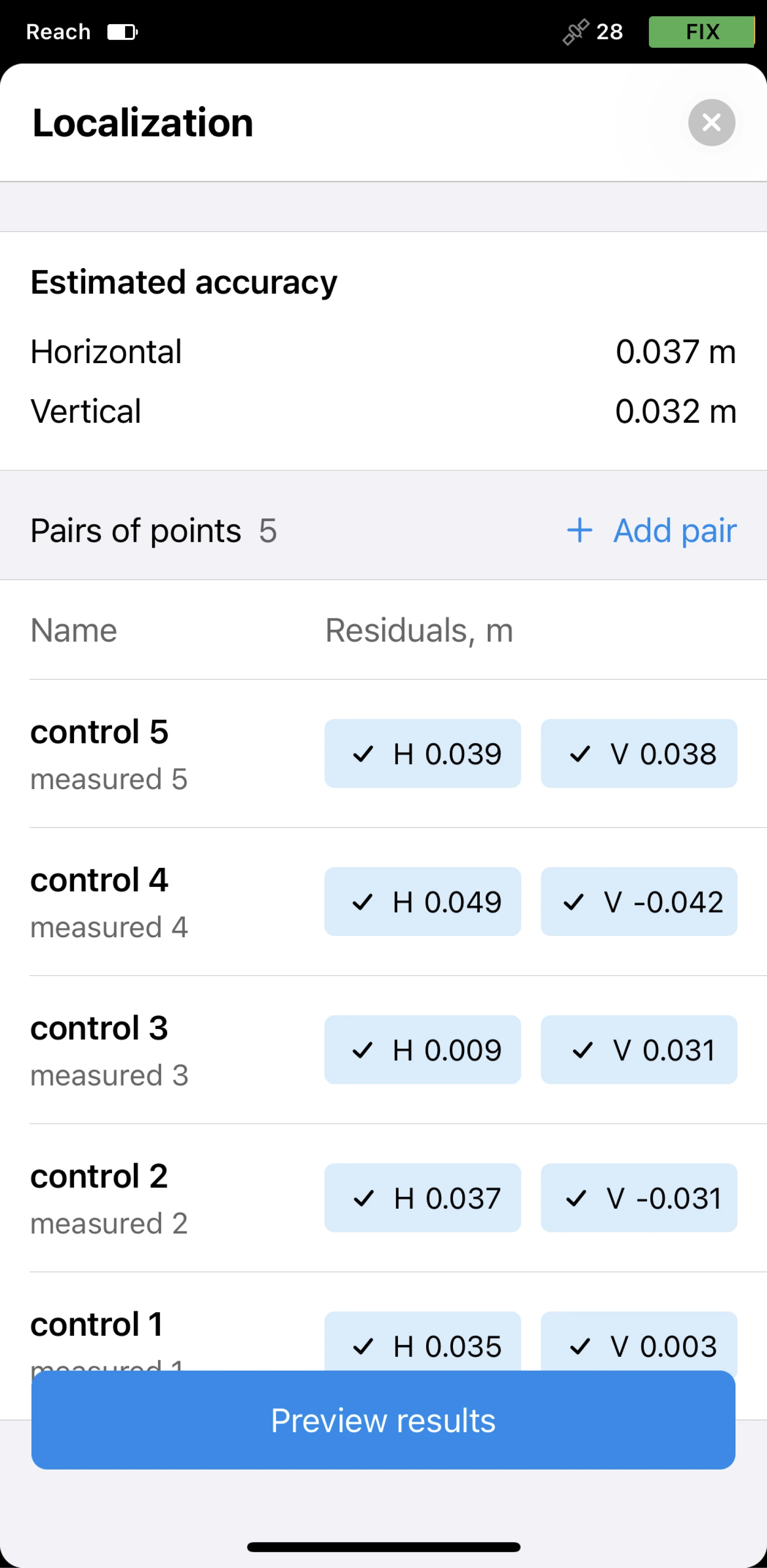
Tap Save. The app will calculate the residuals.
-
Analyze the residuals. If necessary, you can edit them in the following way:
- Exclude horizontal and/or vertical coordinates by tapping the chip.
- Remove the pair by tapping the pair’s name and the Remove pair button.
-
Tap Preview the results. You will see the transformation parameters.
noteThe Horizontal adjustment section is shown only if you provided horizontal coordinates.
The Inclined plane section is shown only if you provided vertical coordinates.
-
If the results are satisfactory, tap Apply to project.
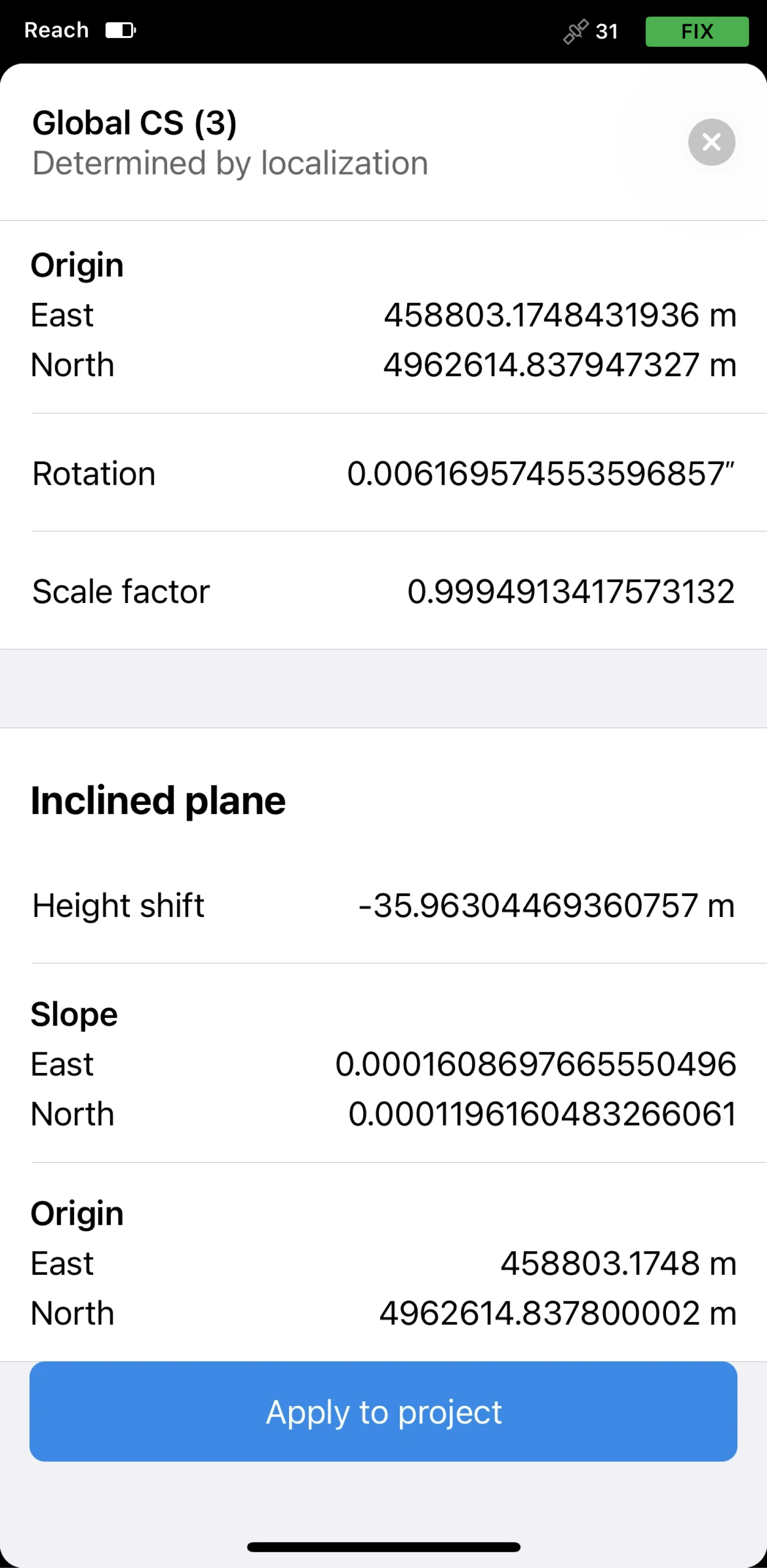
If necessary, you can recalibrate the same project later.
Once you apply localization, all the existing and further collected points will be recalculated according to the calculated
Coordinate system is a coordinate-based local, regional or global system used to locate geographical entities. A spatial reference system defines a specific map projection, as well as transformations between different spatial reference systems.
Saving coordinate system
You can save your
Coordinate system is a coordinate-based local, regional or global system used to locate geographical entities. A spatial reference system defines a specific map projection, as well as transformations between different spatial reference systems.
- Emlid Flow 360
- Emlid Flow
To save your
Coordinate system is a coordinate-based local, regional or global system used to locate geographical entities. A spatial reference system defines a specific map projection, as well as transformations between different spatial reference systems.
-
Open the project with the
coordinate systemdetermined by localization you want to save.Coordinate system is a coordinate-based local, regional or global system used to locate geographical entities. A spatial reference system defines a specific map projection, as well as transformations between different spatial reference systems.
-
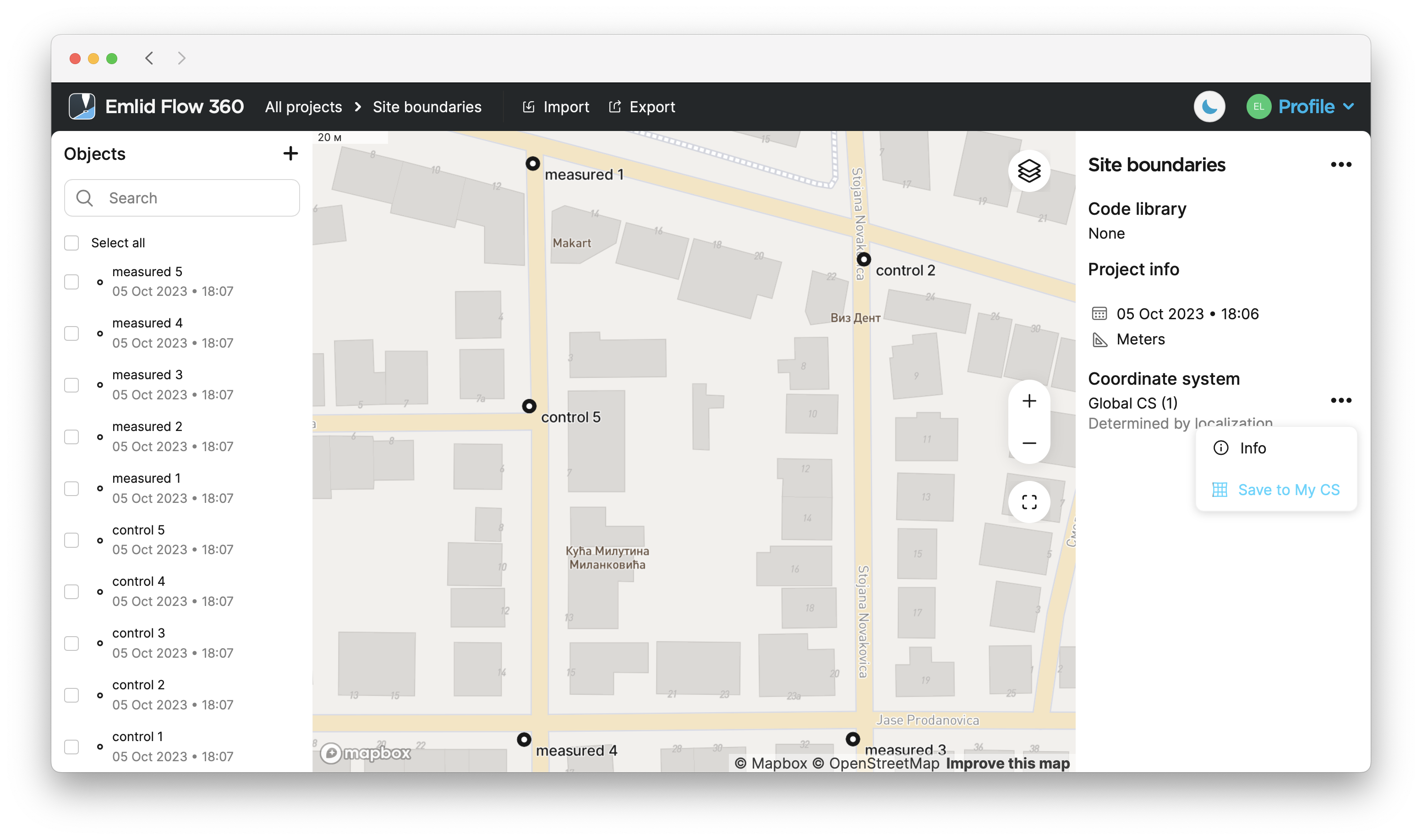
Go to the Coordinate system section.
-
Click the three dots button, and select Save to my CS from the drop-down menu.
-
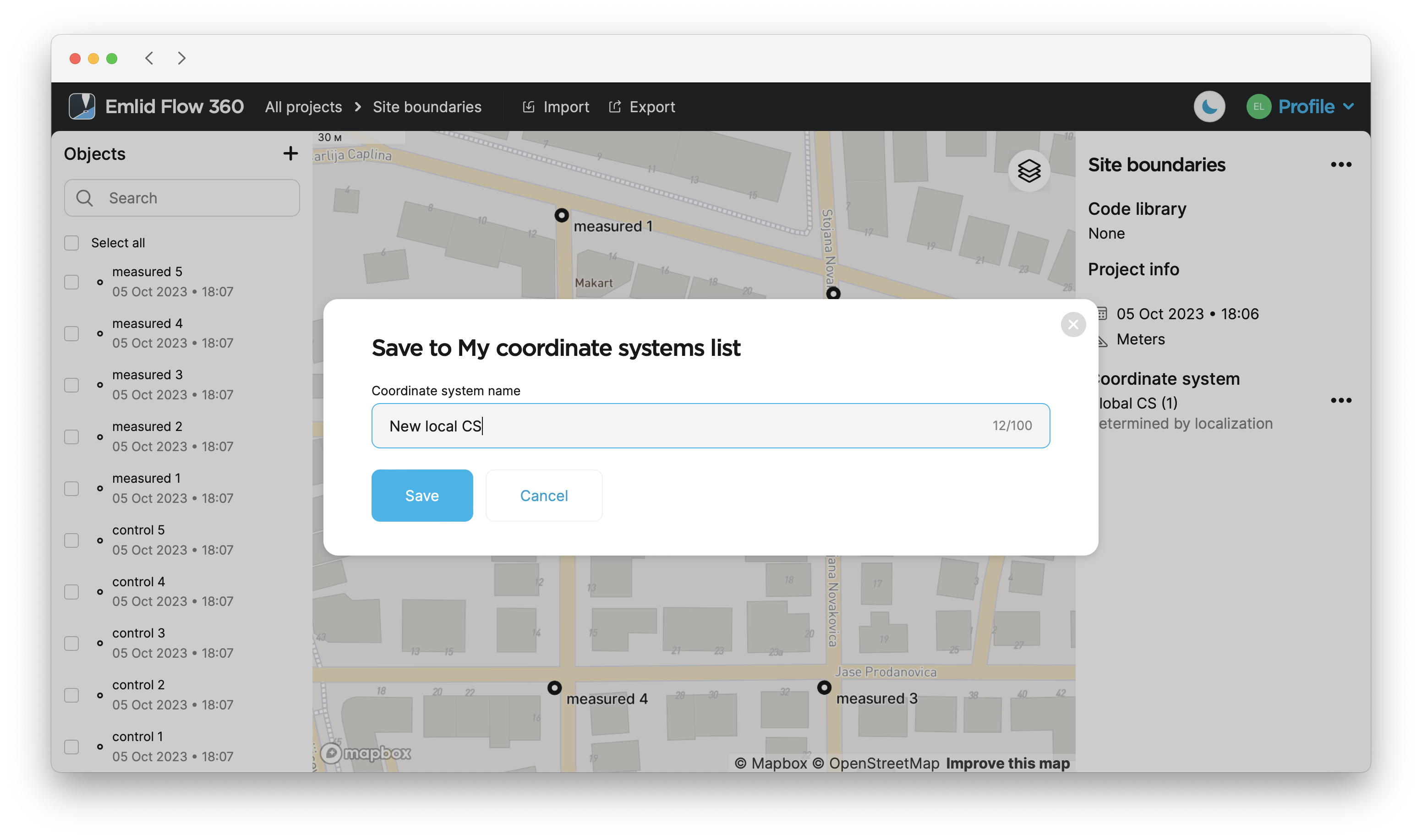
Enter the name and click Save.
To save your
Coordinate system is a coordinate-based local, regional or global system used to locate geographical entities. A spatial reference system defines a specific map projection, as well as transformations between different spatial reference systems.
-
Open the project with the
coordinate systemdetermined by localization you want to save.Coordinate system is a coordinate-based local, regional or global system used to locate geographical entities. A spatial reference system defines a specific map projection, as well as transformations between different spatial reference systems.
-
Slide up the arrow icon next to the project’s name.
-
Go to the Coordinate system section.
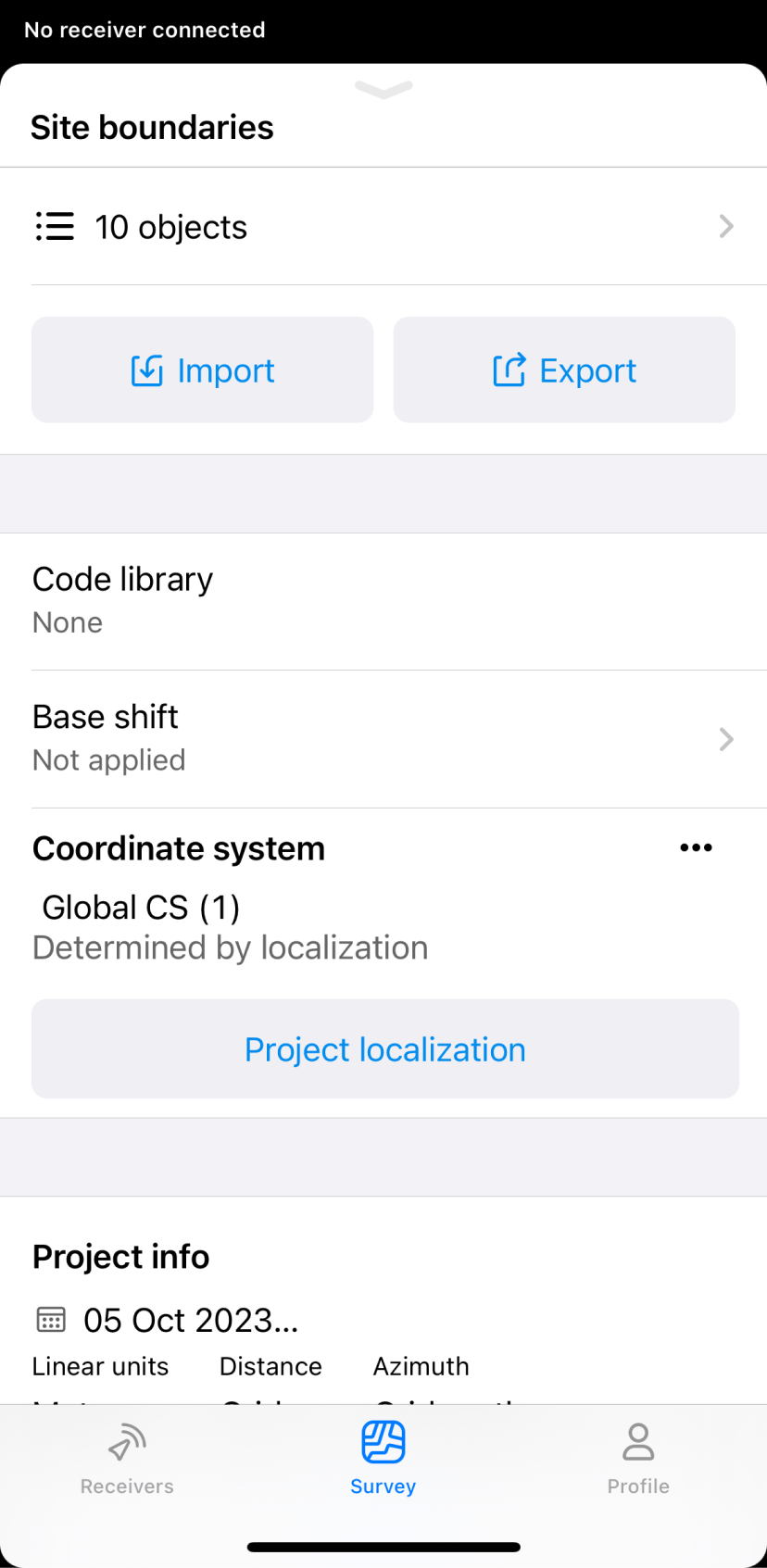
-
Tap the three dots button, and select Save to my CS from the menu.
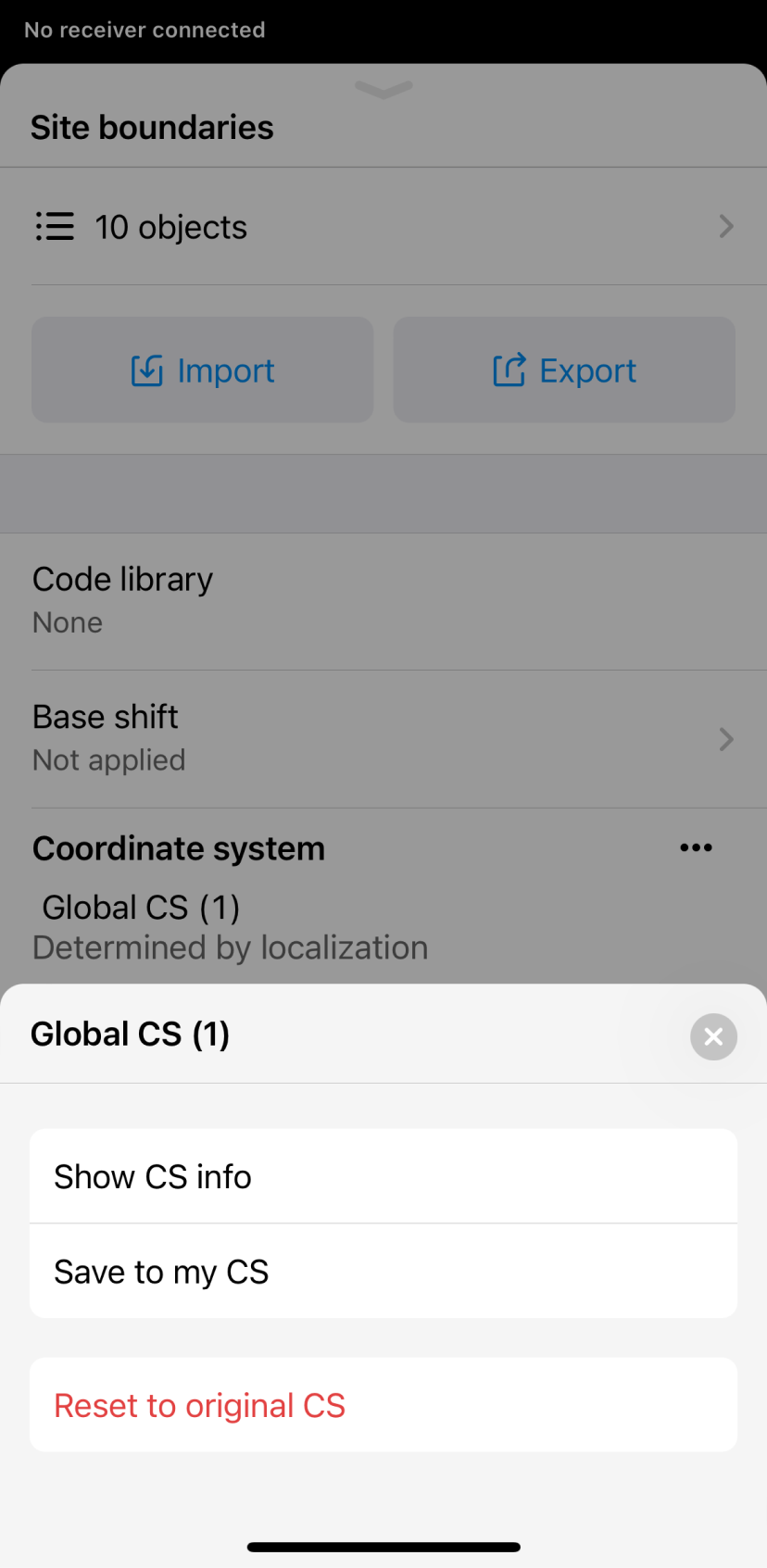
-
Enter the name and tap Save.
Now the
Coordinate system is a coordinate-based local, regional or global system used to locate geographical entities. A spatial reference system defines a specific map projection, as well as transformations between different spatial reference systems.
Video guide
The Emlid Flow app is regularly updated, so the interface in the video may look a bit different from the current version.
Check out the workflow in the video below: