Billing
The Pro plan has replaced the Survey plan. Learn more about the available plans in the Plans management guide.
This guide explains how billing works for the Pro plan in Emlid Flow and Emlid Flow 360.
Overview
The Emlid Flow and Emlid Flow 360 apps offer a paid Pro plan, formerly known as Survey. The plan includes advanced survey tools, supports adding team members, offers flexible workspace management, and provides centralized billing. Pro enables full team functionality across Emlid Flow and Emlid Flow 360, allowing workspaces to scale with an unlimited number of team members and providing improved control over projects. The subscription is only available via Emlid Flow 360.
General conditions
The billing has the following conditions:
-
30-day trial
When you subscribe to the Pro plan, you can add members to your workspace with a complimentary 30-day trial. Once the 30-day trial period ends, you’ll pay based on the number of active members in your workspace.
noteYou need to enter your card details to start the Emlid Flow Pro trial. The 30-day trial is completely free, and you can cancel anytime at no cost. If you don’t cancel before the trial ends, the subscription will begin automatically to ensure uninterrupted service.
-
Charges at the start of each billing cycle
Charges for the plan are applied at the beginning of each billing cycle. When you start a Pro subscription, the new amount is charged immediately, and a new billing period begins.
-
Choice between monthly vs annual billing
The Pro plan can be billed on a monthly or annual basis. When opting for monthly billing, you are charged once per month for all active team members in your workspace. When opting for annual billing, you are charged once per year for all active team members for the whole 12-month period at a reduced rate compared to monthly billing. Any changes to the number of team members during the billing period are handled according to the proration rules described in the Adding team members and Removing team members sections below.
-
Billing currency and payment methods
Charges for the Pro plan are processed in the billing currency shown in your account or at checkout. The available payment methods depend on your location and the payment provider you choose. All Pro plan charges for the workspace use the same billing currency and payment method as those configured in the billing settings.
Prepaid seats are not supported yet. Users are billed for the actual number of active members in the workspace.
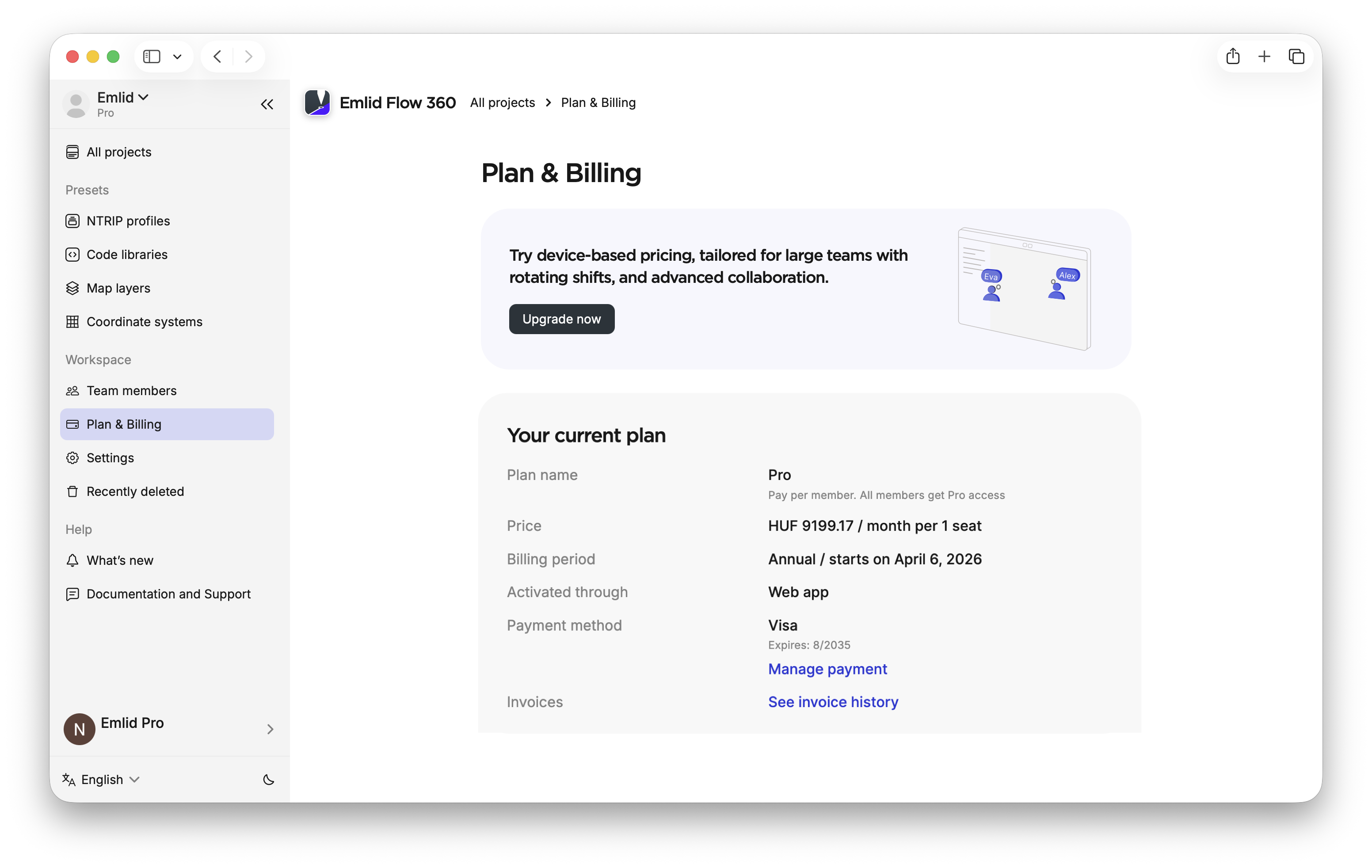
Once you subscribe, all billing information is available in the Plan & Billing section of the Emlid Flow 360 main menu, where you can view your billing details and access your invoice history.
Conditions when migrating from Survey
If you migrate from the Survey plan to Pro, the billing will depend on the platform you used to subscribe.
Upgrading from a mobile subscription
Users with an active mobile subscription can’t add members to their workspace. To use the collaboration feature, you should migrate to the Pro plan in Emlid Flow 360. In this case, you will get a 30-day Pro trial in Emlid Flow 360. After 30 days, you’ll be charged based on the number of members in the workspace, just as with a regular Pro trial.
Upgrading when having a license or promo code
Users with an active web subscription started with a license or promo code need to upgrade in Emlid Flow 360. If you still have active days left, you’ll receive a one-time discount based on the regional yearly Pro price, shown before checkout.
It’s possible to offer a discount only for up to one year due to the platform restrictions.
Adding new members
When you add a new member to your workspace, you are charged immediately for the remainder of the current billing period. Your subscription cost is then updated for future billing periods. At the next renewal, you will be billed for the total number of added members.
Removing members
When you remove a member from your workspace, billing for that member stops immediately. You receive credits proportional to the unused portion of that member’s fee for the current billing period. These credits are automatically applied to future payments.
Credits may be applied in two ways:
- If you add a new member or reactivate a previously removed member, the system charges you for this member minus any available credits.
- If you don’t add anyone new, the credits are automatically applied as a discount on your next subscription payment, reducing the total amount charged.
Updating invoice details
In Emlid Flow 360, you can update the billing information on your invoices, including company details and other information required for your accounting records.
When you update invoice details, the changes apply only to the selected invoice. To use the same address and VAT information for future invoices, contact the Support team at [email protected].
To update your invoice details, follow the steps below:
-
Open Emlid Flow 360 and log in to your account.
-
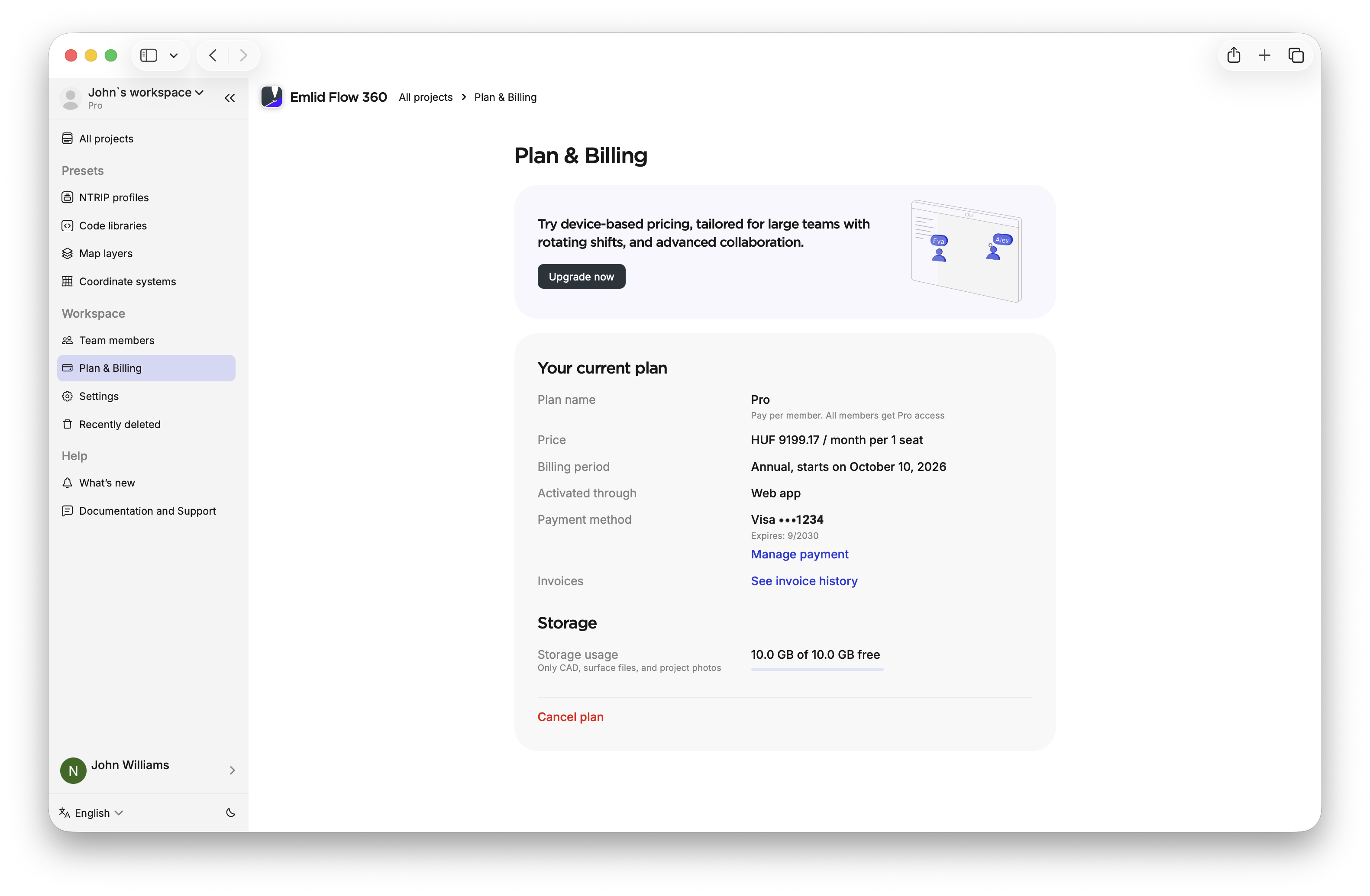
Go to Plan & Billing and click See invoice history. Emlid Flow 360 will redirect you to Paddle, where you can manage your invoices.
-
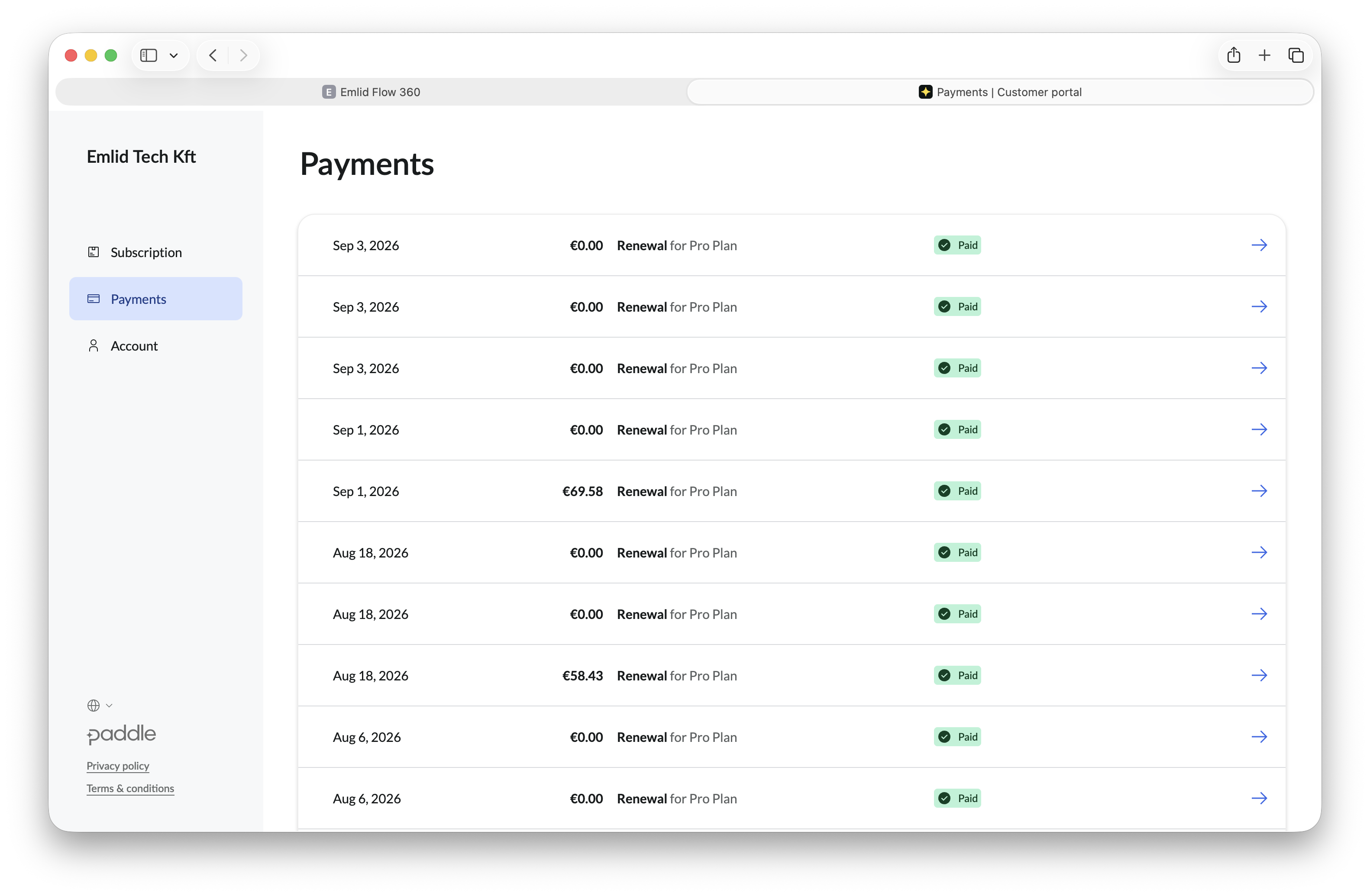
On the Payments tab, find the payment you need and click on the blue arrow.
-
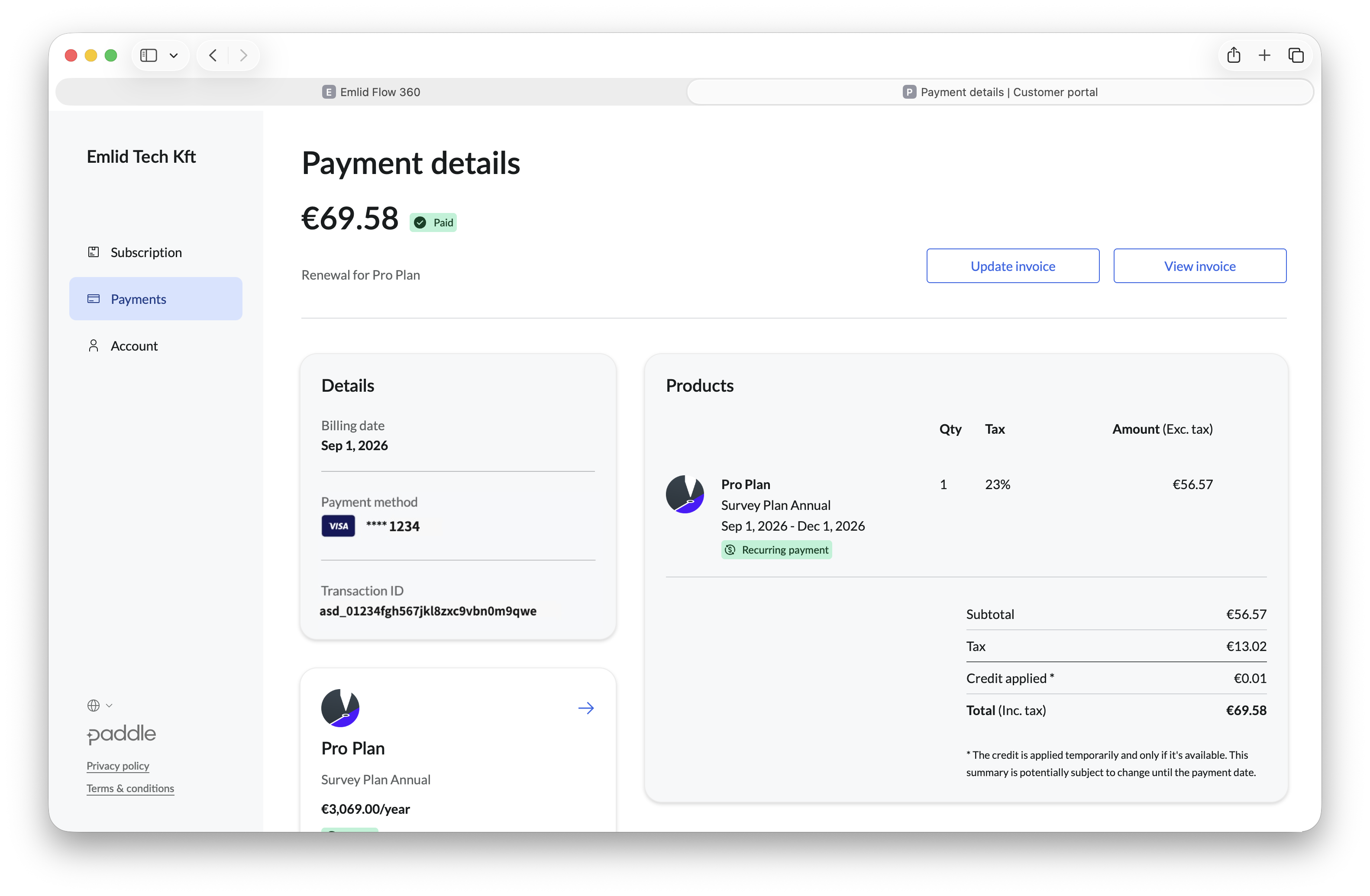
Go to Update invoice.
-
Enter your invoice details, then click Update invoice to save.
cautionYou can edit these fields only once. Make sure all the information is correct before you save the changes.
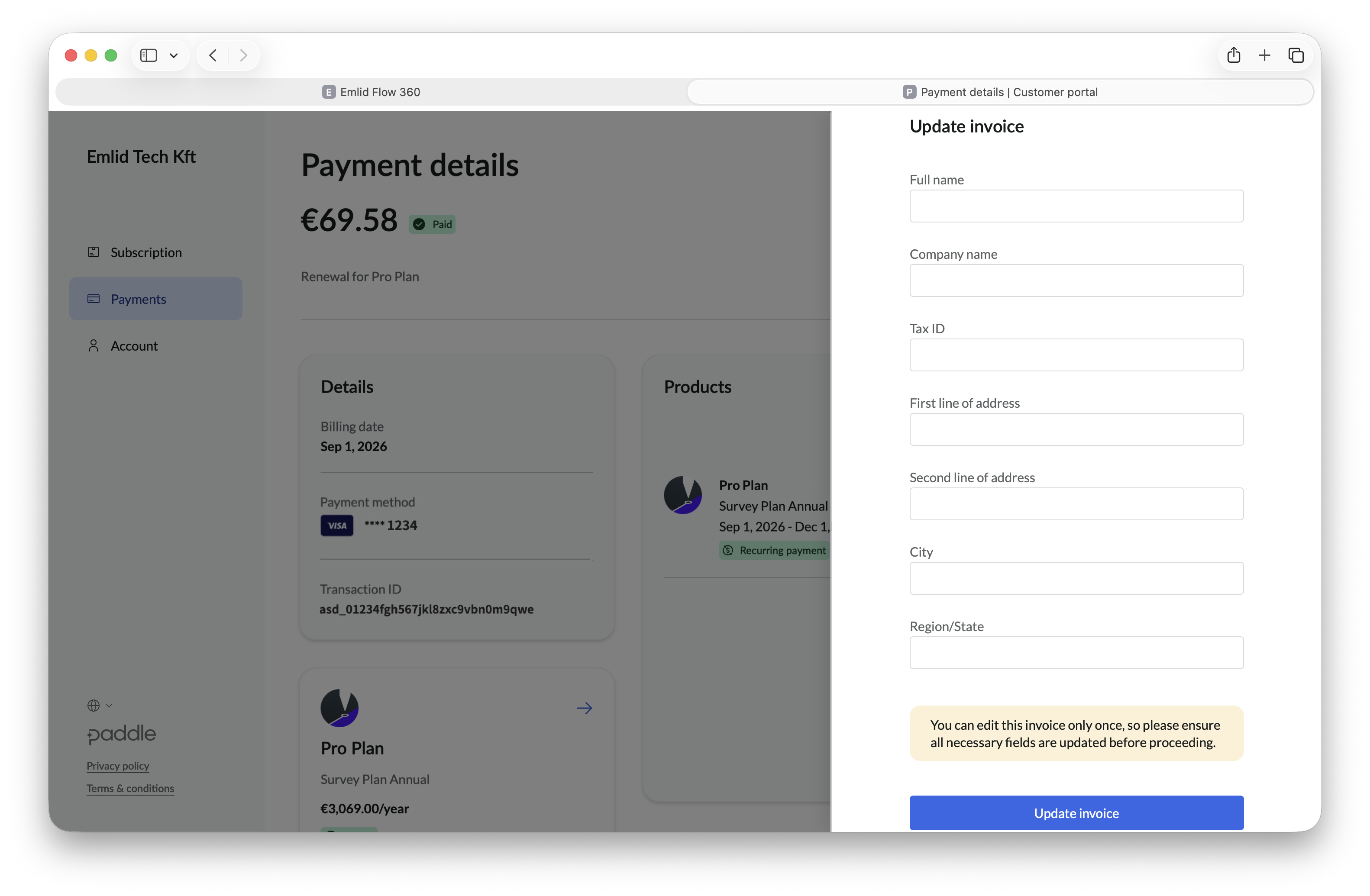
Your invoice details are now updated. You can use the updated invoice for your accounting or business records.