Plan management
This guide describes how you can manage your plans in Emlid Flow and Emlid Flow 360.
Overview
Emlid Flow and Emlid Flow 360 offer two plans: Free and Pro.
Free plan
The Free plan applies automatically when you create your Emlid account and provides the following features for free:
- Full control of Reach receivers,
- Built-in NTRIP client,
- Raw data logging,
- NMEA position output,
- Project management and sync,
- Point collection and stakeout,
- Coordinate system library,
- Base shift,
- Collect rules,
- Export and import to CSV, DXF, SHP, and KML.
- Ability to add up to 10 team members to collaborate on the projects,
- Team workspace for shared data and presets,
- Data authorship,
Pro plan
The Pro plan replaces the old Survey plan, is paid, and can be of two types:
-
Pro Individual with the preserved Survey plan features but without the collaboration tools:
- Everything from Free,
- Linework with 4 stakeout modes,
- Code libraries,
- Reports, auto collection, and more,
- Ability to work with CAD and DTM files,
- Localization and COGO tools,
- File storage: 10 GB per user.
noteYou can subscribe to Pro Individual only through the mobile app stores or by using license codes provided by Emlid partners.
noteIf you previously had the Survey plan, you will be automatically switched to Pro Individual. If you want to add team members, you will need to upgrade to Pro in Emlid Flow 360.
-
Pro with the preserved Survey plan features and collaboration tools:
- Everything from Free,
- Linework with 4 stakeout modes,
- Code libraries,
- Reports, auto collection, and more,
- Ability to work with CAD and DTM files,
- Localization and COGO tools,
- File storage: 10 GB per user,
- Unlimited team members,
- Team workspace for shared data and presets,
- Data authorship.
noteYou can migrate or subscribe to the Pro Plan only in Emlid Flow 360.
noteWhen you subscribe for the first time, you get a free 30-day trial. After the trial, you’ll be billed for each team member in your workspace, including yourself. For full details, see the Billing guide.
Migrate from Pro Individual (ex. Survey) to Pro
Migration is required only if you originally subscribed via a mobile app store or used a license code.
Your Survey plan is automatically converted to Pro Individual, and you keep all the same features. If you want to add team members, you’ll need to upgrade to the Pro plan in Emlid Flow 360. The upgrade steps and conditions depend on how you originally subscribed to the Survey plan. Follow the steps below:
-
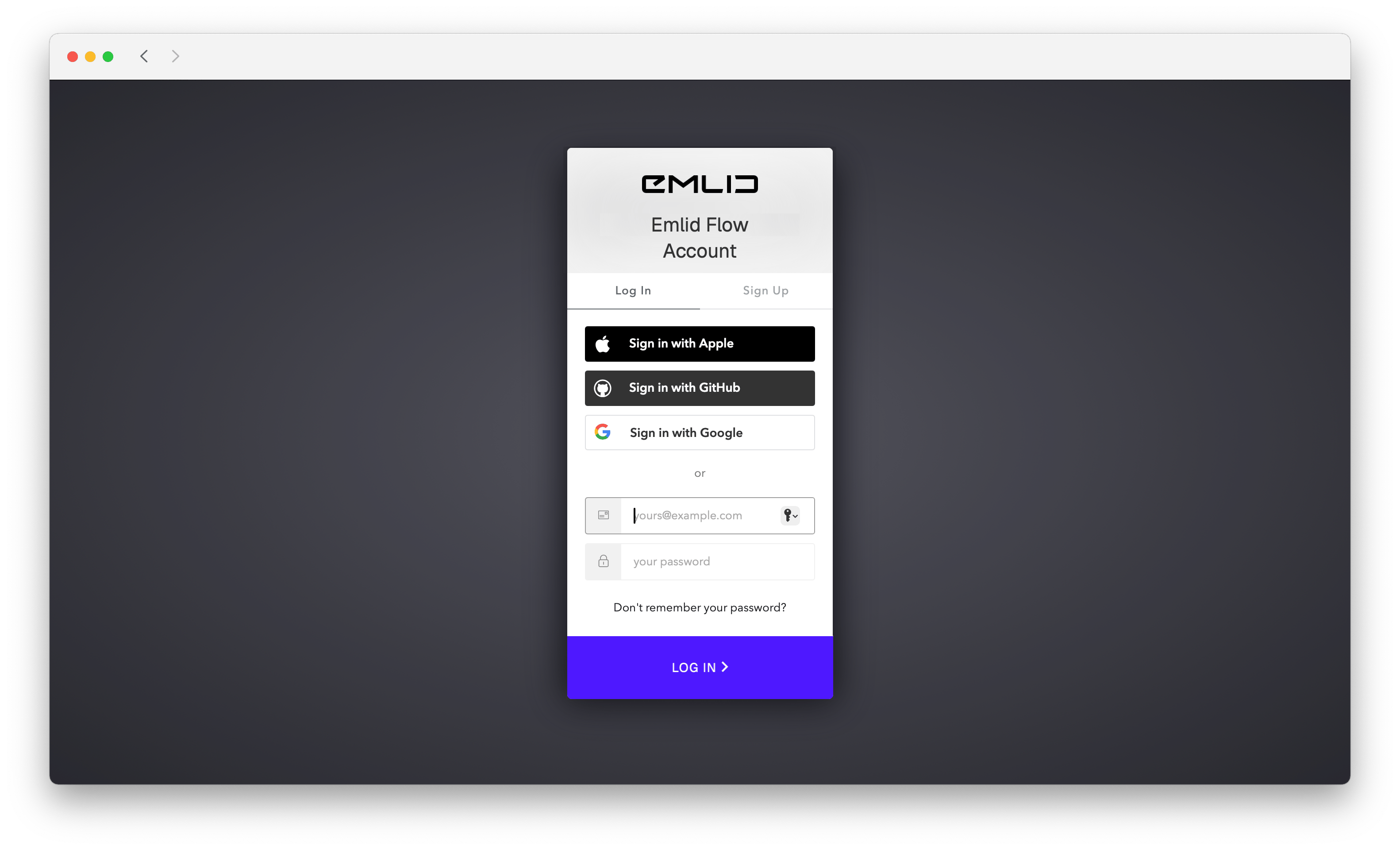
Go to flow360.emlid.com.
-
Log in to your Emlid Account.
-
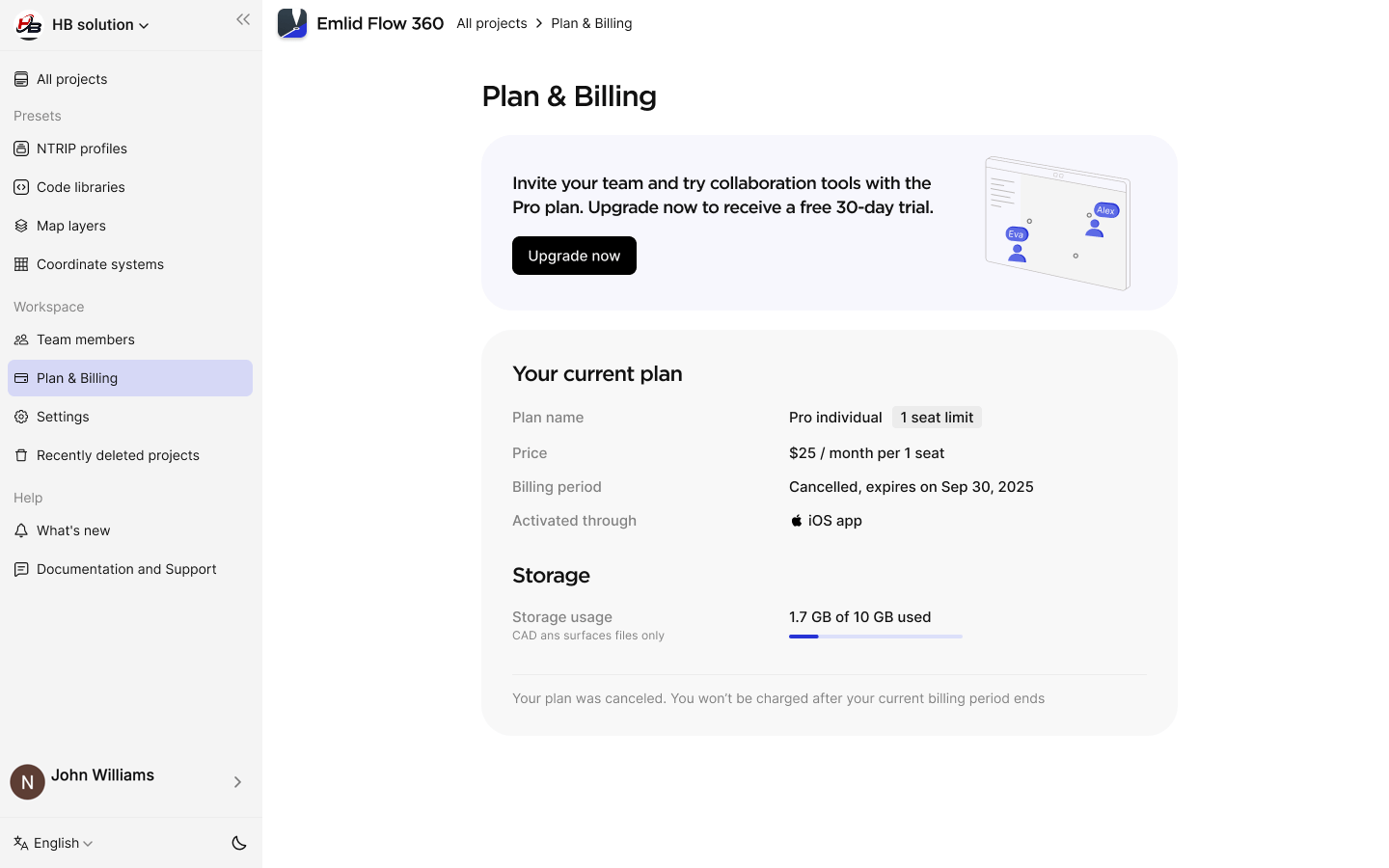
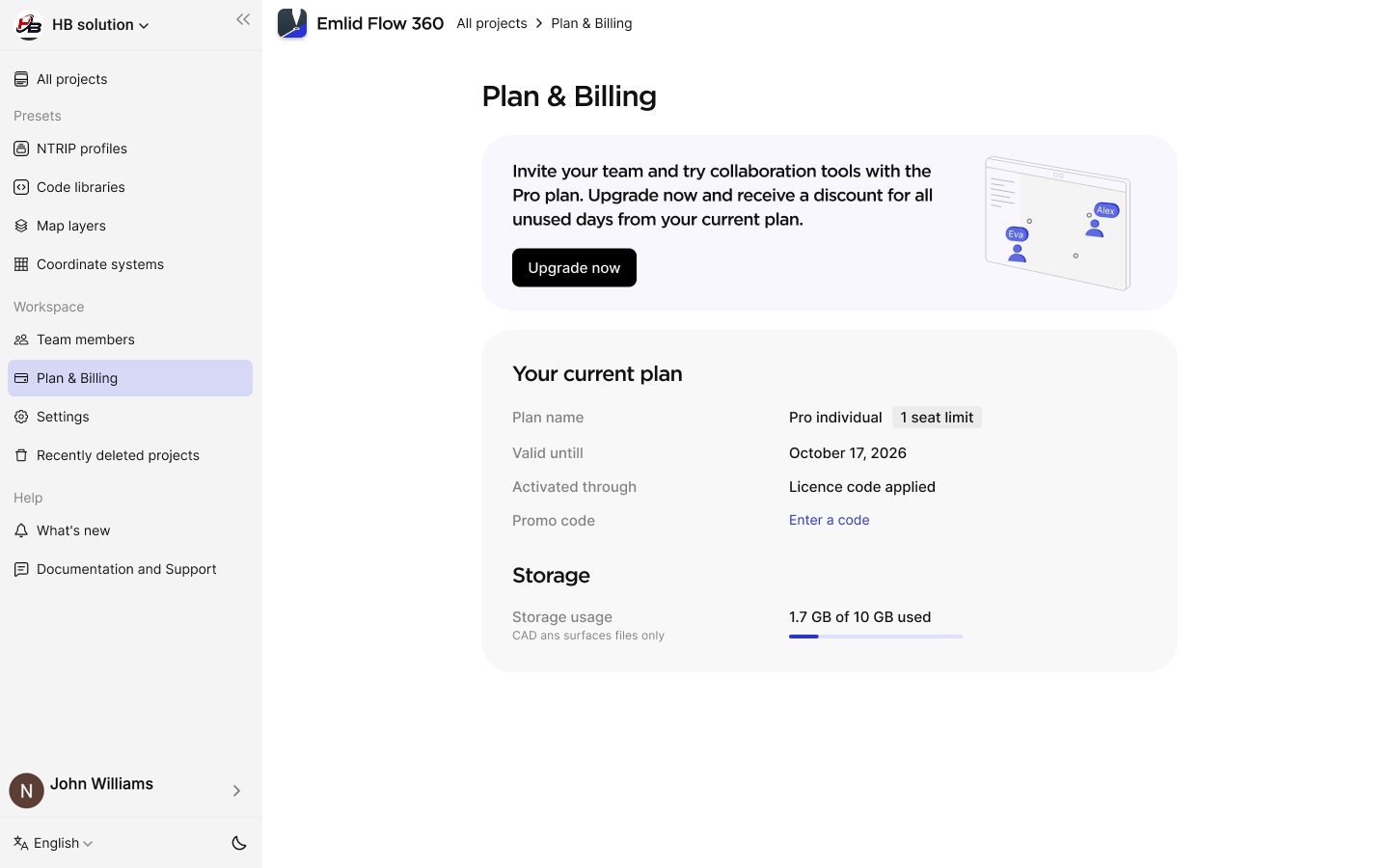
In the menu on the left, go to the Plan & Billing. There, you’ll see your current subscription status and the conditions for migrating to the Pro plan:
- When subscribed through the mobile store, you need to cancel the subscription there according to the used platform’s rules. When you upgrade, you’ll receive a 30-day trial to compensate for the remaining period on your mobile subscription. After 30 days, you’ll be charged according to the number of workspace members and your selected billing period.
- When subscribed through the license code, you can continue with upgrading the plan right away. If you have an active period left, you’ll receive a one-time discount based on the regional yearly Pro price, shown before checkout.
-
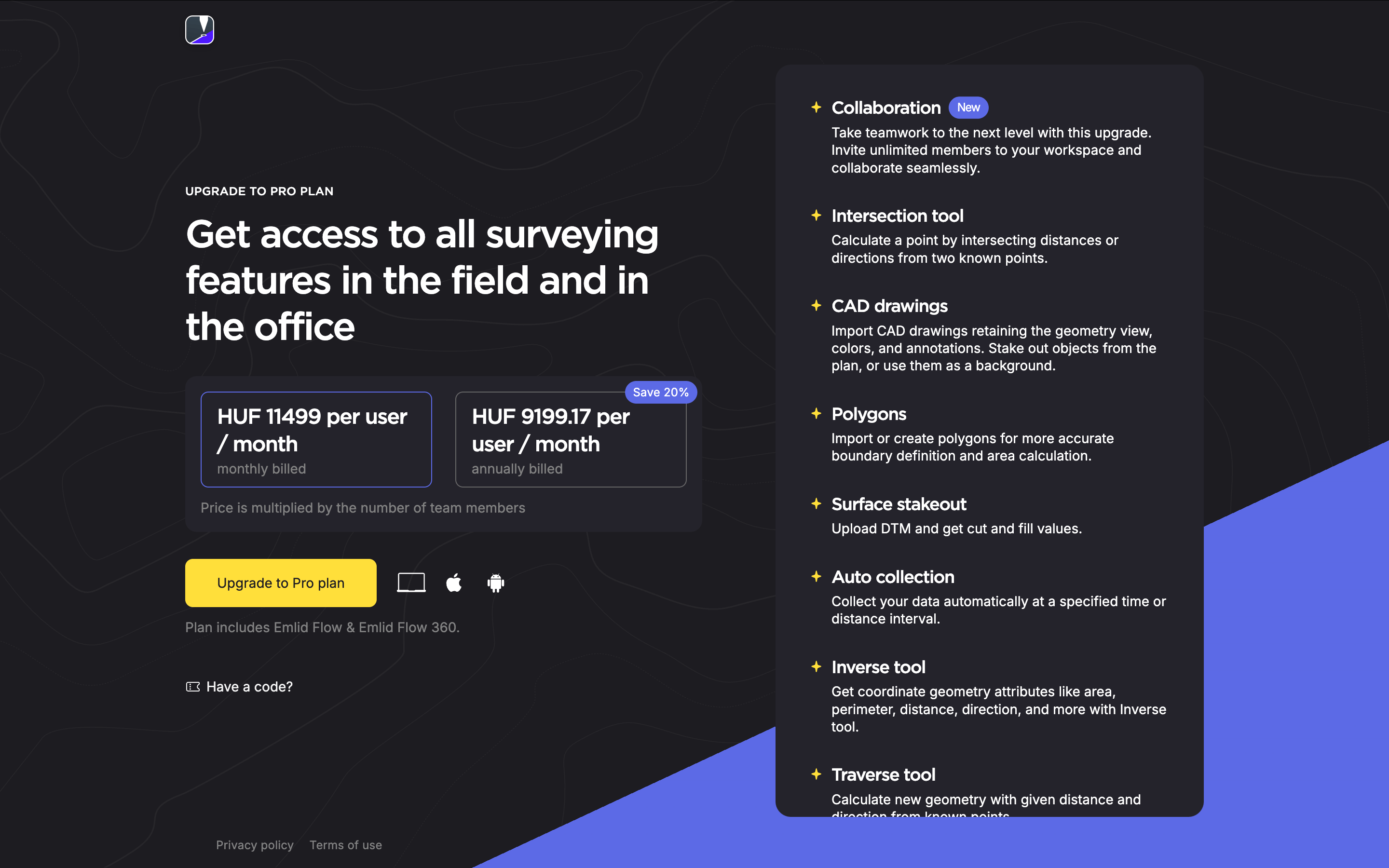
Once you meet the conditions for the upgrade, click Upgrade now. You will see the subscription landing.
-
Choose your billing period—monthly or annual.
-
If you previously subscribed through the mobile store, click Start a 1-month free trial. In all other cases, click Upgrade to Pro plan.
-
Fill in the payment details. After that, you’ll be automatically redirected to the main screen.
Upgrade from Free to Pro
If you reach or exceed the 10 team members included in the Free plan, you can upgrade to Pro, which offers an unlimited number of team members. Do as follows:
-
Go to flow360.emlid.com.
-
Log in to your Emlid Account.
-
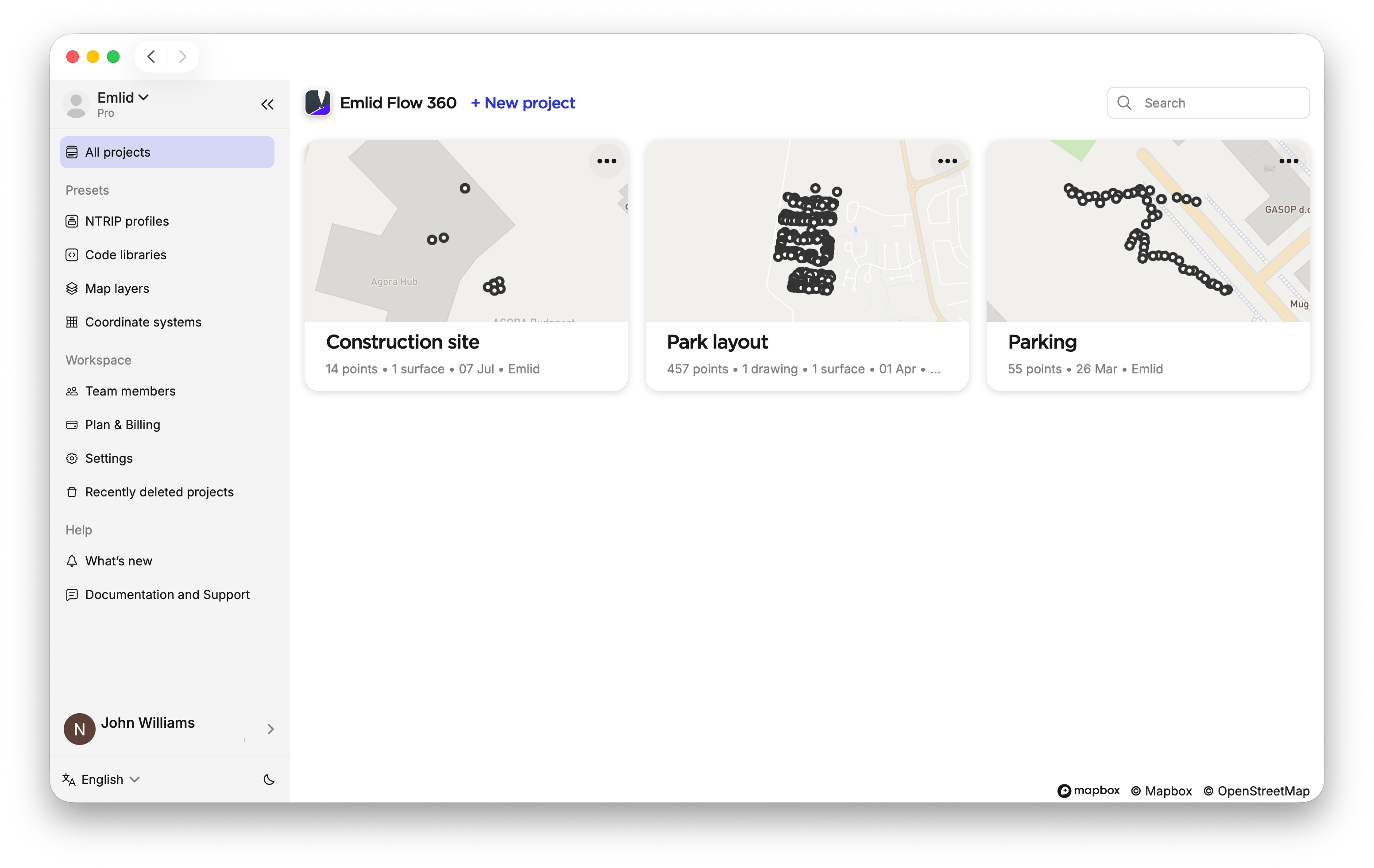
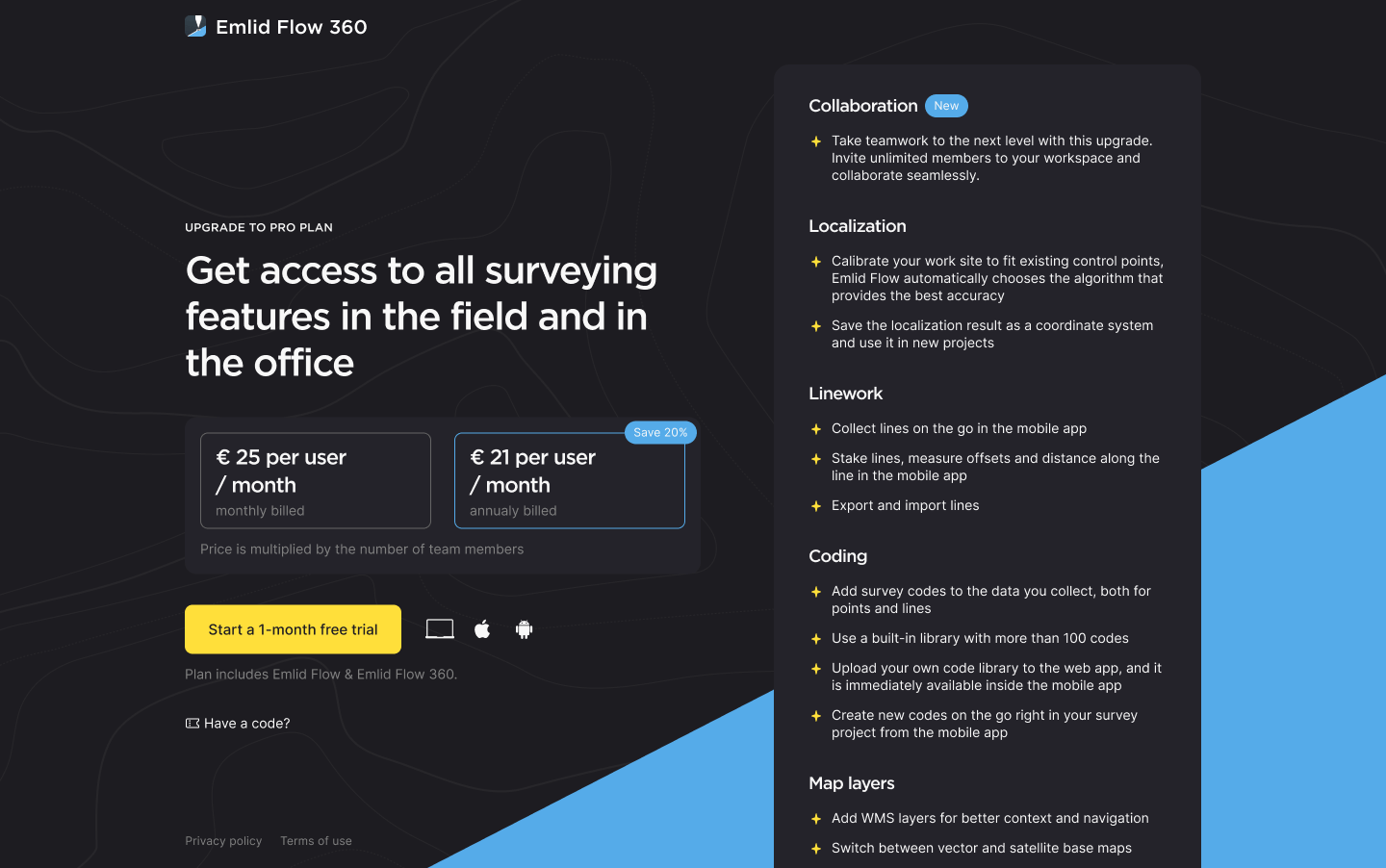
In the menu on the left, go to the Plan & Billing. You will see the subscription landing.
-
Choose your billing period—monthly or annual—and click Start a 1-month free trial.
noteThe trial applies only when you subscribe to the Pro plan for the first time.
-
Fill in the payment details. You’ll be automatically redirected to the main screen.
Once you upgrade to the Pro plan, you can start adding an unlimited number of team members and using the featured advanced survey modes and tools both in Emlid Flow and Emlid Flow 360.
You can view your billing details and access your invoice history in the Plan & Billing section of the Emlid Flow 360 main menu.
Cancel subscription
You can unsubscribe only on the platform you started the subscription.
To cancel the Pro Individual (ex. Survey) or Pro subscription, complete the following:
- Emlid Flow
- Emlid Flow 360
Follow the platform-specific instructions to cancel the Pro Individual (ex. Survey) subscription.
-
Go to flow360.emlid.com.
-
Log in to your account.
-
In the menu on the left, click Plan & Billing.
-
Click Unsubscribe and confirm it.
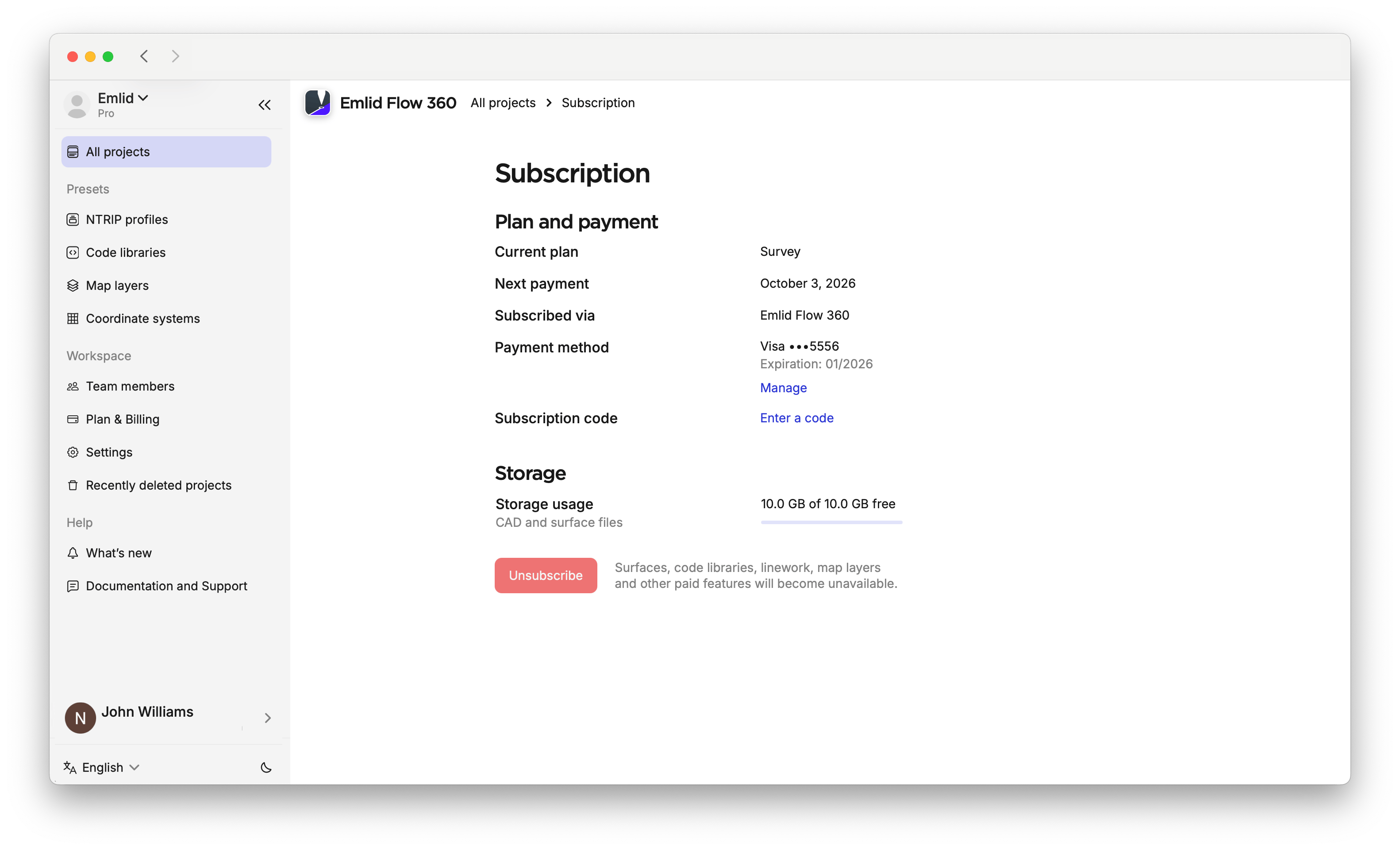
Once you unsubscribe, all the advanced survey modes and tools, as well as the ability to add unlimited team members to your workspace will become unavailable for use. However, you still will be able to view created using the subscription projects and export them in any format.
If you need help, contact the Support team at [email protected].