Navigazione sul campo utilizzando la posizione del telefono
Sblocca la serie completa di funzionalità per i rilievi topografici, di tracciamento e as-built
Questa guida mostra come utilizzare la posizione del telefono per navigare verso le posizioni nel progetto in Emlid Flow.
Panoramica
La funzionalità Posizione da dispositivo mobile di Emlid Flow consente di utilizzare i servizi di localizzazione integrati nel telefono per orientarsi nel sito di lavoro quando non è disponibile un ricevitore GNSS o non è richiesta una precisione topografica. Quando si utilizza la funzionalità Posizione da dispositivo mobile, Emlid Flow mostra la posizione approssimativa sulla mappa del progetto, con una precisione tipica di 1-3 m in buone condizioni all'aperto e con il Wi-Fi attivo.
La Posizione da dispositivo mobile utilizza i servizi di localizzazione integrati nel telefono per determinare la posizione. Per utilizzare questa caratteristica, abilitare i servizi di localizzazione precisa sul telefono.
Per ottenere la migliore precisione di posizionamento possibile per il dispositivo, si consiglia quanto segue:
- Utilizzare uno smartphone con supporto GNSS a doppia frequenza.
- Rimanere in un'area aperta con una visuale libera del cielo.
- Mantenere abilitato il Wi-Fi.
Abilitare Posizione da dispositivo mobile
Per abilitare la posizione da dispositivo mobile in Emlid Flow, procedere come segue:
-
Abilitare il Wi-Fi sul dispositivo mobile. Si consiglia di mantenerlo abilitato anche quando si risulta Non connesso a una rete Wi-Fi. Questo consente al telefono di utilizzare le reti Wi-Fi vicine per migliorare il posizionamento, in particolare in aree con limitata visibilità del cielo, come vicino agli edifici.
-
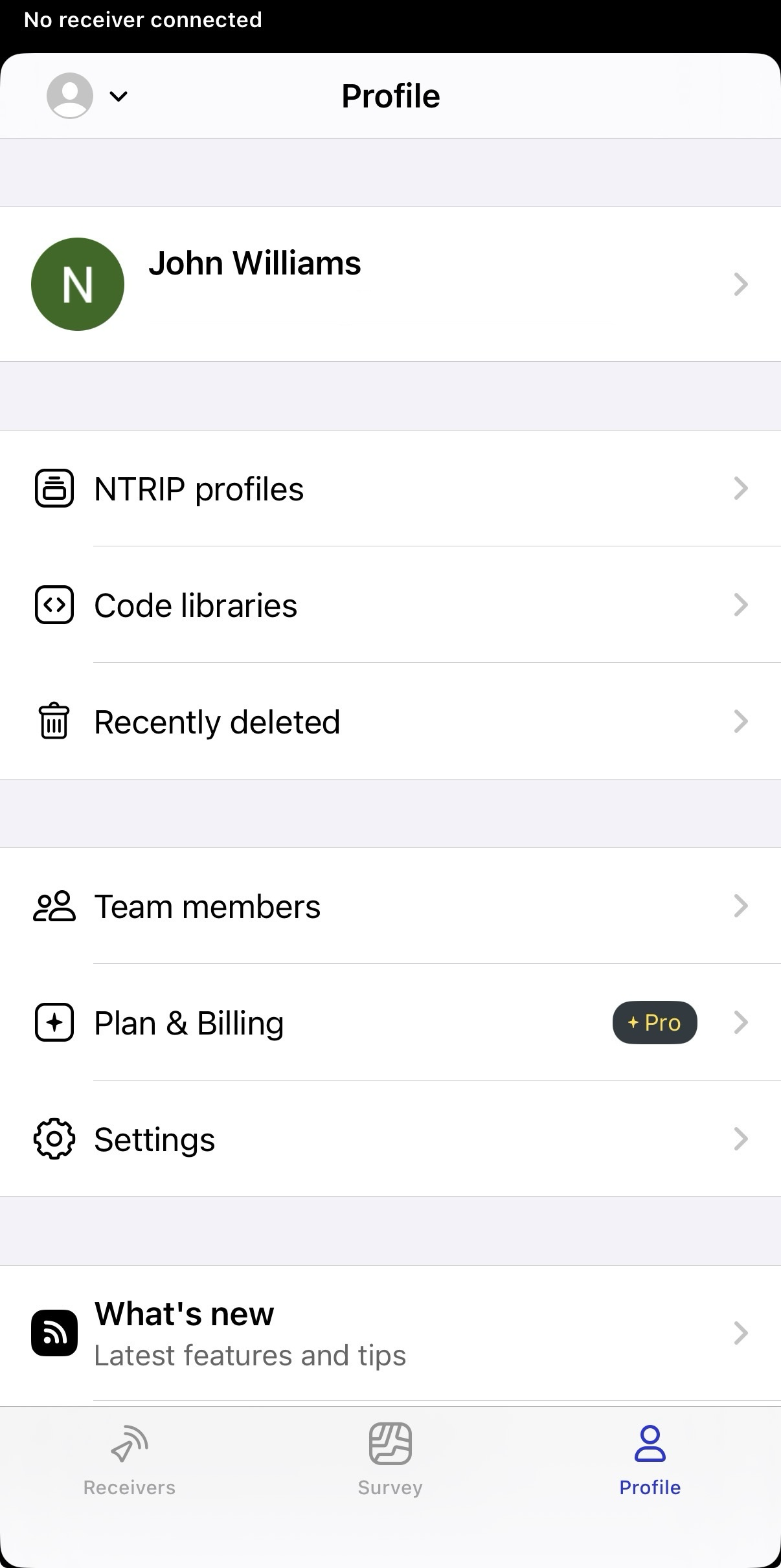
Aprire Emlid Flow, andare alla scheda Profiles (Profili) e toccare Settings (Impostazioni).
-
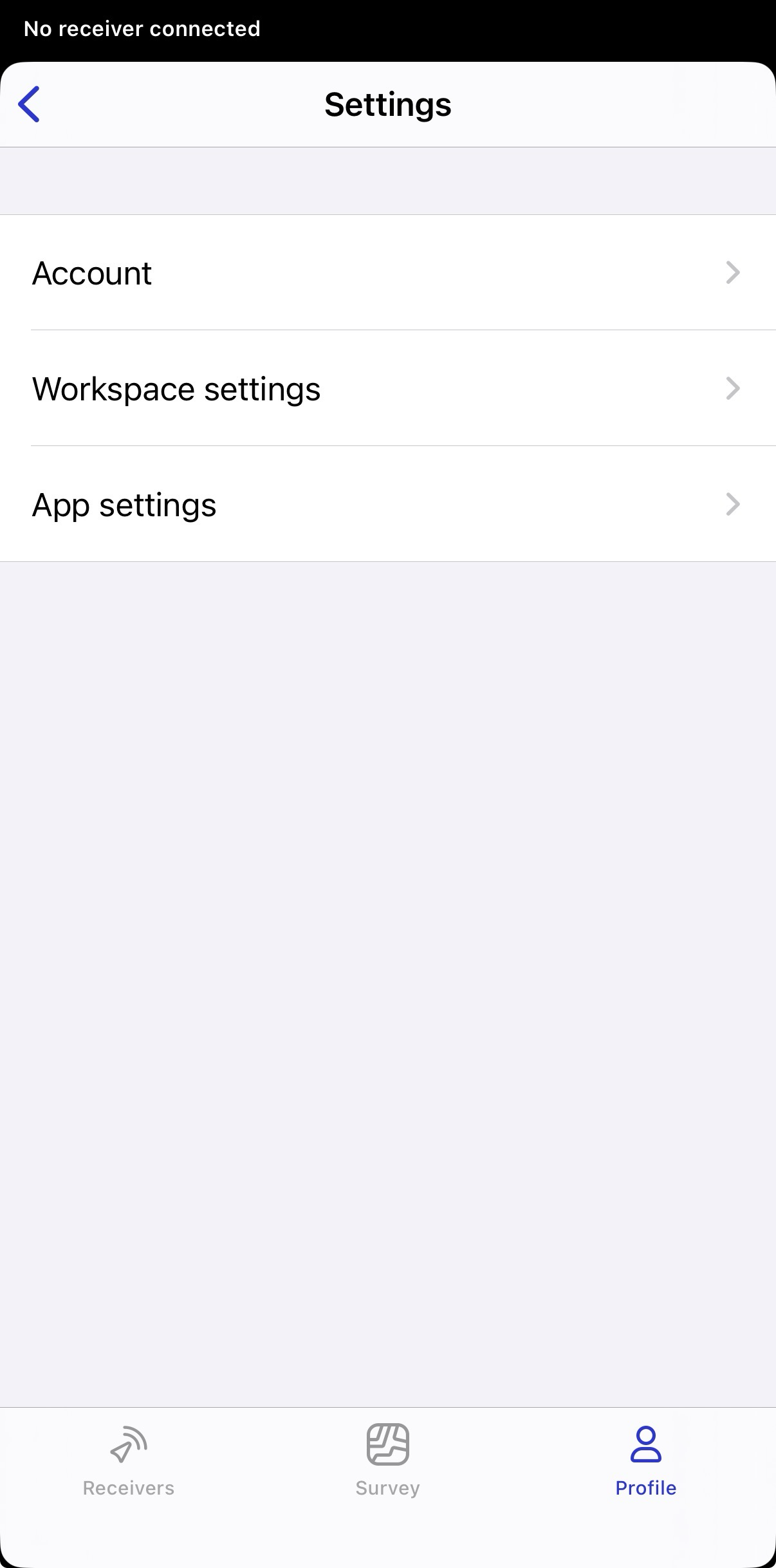
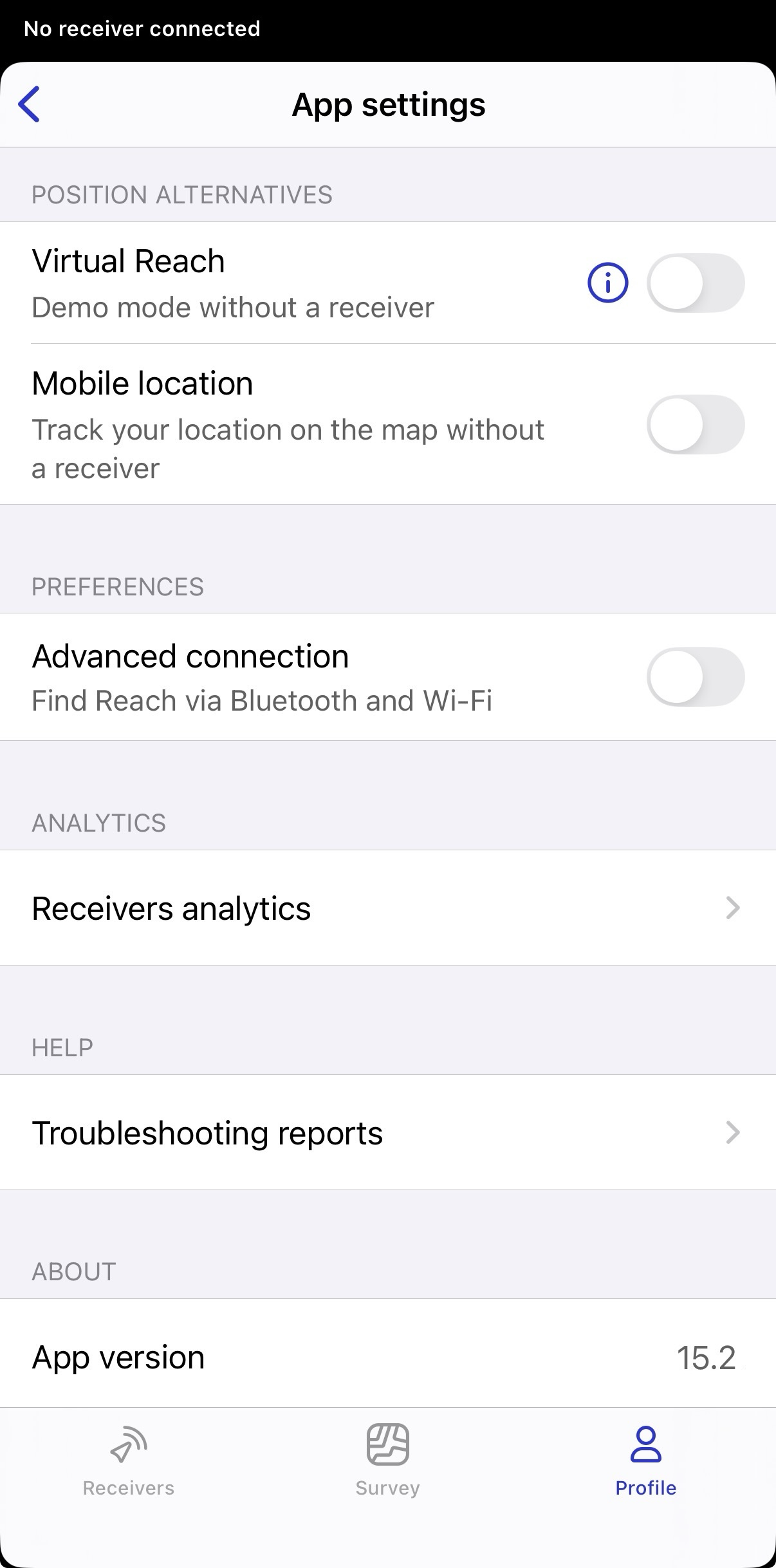
Andare su App settings (Impostazioni app) e abilitare Mobile location (Posizione da dispositivo mobile).
-
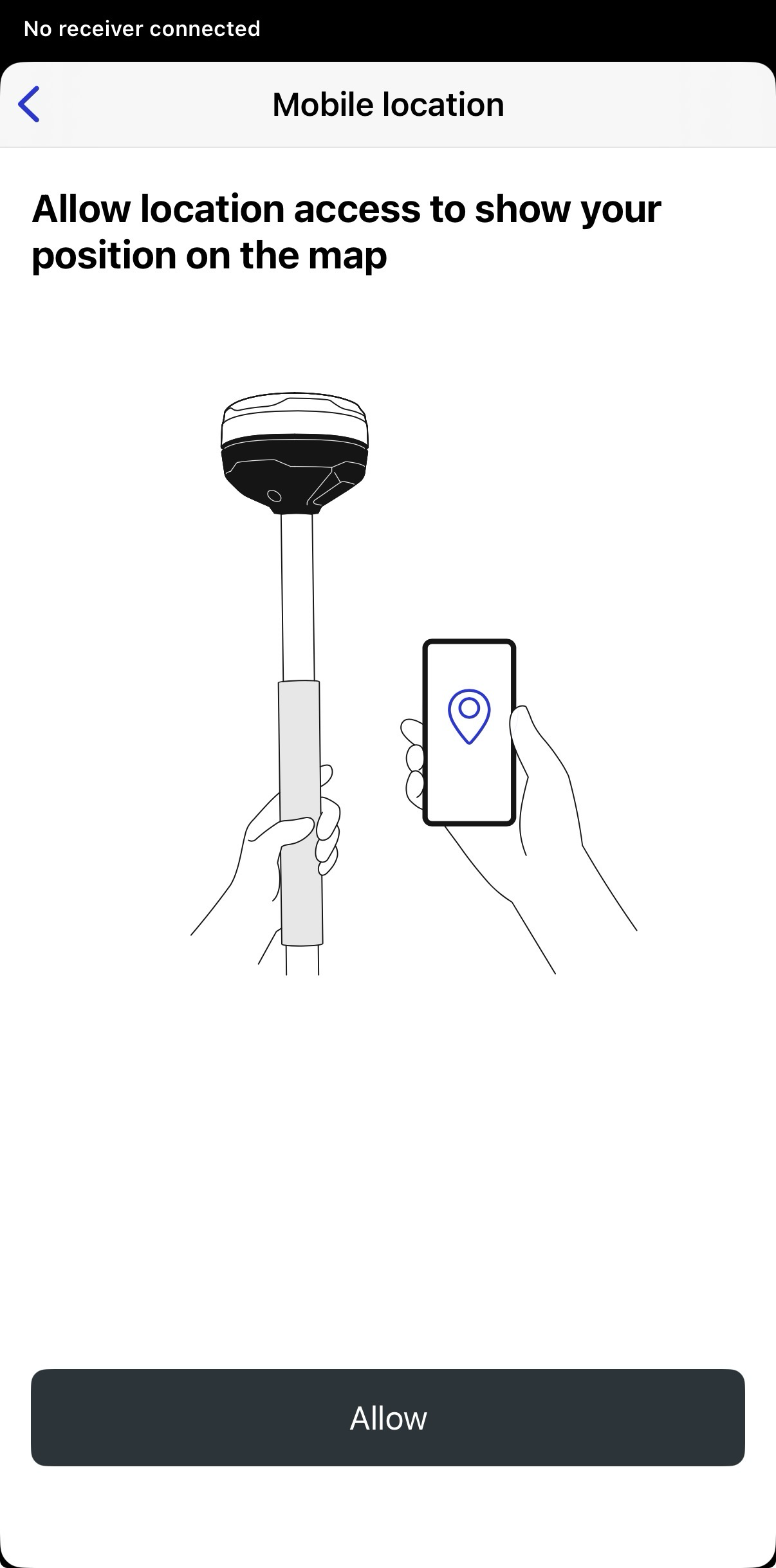
Quando richiesto, consentire a Emlid Flow di accedere alla posizione precisa del dispositivo. I dati sulla posizione vengono utilizzati solo in tempo reale e non vengono memorizzati o trasmessi ai nostri server.
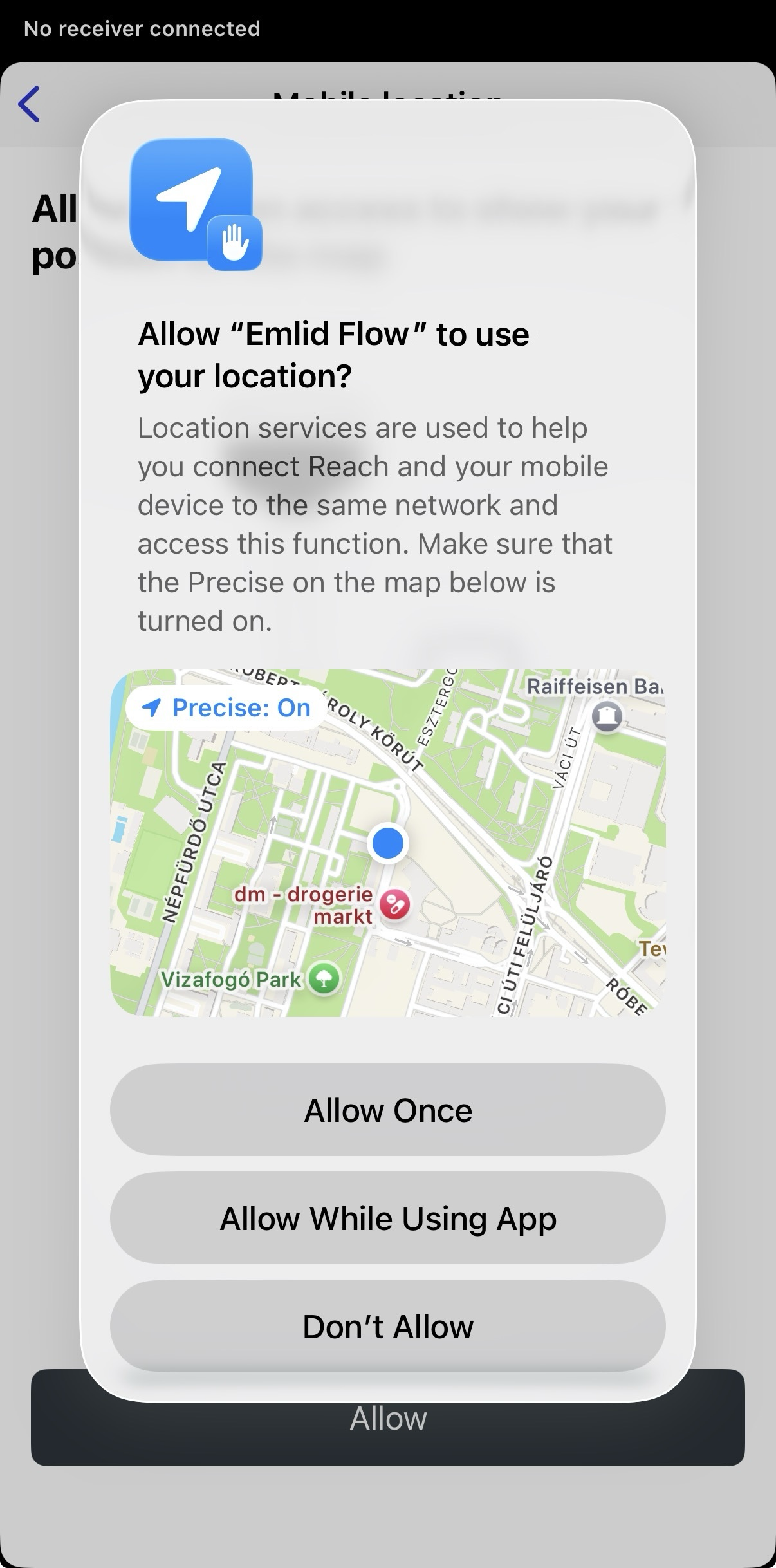
-
Una volta abilitata, andare alla scheda Receivers (Ricevitori) e scegliere Mobile location (Posizione da dispositivo mobile) come ricevitore.
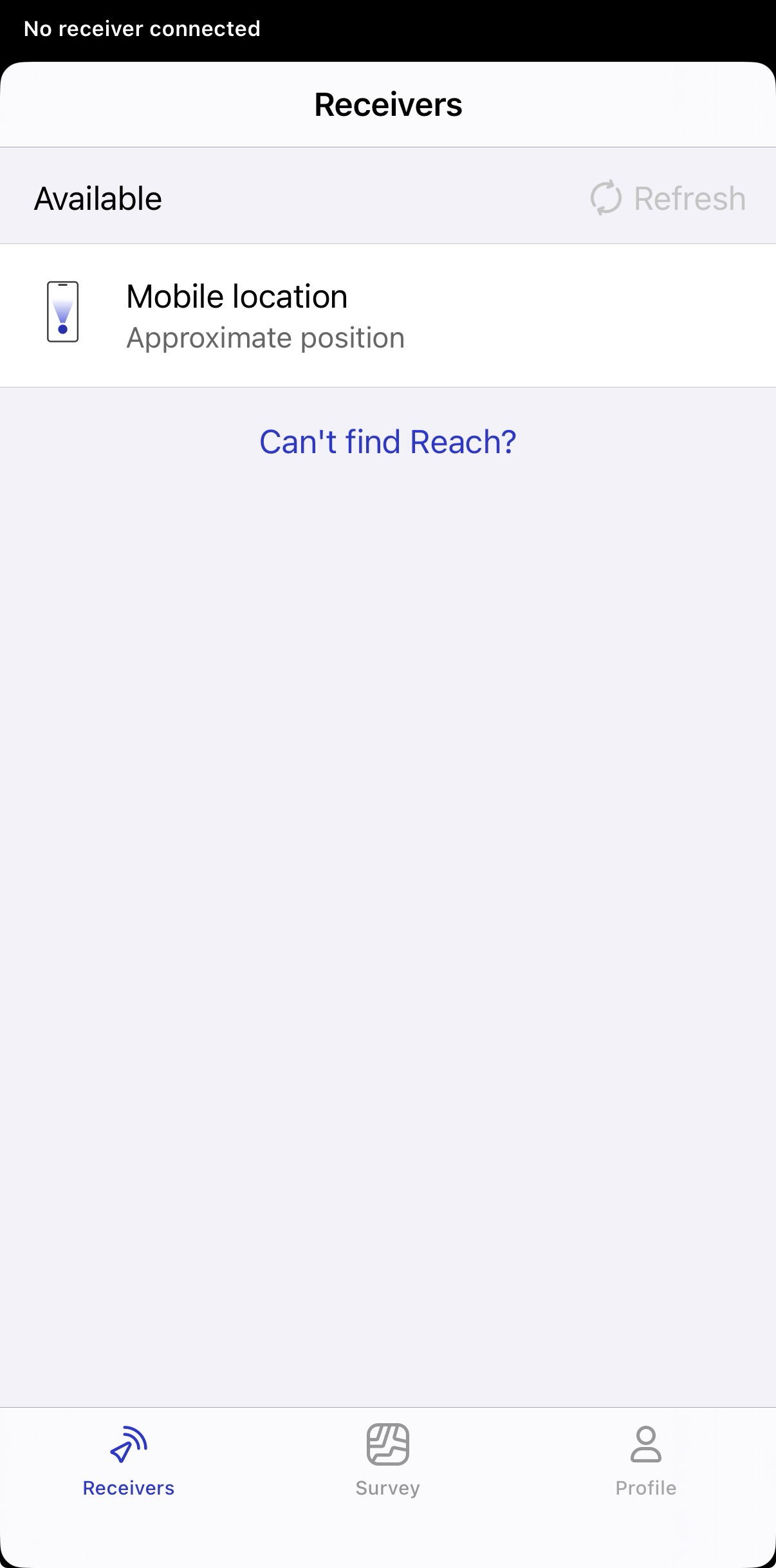
-
Aprire il progetto e osservare la propria posizione approssimativa sulla mappa del progetto durante la navigazione sul sito.
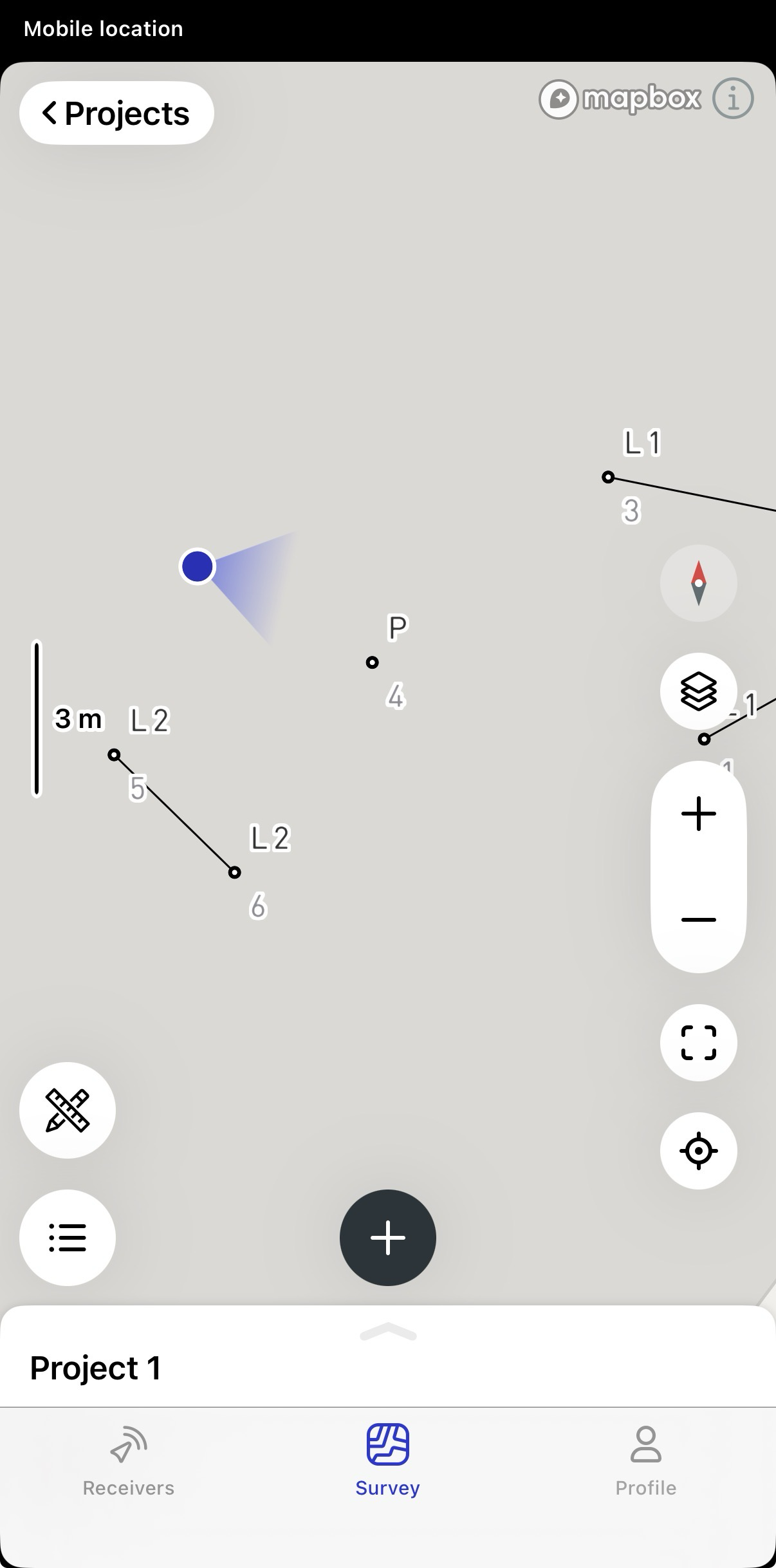
Ora è possibile utilizzare la Posizione da dispositivo mobile per navigare sul campo sfruttando la posizione incorporata del dispositivo finché non si è pronti per un posizionamento con maggiore precisione.