Connecting Reach to the Internet via built-in modem
This guide shows how to connect Reach to the internet via the built-in cellular modem to get corrections from your NTRIP service.
Text guide
Connect your Reach to the internet via the built-in cellular modem following the instructions below.
Insert a SIM card
Make sure you have a nano-SIM card. You can cut your SIM card to match the format.
To insert the SIM card into your Reach, follow the steps below:
-
Turn off your receiver.
-
Unscrew the SIM door with a hex key. Loosen the two screws alternately (1-2 turns each) to avoid door misalignment or stress.
-
Slide the metallic cover to the right to unlock the SIM card slot.
cautionTo prevent slot damage, please use it with care.
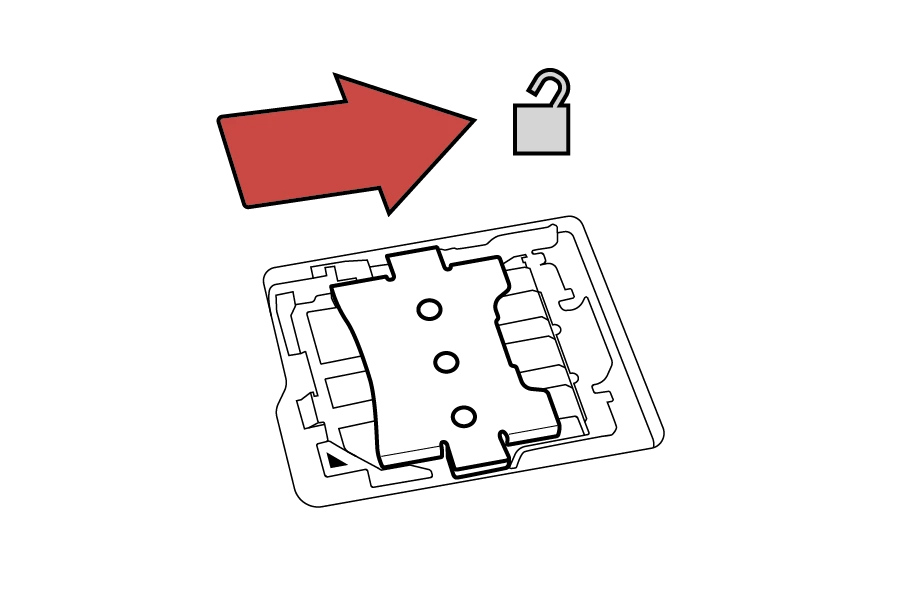
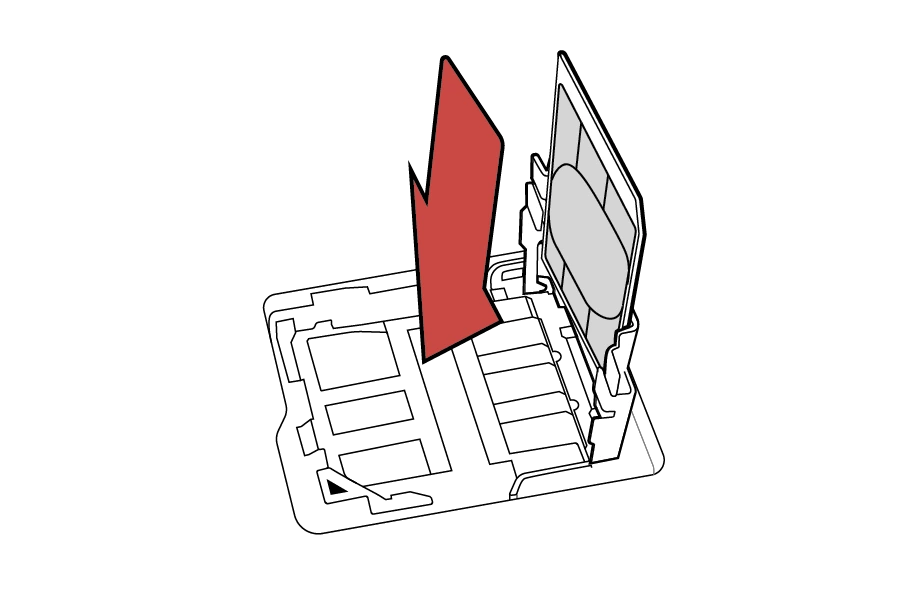
- Pull up the cover to open the SIM card slot.

- Insert your SIM card into the metallic cover.
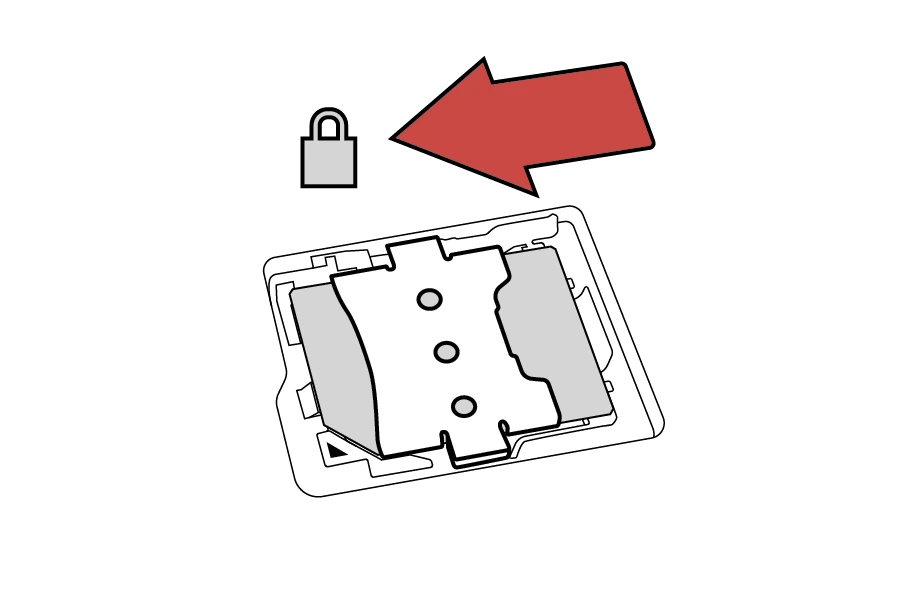
- Return the slot cover into the horizontal position and slide left to lock the slot.
-
Put the SIM door back in place and carefully tighten the screws with a hex key. Do not overtighten.
-
Turn on the receiver.
Enable mobile data
When the SIM card is inserted, connect your Reach to the internet as follows:
-
Connect to your receiver in Emlid Flow.
tipYou can read how to connect to your receiver using the Emlid Flow app in the Connecting to Reach guide.
-
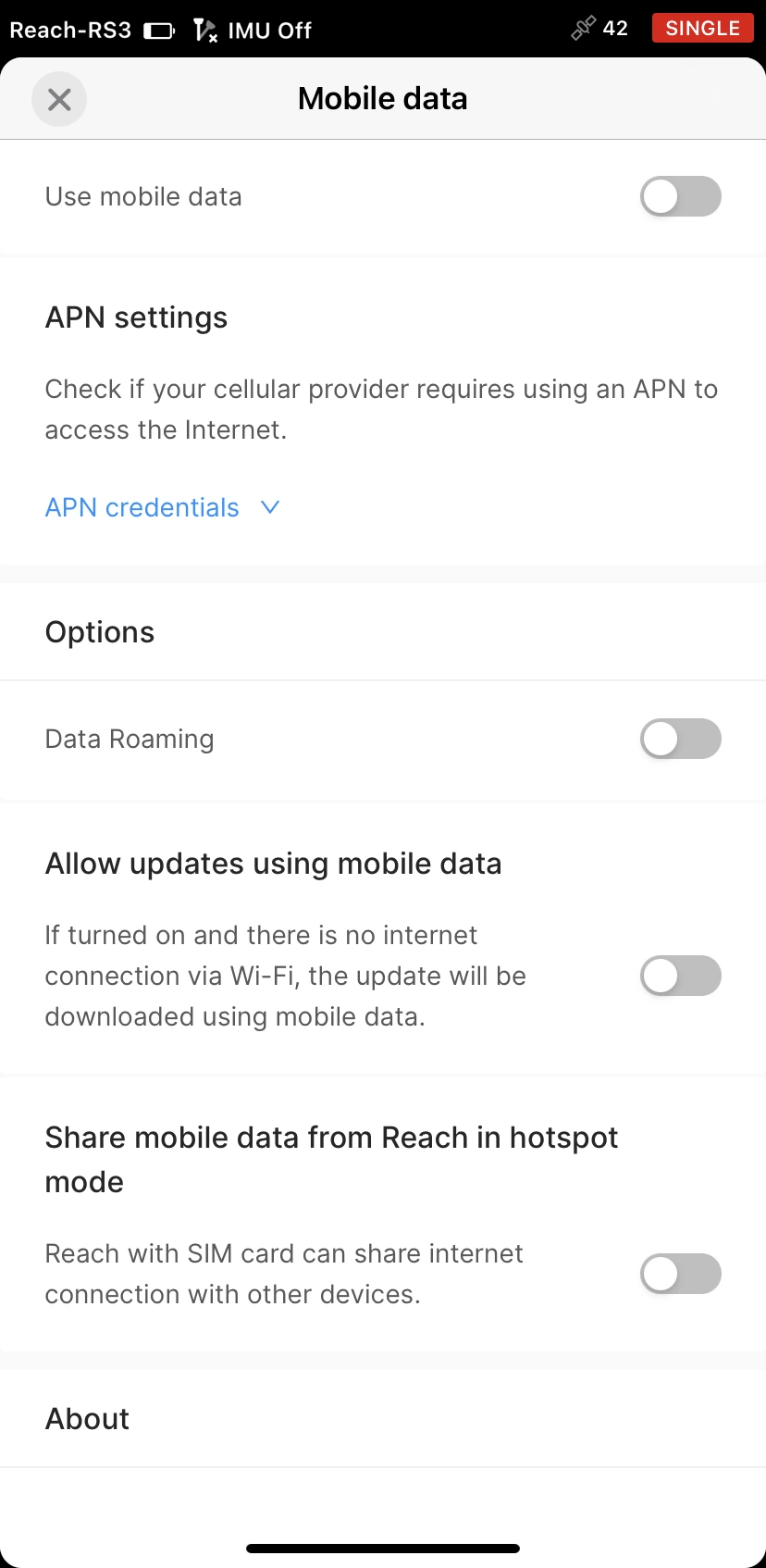
In Settings, go to the Mobile data section.
noteIf the SIM card requires a PIN code, type it into the pop-up field on the Mobile data screen.
-
note
This step is optional. If you don’t know your APN settings, contact the network carrier.
Tap APN settings and enter your APN.
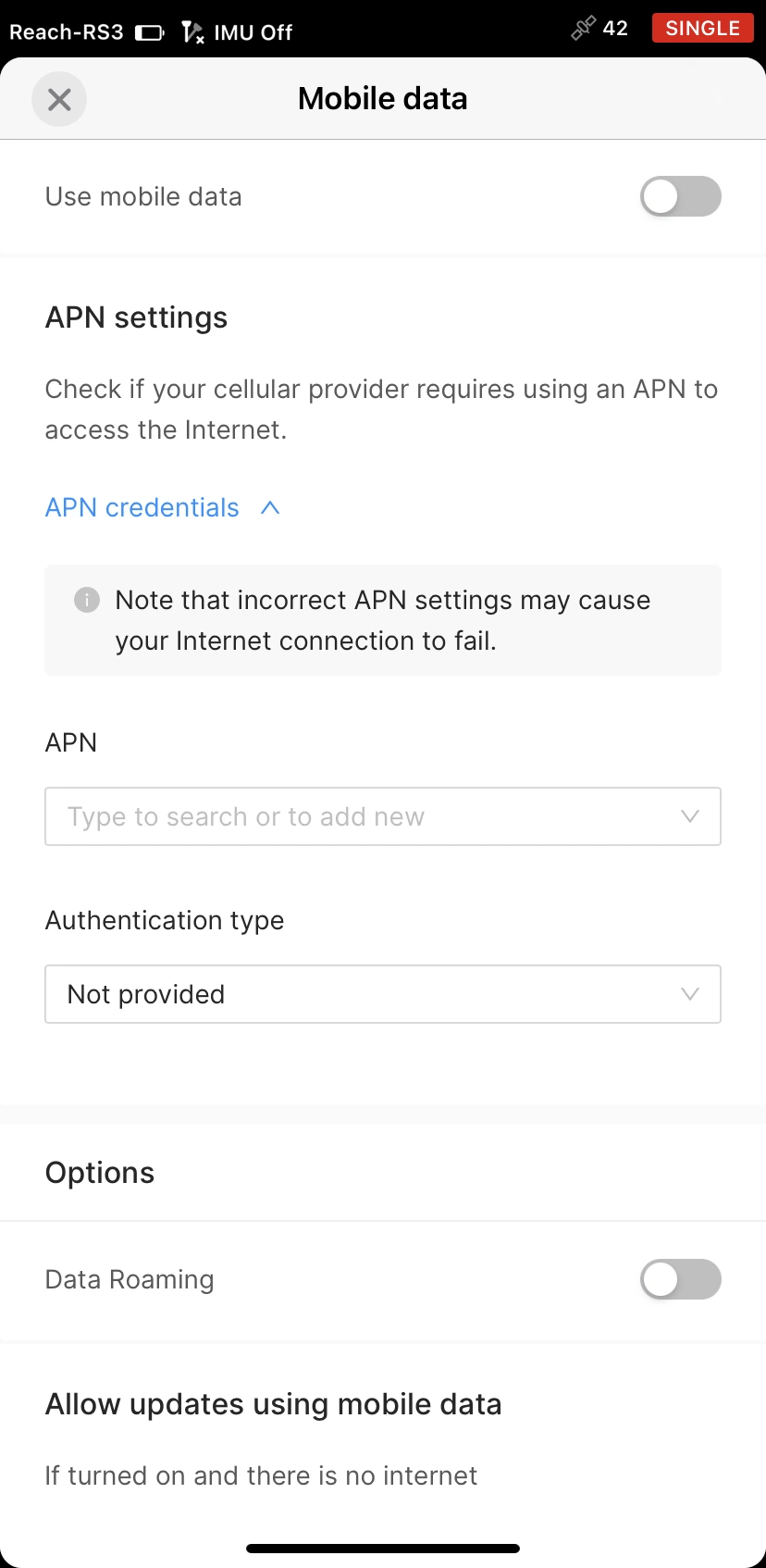
Some SIM cards may require filling in all the fields in the dropdown menu.
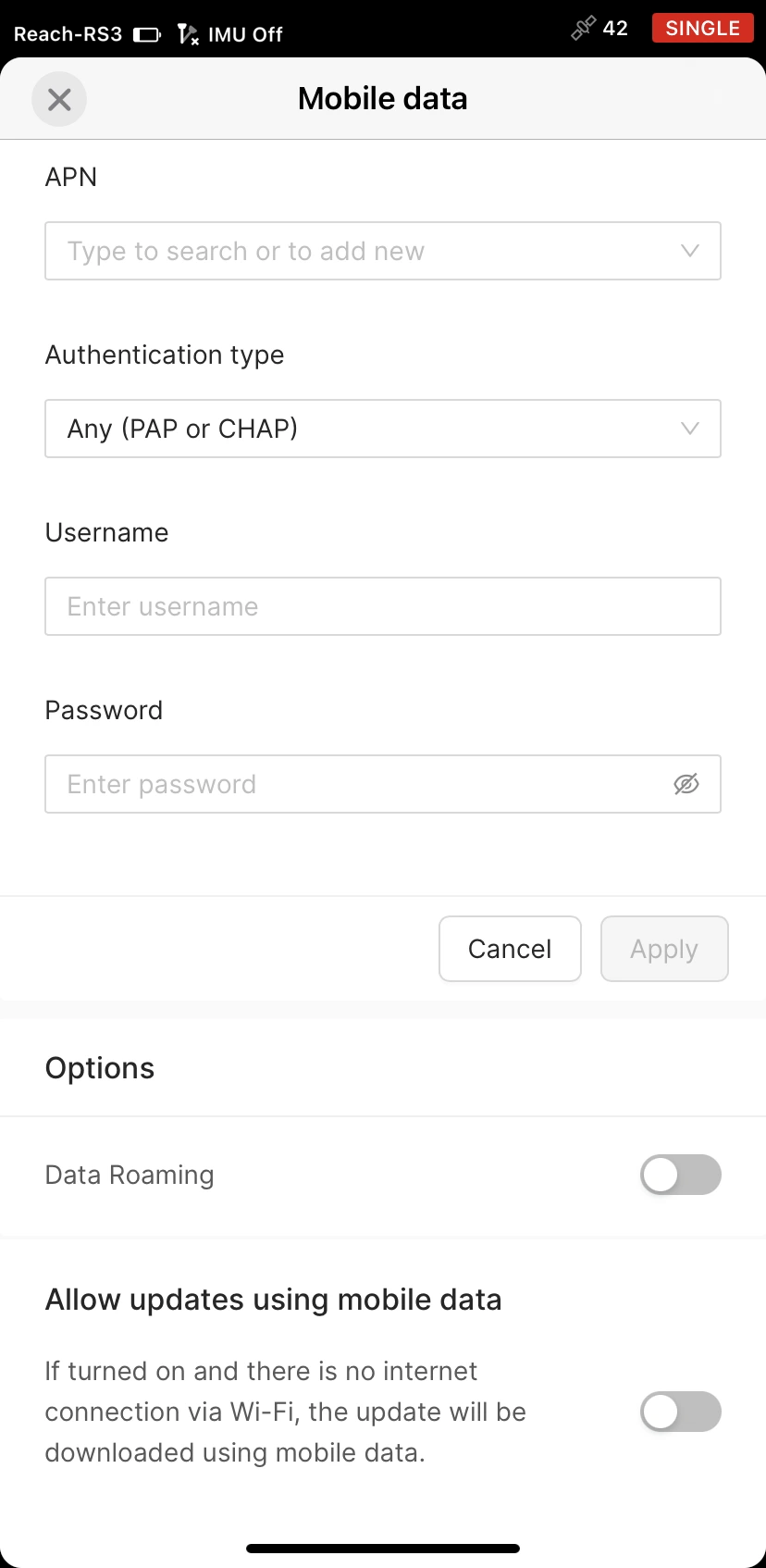
Tap Apply.
-
Switch Mobile data on.
noteSome SIM cards require enabling the Data roaming option to connect to the network.
If everything is correct, you will see network bars and connection type next to the battery icon. Once Reach connects to the internet, you can set it up to get corrections from an NTRIP service.
If you can't connect to a cellular network, do the following:
- Make sure you're in an area with cellular network coverage.
- Check the APN settings.
If you still can’t connect to a cellular network, contact your carrier.