Power supply and operation
This guide provides you with information on the power supply and operation of your Reach RX2.
Overview
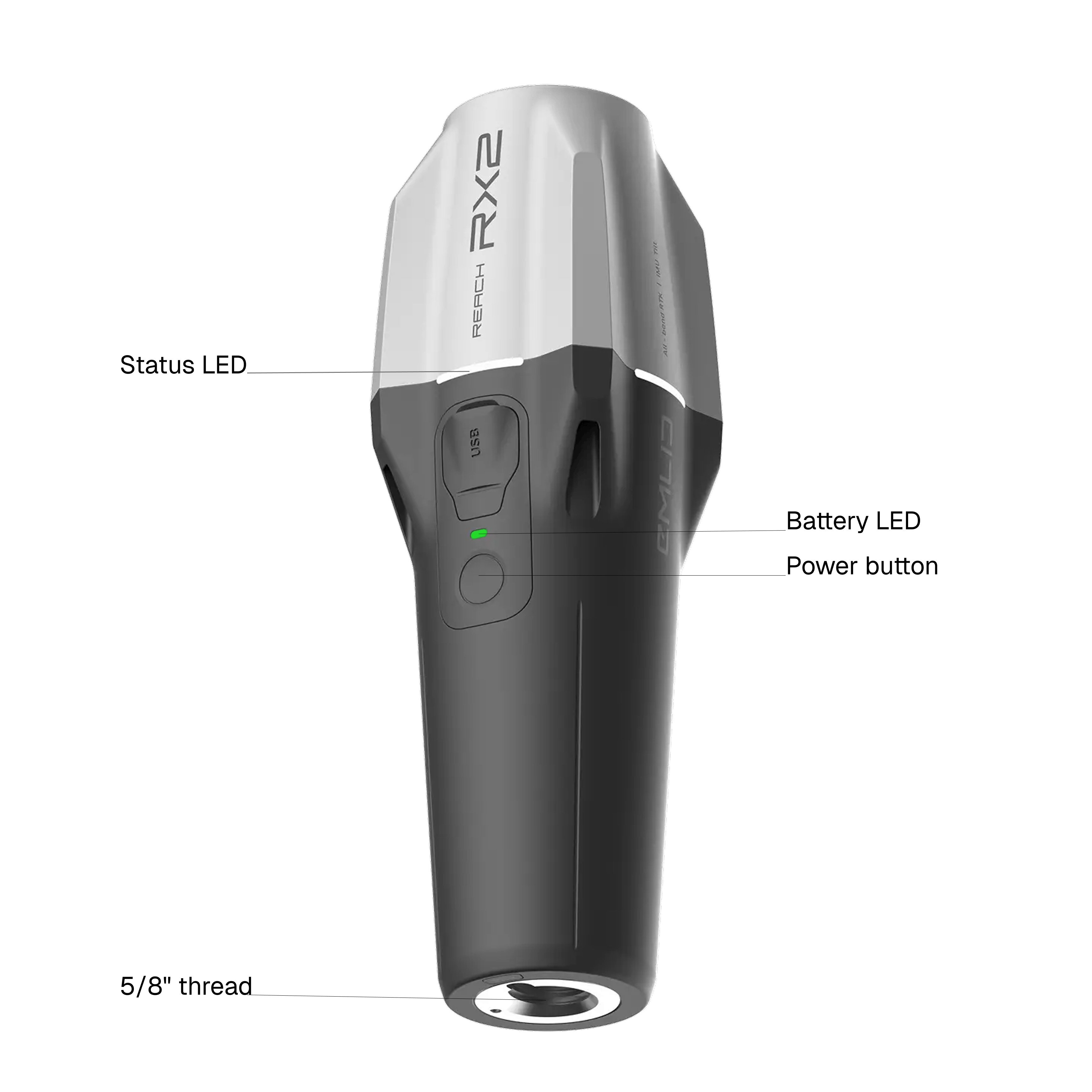
Reach RX2 has 2 LEDs—Battery LED and Status LED. The Battery LED indicates the battery charge level and is located above the power button. The Status LED indicates the operating states of the receiver. The power button is used to turn on and off the receiver and to check the battery charge level.
Checking battery charge level
You can check the battery charge level with a short press on the power button. Learn more about the Battery LED status below.
RX2 is turned off
 31–100%
 11–30%
 1–10%
1–10% 0%
0%RX2 is turned on
31–100%11–30% 0–10%
0–10%RX2 is charging
Fully charged 31–100%
 11–30%
 1–10%
1–10%Charging Reach RX2
Reach RX2 has a built-in Li-Ion battery providing up to 16 hours of autonomous work when operating as an RTK network rover. You can power and charge Reach RX2 over the USB Type-C cable supplied with the receiver using power supplies like:
- Power bank
- USB wall adapter
Operating receiver
You can check the operating state of the receiver by watching its Status LED. Learn more about Status LED states below.

Reach RX2 is turned off.

Reach RX2 is loading.



Reach RX2 is operating.
This state can be represented by 3 different collors: white, yellow and green.