How to update firmware
If your Reach RX runs firmware earlier than version 1.6, you should update it using Reach Firmware Flash Tool. Learn more in the Firmware Flashing guide.
This guide explains how to update the firmware on your Reach RX using the Updater tool in the Emlid Flow app.
Overview
Updater is a tool in Emlid Flow that helps update the firmware on your receiver. Firmware refers to the background program that runs your receiver and requires updates to upgrade the receiver with new features, optimize its performance, and protect it from vulnerabilities.
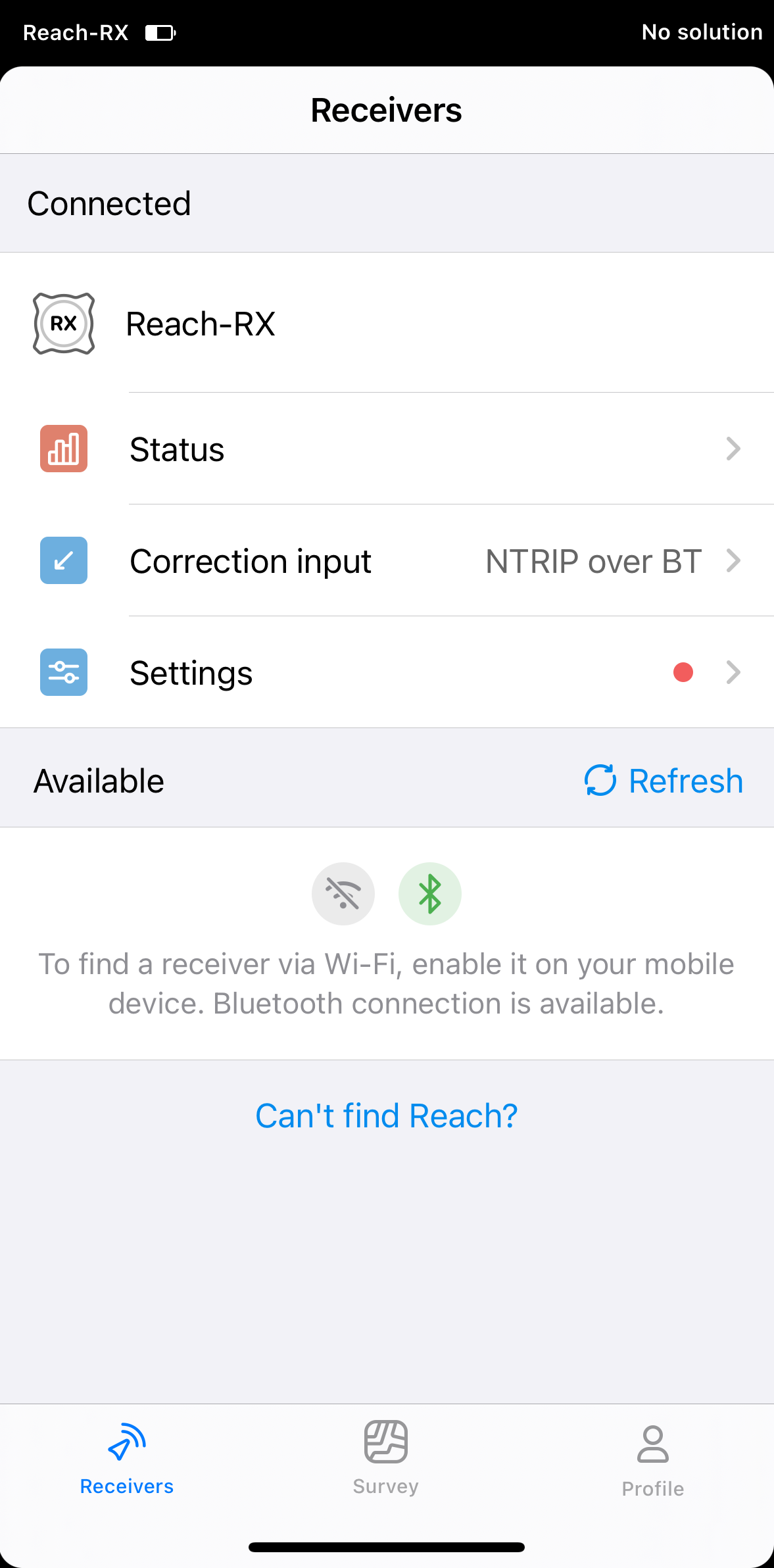
When a firmware update is available, a red dot appears next to the Settings icon. The process requires a Wi-Fi connection, regardless of the current connection type. Update the receiver directly from Emlid Flow. This is the recommended method to update your receiver to the latest firmware version.
We recommend updating firmware every time it is available.
Update firmware
Make sure that you mobile device is connected to the internet.
To update the receiver, follow the steps below:
-
Open Emlid Flow and connect to your Reach RX.
-
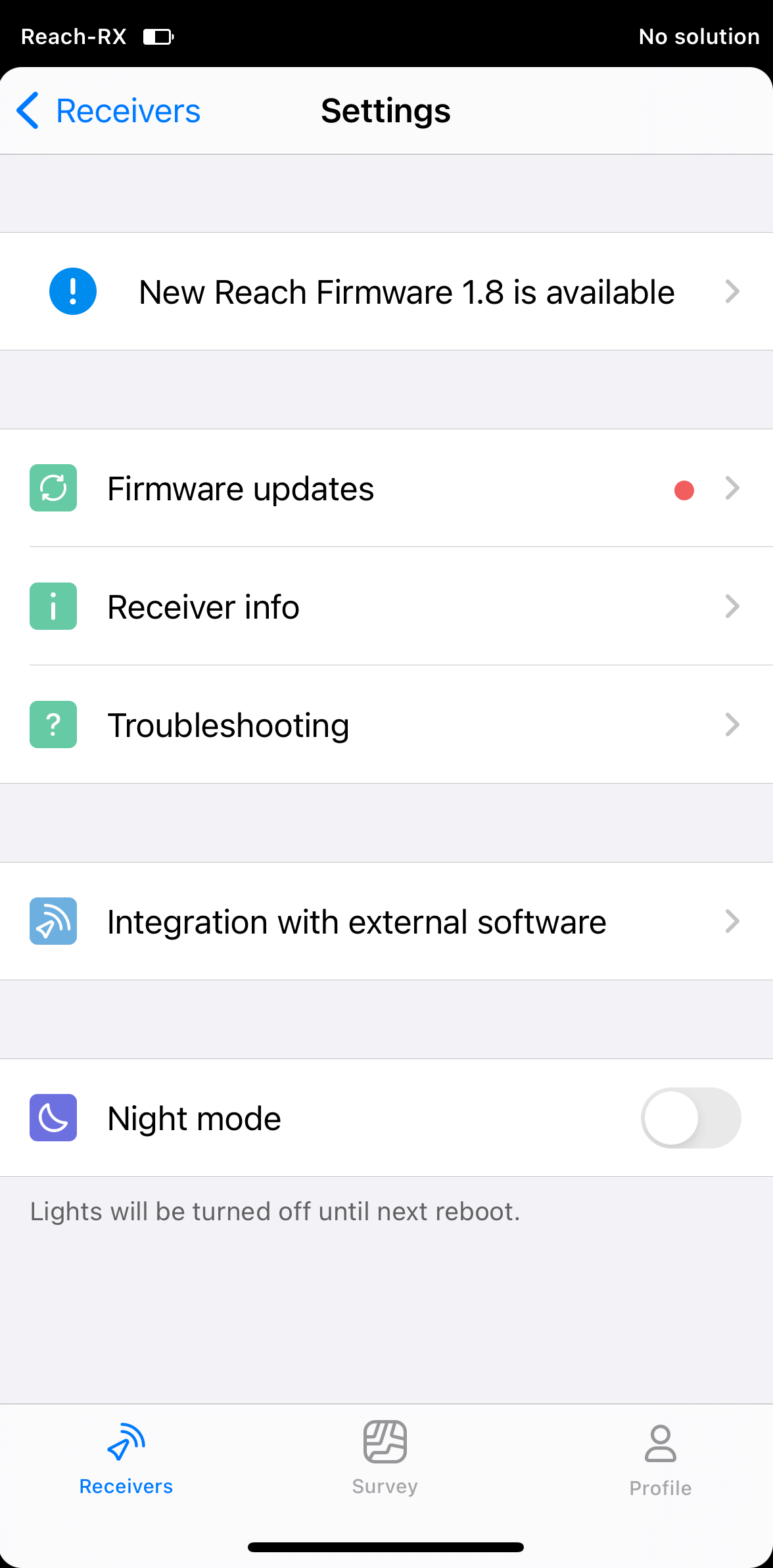
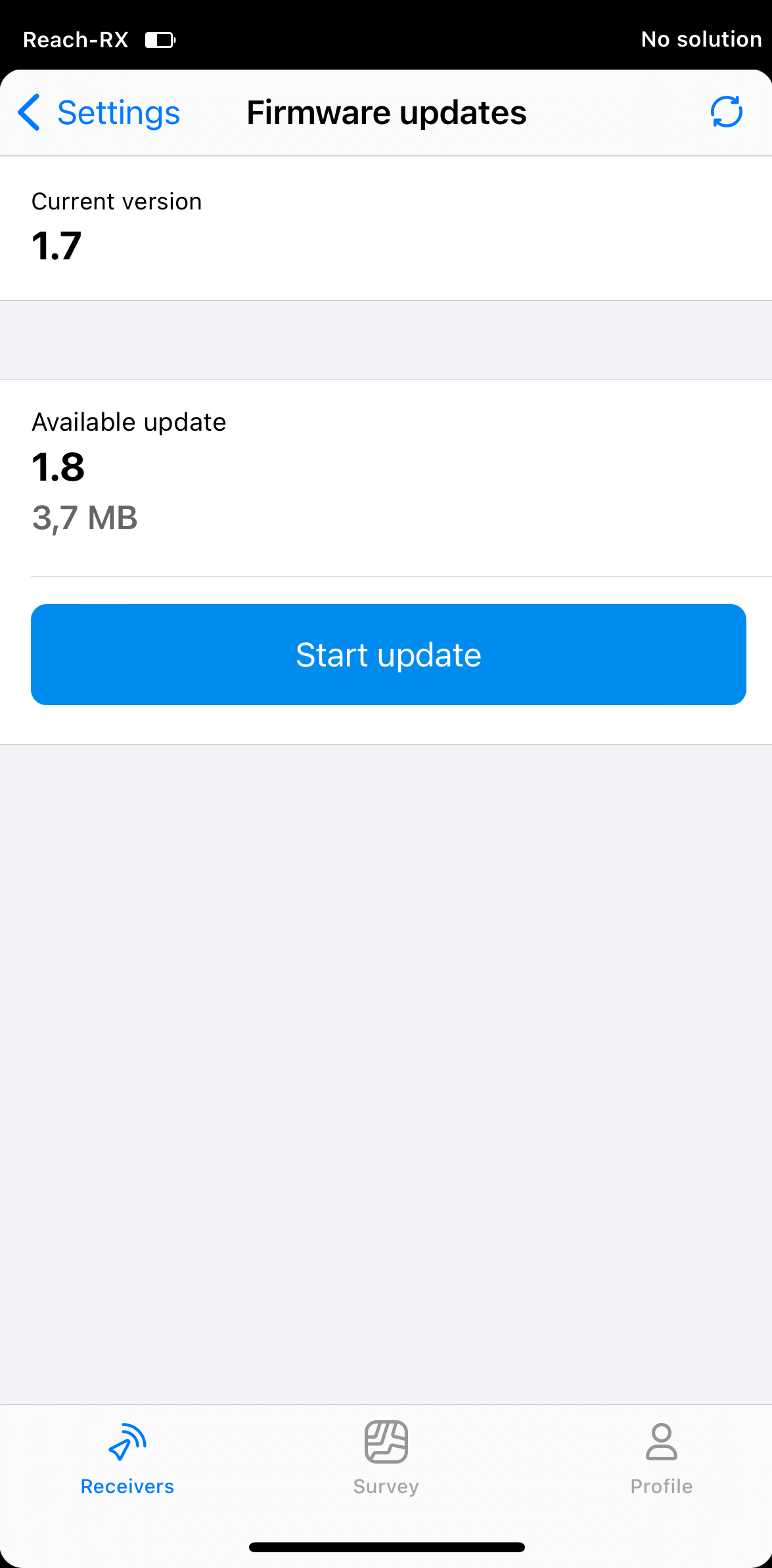
In Settings, tap Firmware updates. You'll see the available update version and size.
-
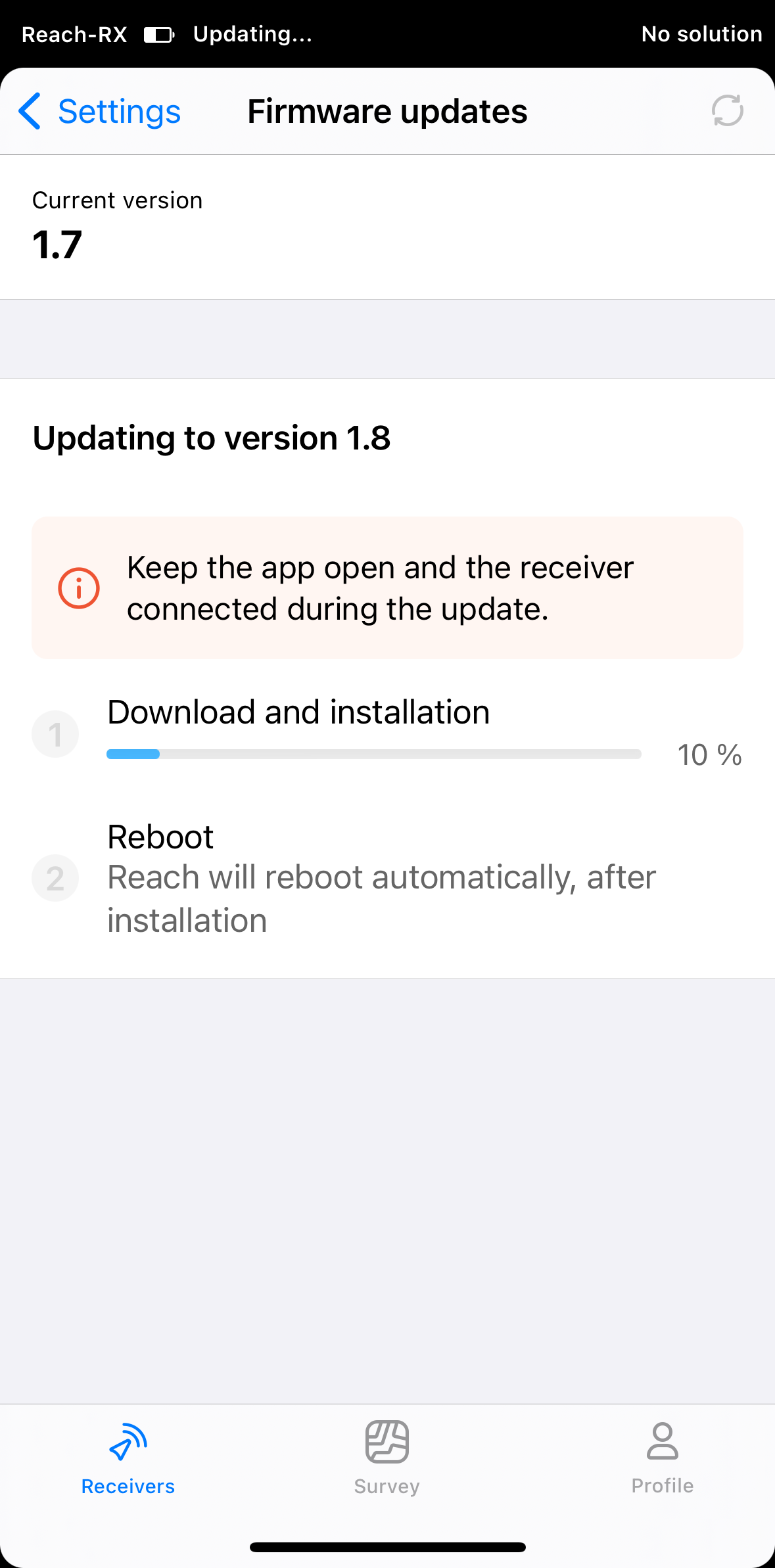
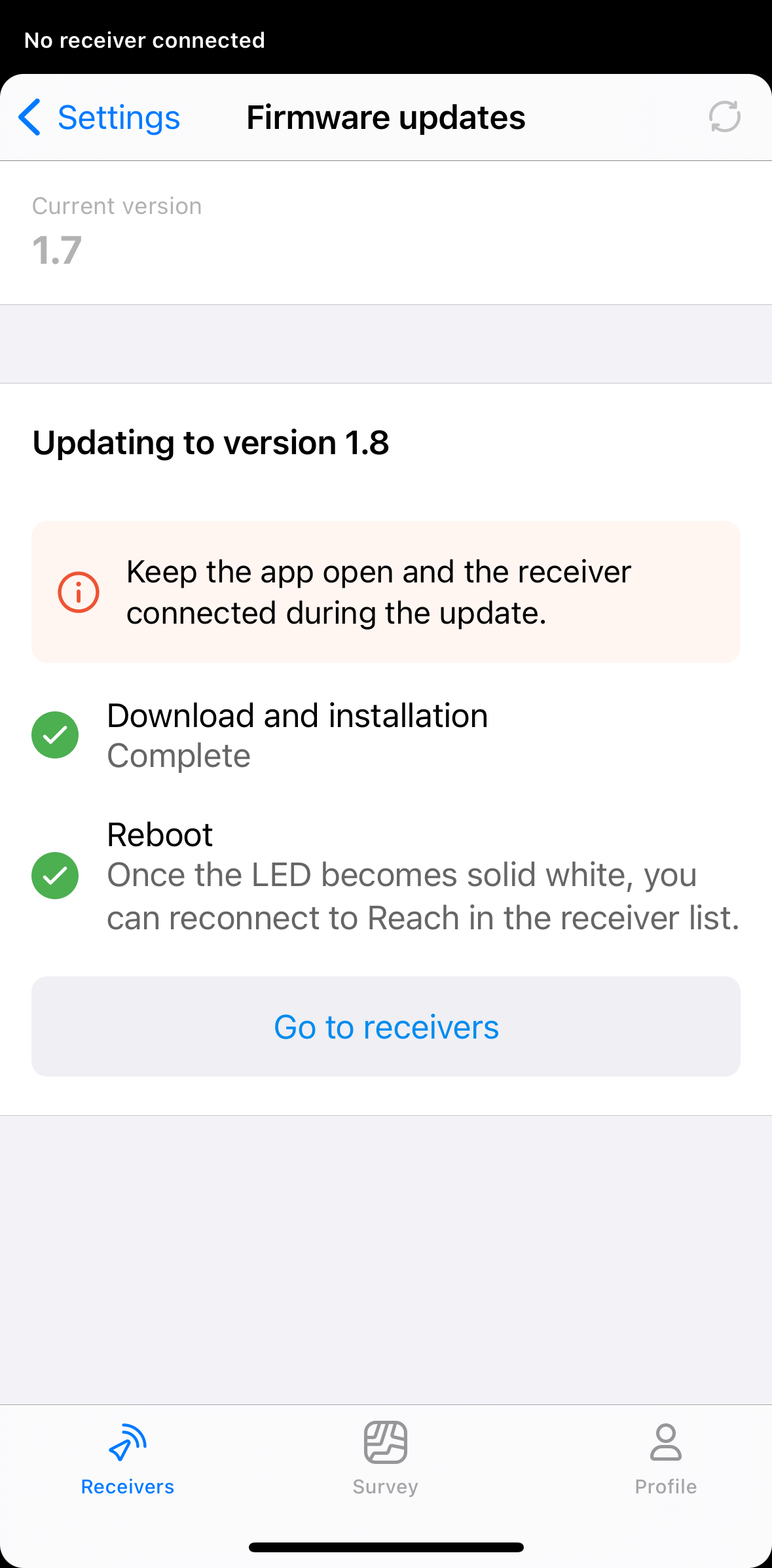
Tap Start update. The Reach RX LED will turn solid blue while the app downloads and installs the update.
noteKeep the app open and the receiver connected during the update.
-
After the update completes, wait for Reach to reboot. The LED will turn solid white when it is ready.
-
In the Receivers list, reconnect to your Reach RX.
Your Reach RX is now ready to use.