Kinematic processing
This tutorial shows how to post-process kinematic data in Emlid Studio to get a precise track of measurements.
Overview
With the Kinematic processing feature, Emlid Studio allows you to get a precise track of measurements using raw data logs from a base and a rover recorded without a correction link.
The advantage of this technique is that it offers a more flexible workflow and can be used as a backup for RTK.
Getting started
To perform post-processing, you will need the following files:
- a RINEX observation file from a base
- a RINEX observation file from a rover
- a RINEX navigation file from a base or from a rover
If you recorded raw data in the UBX format or got corrections from the NTRIP service in the RTCM3 format, Emlid Studio will automatically convert them to RINEX using the background conversion feature.
Workflow
To post-process the collected data, follow the steps below:
To add a file, simply drag and drop it from your desktop.
-
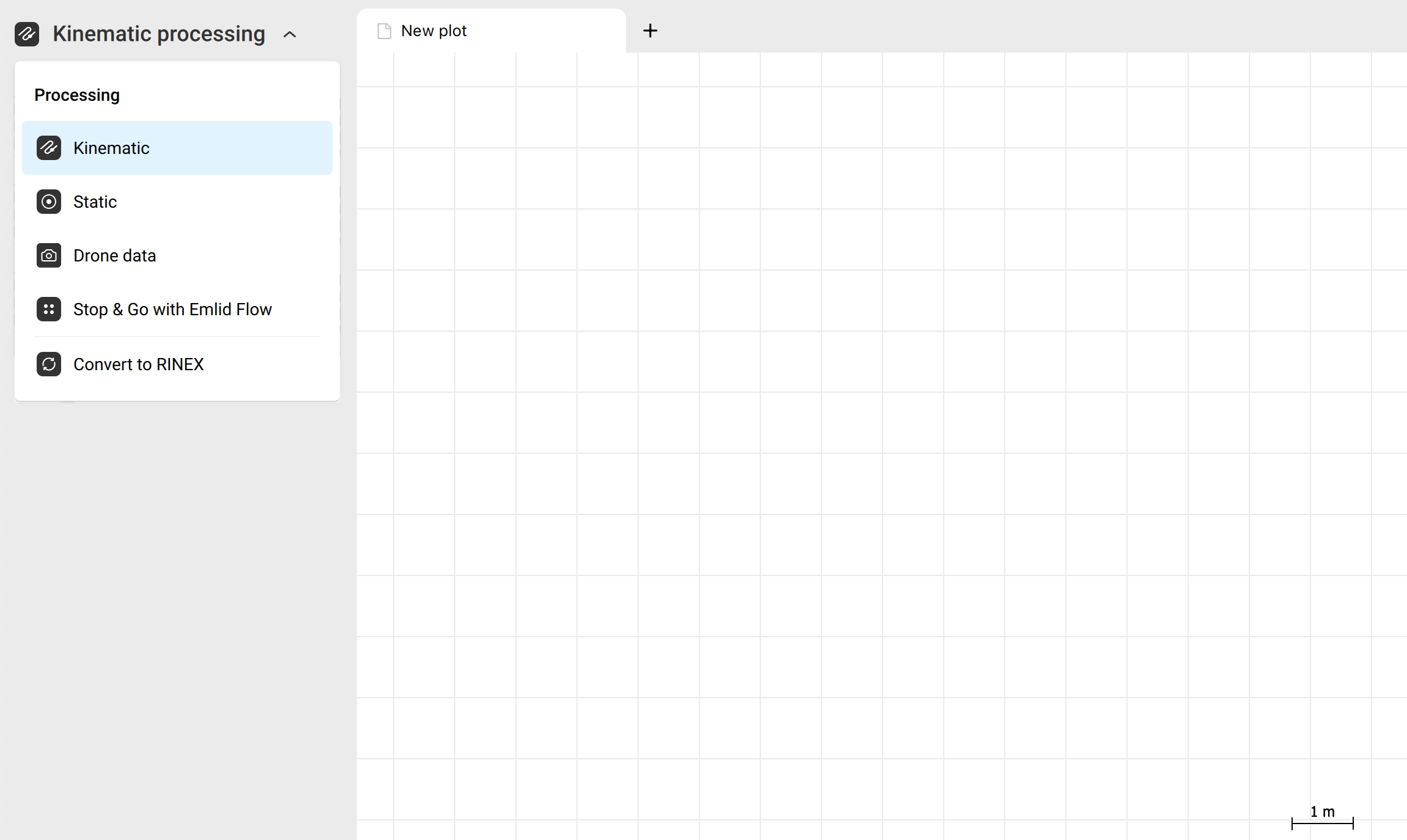
Select the workflow from the drop-down list in the upper-left corner.
-
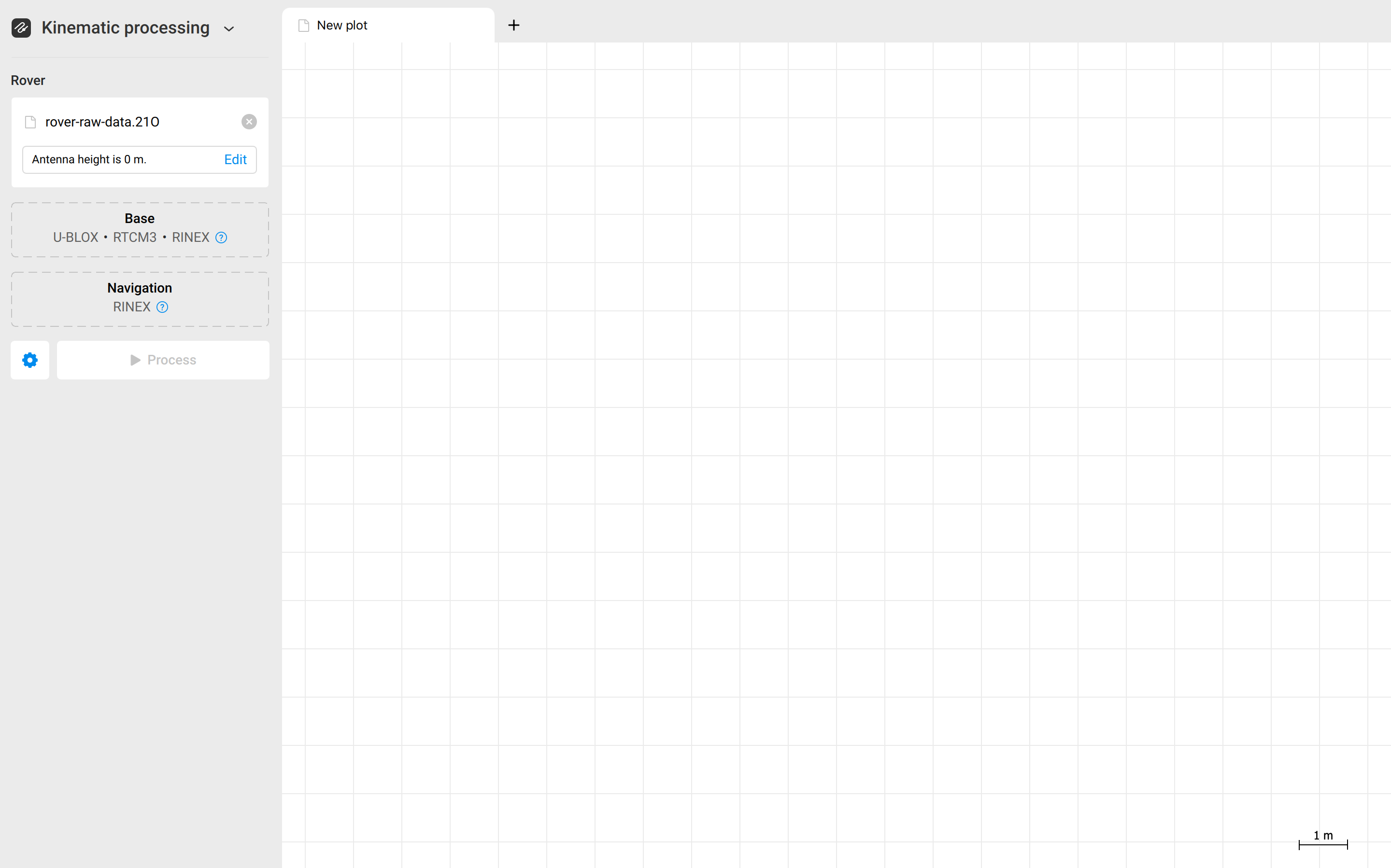
Add the RINEX observation file from the rover.
-
Set the antenna height by clicking Edit.
-
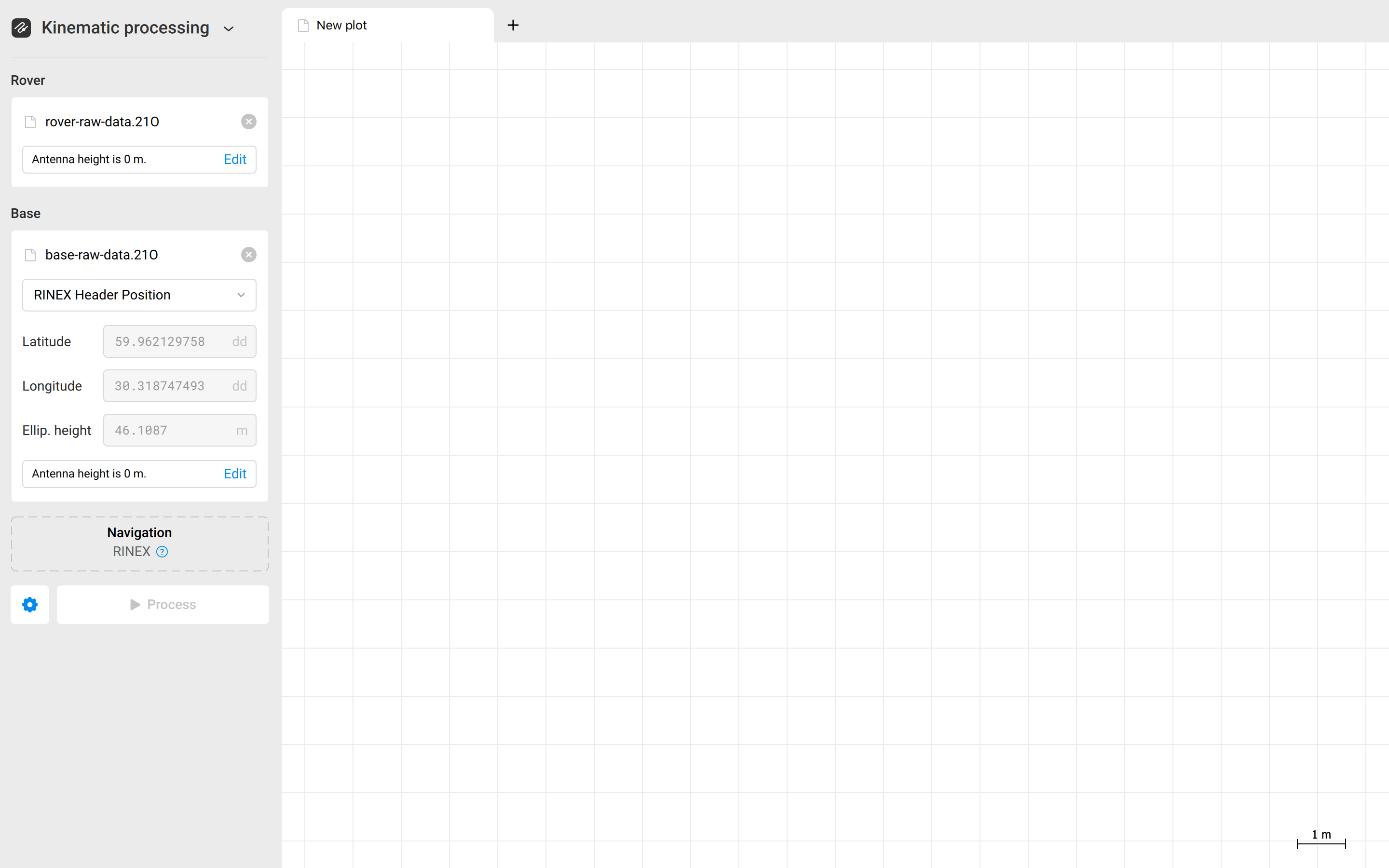
Add the RINEX observation file from the base.
-
Set the base coordinates. Emlid Studio uses the position from the RINEX header by default. If you placed your base over a known point, you can manually enter its coordinates and antenna height, or you can also update the position by dragging in a .pos file created during static processing.
If you use a .pos file created during post-processing, Use the .pos file generated with the One Best solution option in Emlid Studio for the most accurate base position.
-
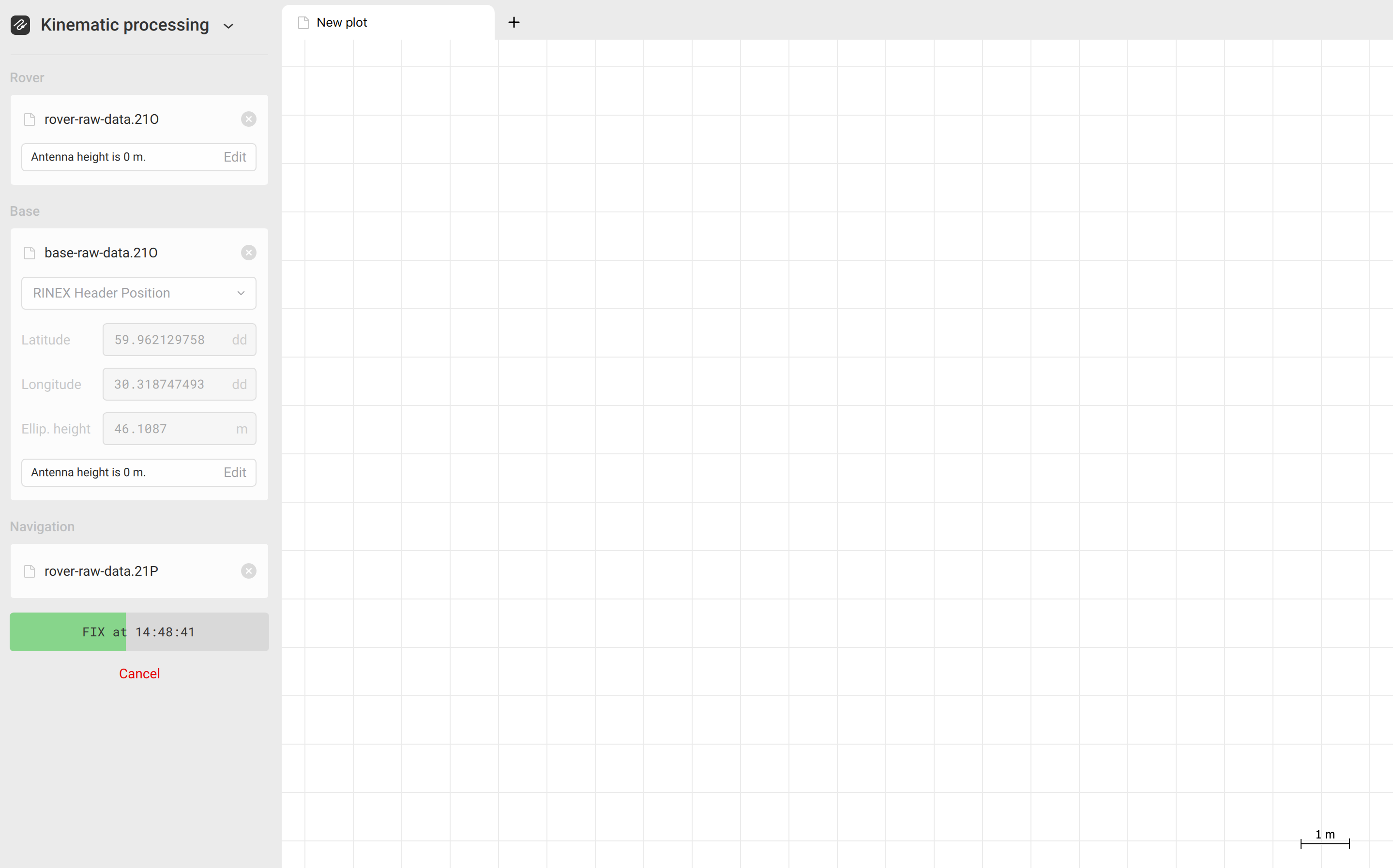
Add the RINEX navigation file.
-
Click Process. You will see the progress bar in the bottom left corner.
-
Once the .pos file is ready, Emlid Studio will show it on the plot.
noteIf you recorded time marks, the generated _events.pos file will open in a new tab.
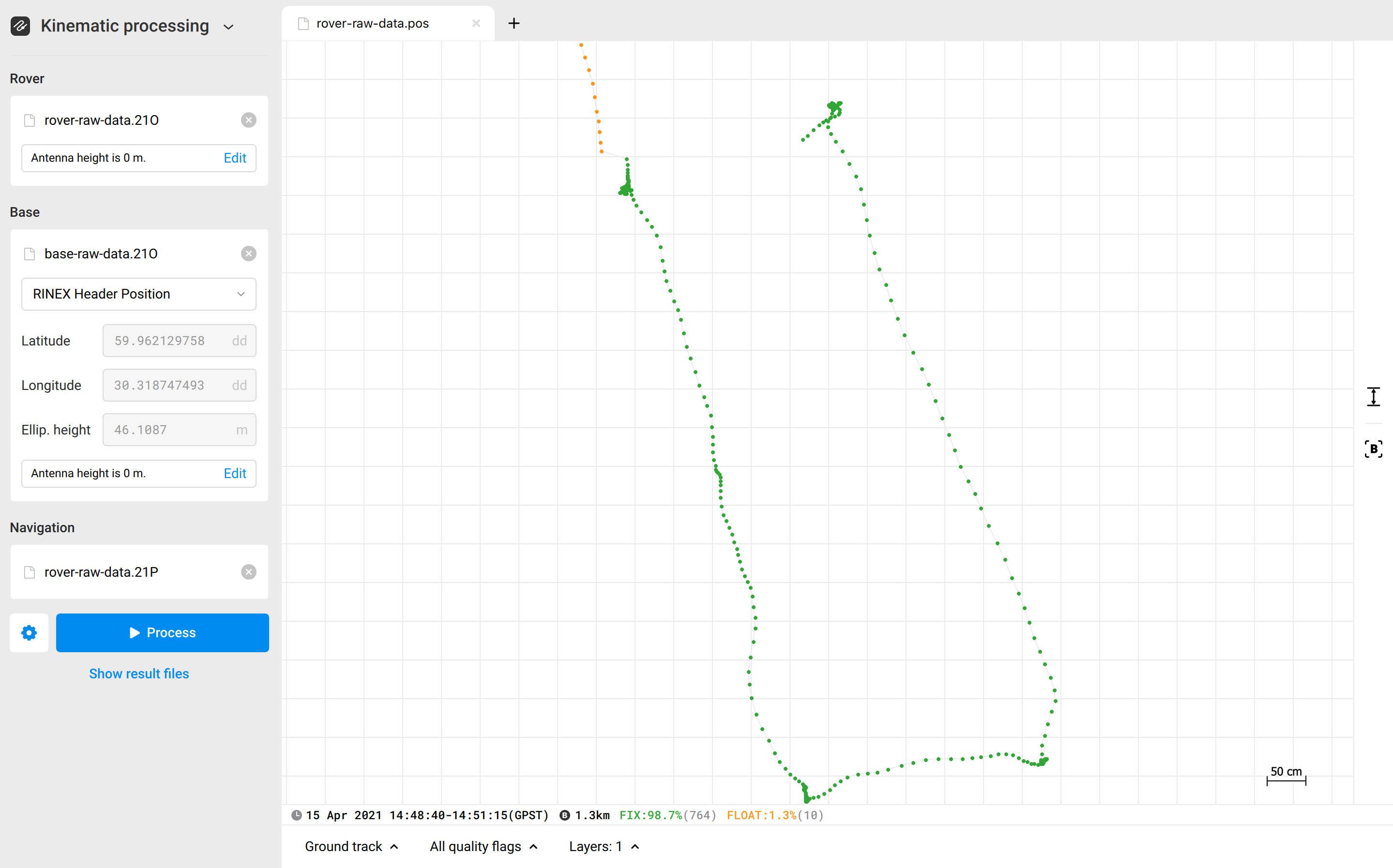
tipClick the Show files button to move to the resulting folder.
Video guide
Check out the workflow in the video below:
Checklist
To ensure successful processing, double-check the following:
- The base and rover RINEX files overlap in time.
- The base station position is in the correct coordinate system.
- The antenna heights for both the base and rover are correct.
- The NAV file from either the base or rover contains satellite data. If one NAV file doesn't contain satellite data, the file from the other receiver can be used instead.
- If the base coordinates come from static processing, the
.posfile was generated using the One Best solution option. - File and folder names support UTF-8 characters, including spaces, accented letters, and special characters. To avoid issues, keep paths short and save files to the Desktop if possible.
- Close other applications and make sure enough disk space is available for processing.