Comment configurer le RTK via Emlid Corrections
Ce guide explique comment configurer le Reach RS2/RS2+ pour recevoir les corrections RTK du service Emlid Corrections via Internet à l'aide d'Emlid Flow.
Vue d'ensemble
Emlid Corrections est un service de corrections RTK VRS (Station de référence virtuelle) intégré à votre récepteur Reach RS2/RS2+ et alimenté par le réseau de Point One Navigation. Il offre un positionnement au niveau centimétrique sans qu'il soit nécessaire d'installer votre propre station de base ou de configurer manuellement une connexion NTRIP.
Emlid Corrections est conçu pour les levés dans les zones dotées d'une couverture cellulaire fiable. Il est particulièrement utile pour les projets où l'installation d'une station de base locale est moins pratique, comme les levés urbains, les projets multisites ou les travaux couvrant plusieurs régions.
Le service est actuellement disponible aux États-Unis, au Royaume-Uni, dans une grande partie de l'Europe continentale, en Australie et en Nouvelle-Zélande. La couverture continue de s'étendre à mesure que le réseau Point One Navigation se développe. Avant d'activer votre licence, consultez la carte de couverture pour vous assurer que votre projet se trouve dans la zone de service.
Chaque récepteur Reach compatible inclut un abonnement gratuit d'un an à Emlid Corrections. Si vous avez acheté un récepteur groupé avec Emlid Corrections, vous recevrez un code de licence ; son activation applique automatiquement l'année gratuite incluse.
Avant d'utiliser Emlid Corrections, assurez-vous d'avoir :
-
La couverture Emlid Corrections dans votre zone d'arpentage.
-
Emlid Flow installé sur votre appareil mobile.
-
Un compte Emlid avec une licence active.
-
Une connexion Internet sur votre appareil mobile pour recevoir les corrections.
attentionÀ l'heure actuelle, Emlid Corrections est disponible uniquement lorsque le récepteur est connecté à Emlid Flow via Bluetooth (BLE).
Activez Emlid Corrections à l'aide soit du code de licence inclus avec votre pack, soit de l'abonnement gratuit d'un an.
Activer le code de licence
Si vous avez acheté un récepteur Reach avec Emlid Corrections, vous recevrez un code de licence. L'activation de la licence applique également automatiquement l'abonnement gratuit d'un an inclus au même récepteur. Pour activer le code de licence, procédez comme suit :
-
Ouvrez Emlid Flow et connectez-vous à votre récepteur Reach via BLE.
-
Sur l'écran qui s'affiche après la connexion, appuyez sur Activate now (Activer maintenant) pour commencer à utiliser Emlid Corrections.
-
Si vous n'êtes pas connecté à votre compte Emlid, connectez-vous maintenant.
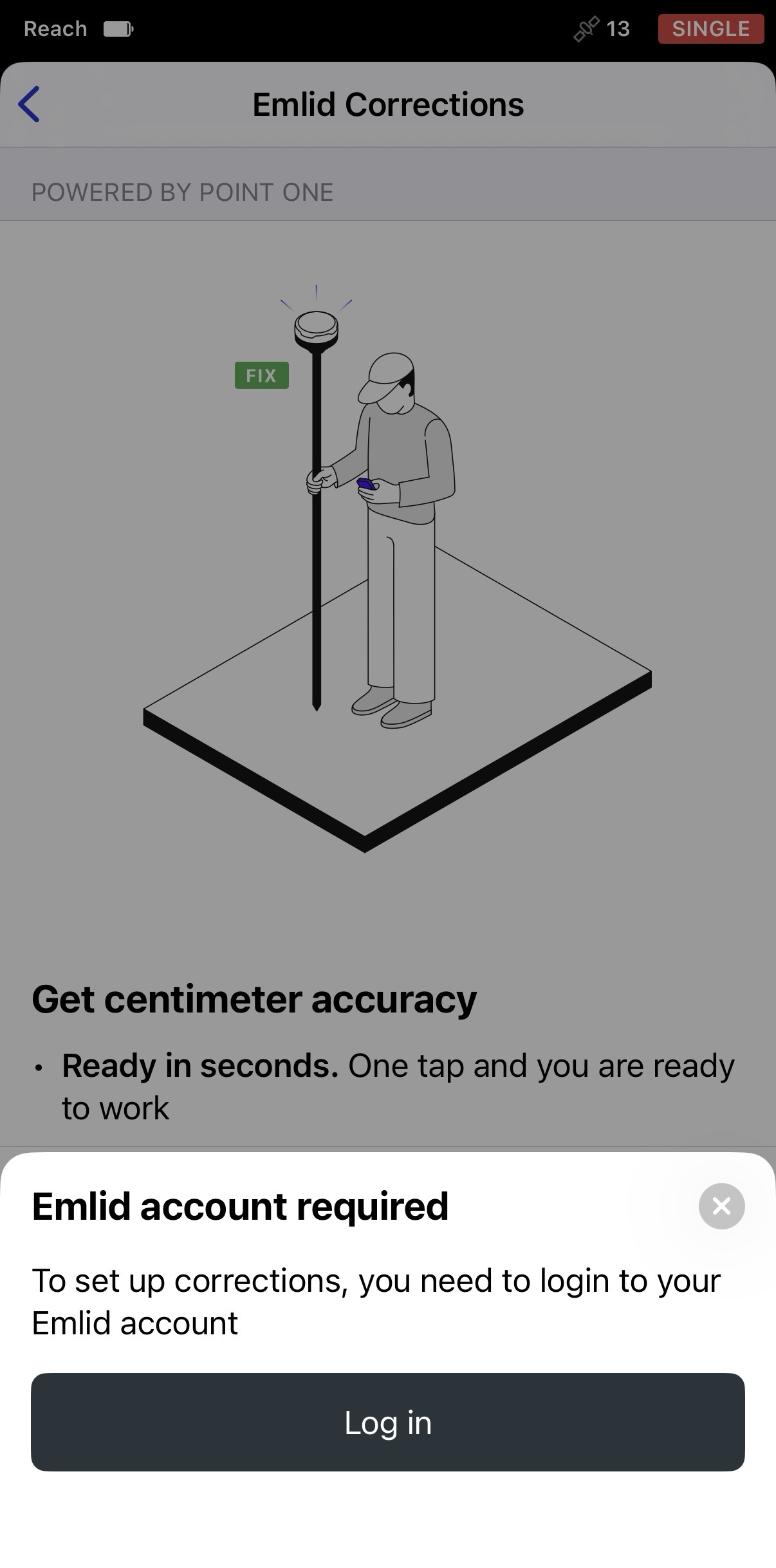
-
Ensuite, appuyez sur I have a licence code (J'ai un code de licence).
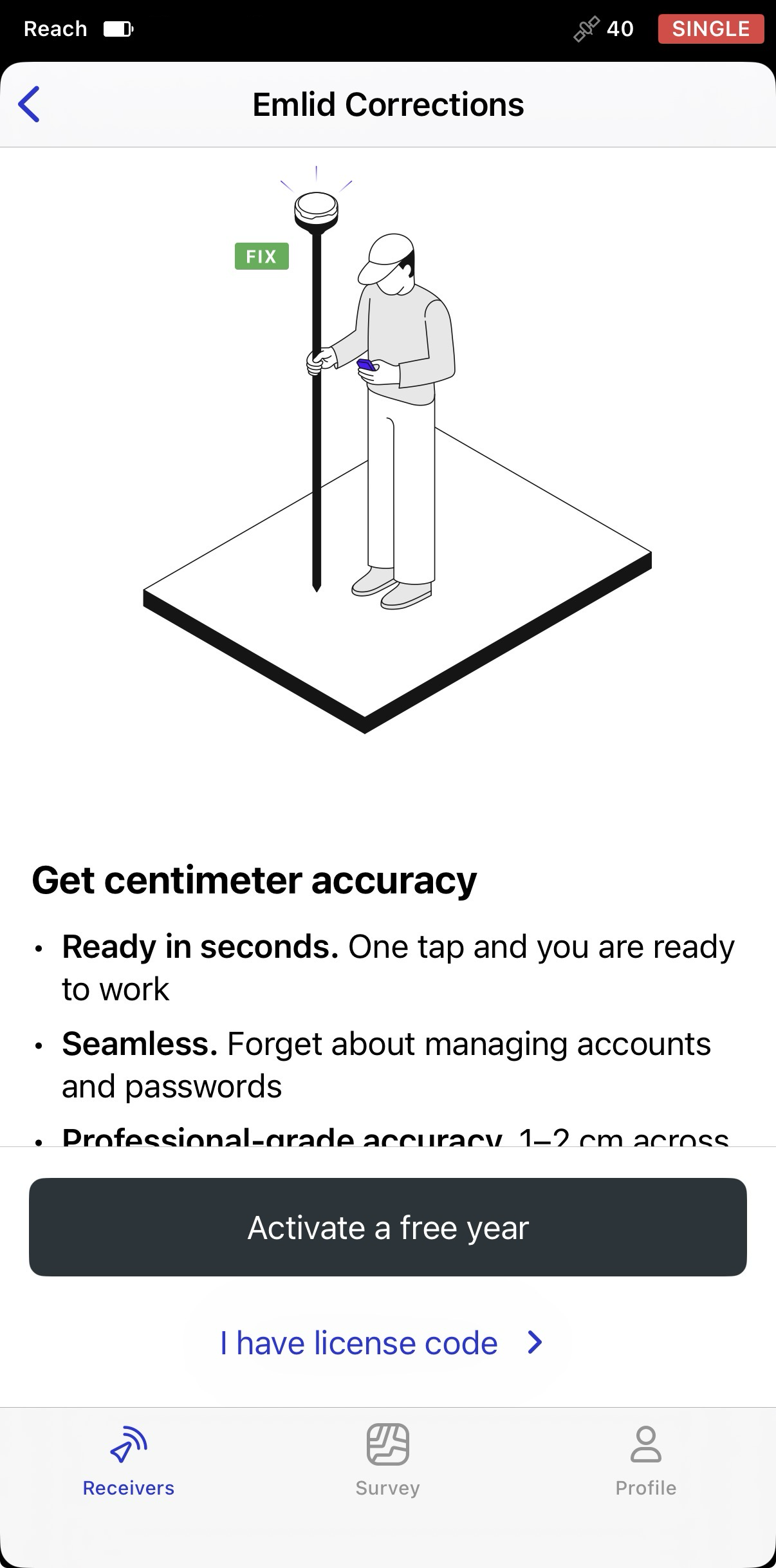
-
Appuyez sur Enter licence code (Saisir le code de licence).
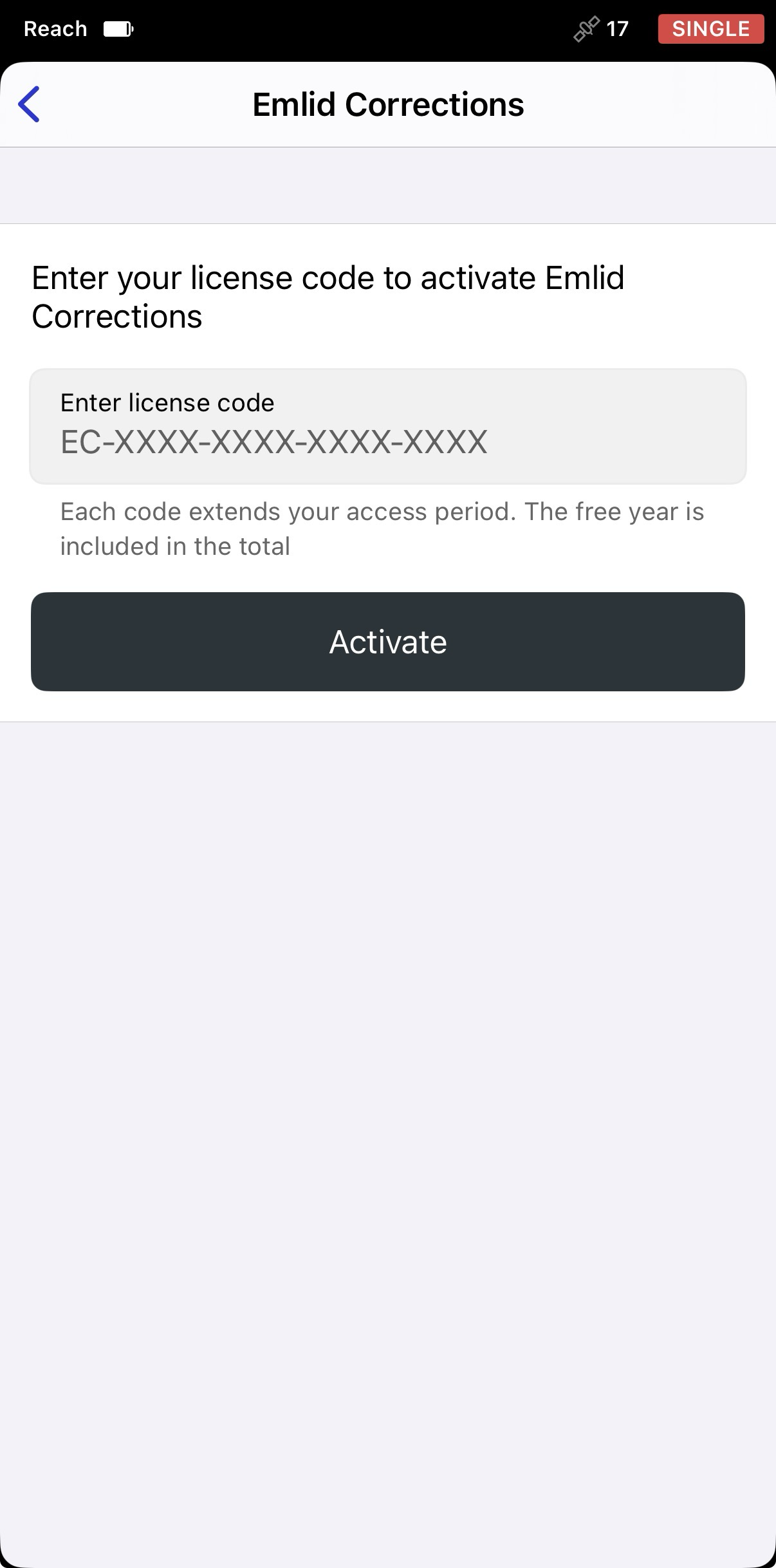
-
Saisissez le code de licence, puis appuyez sur Activave (Activer).
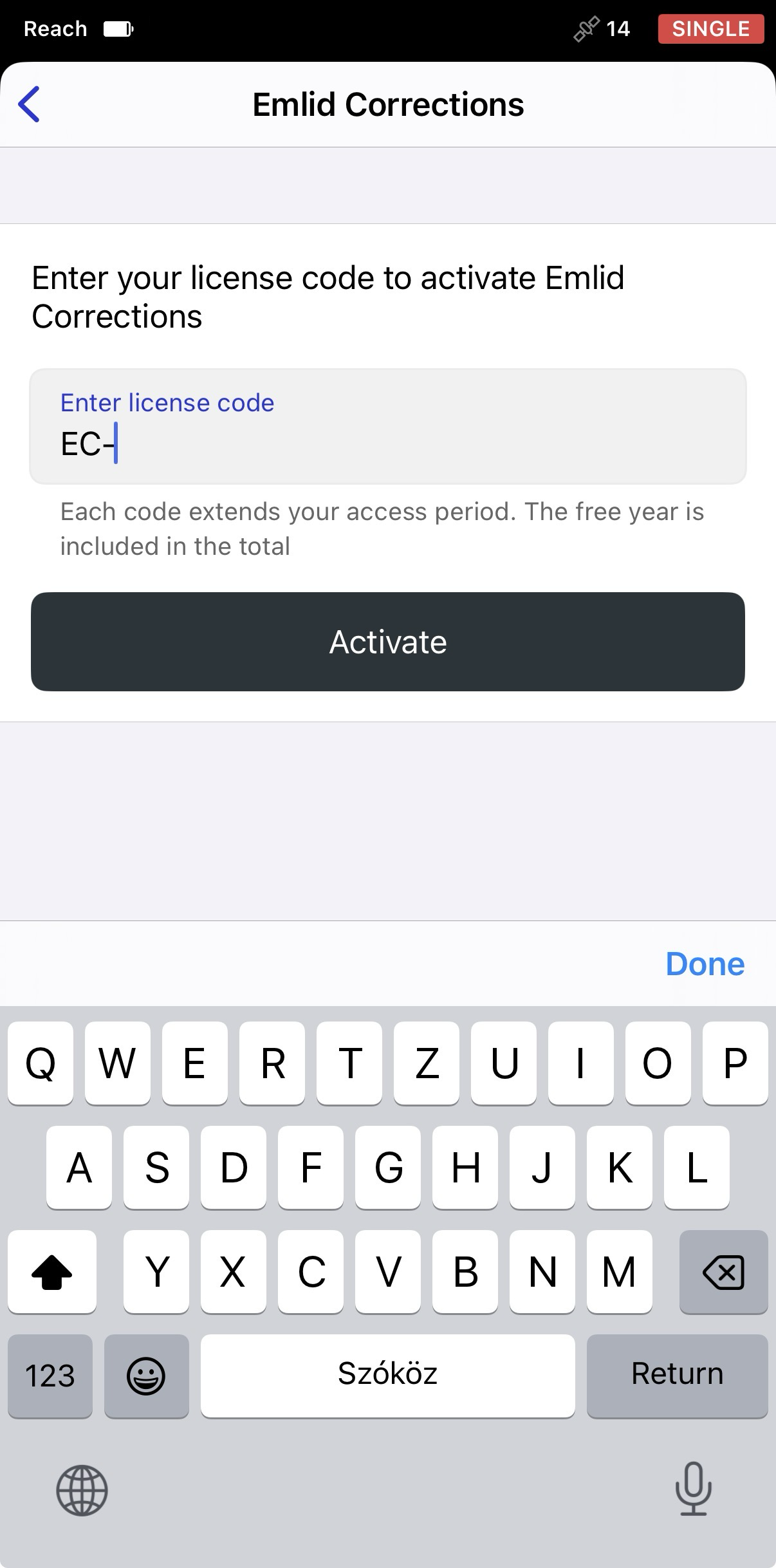
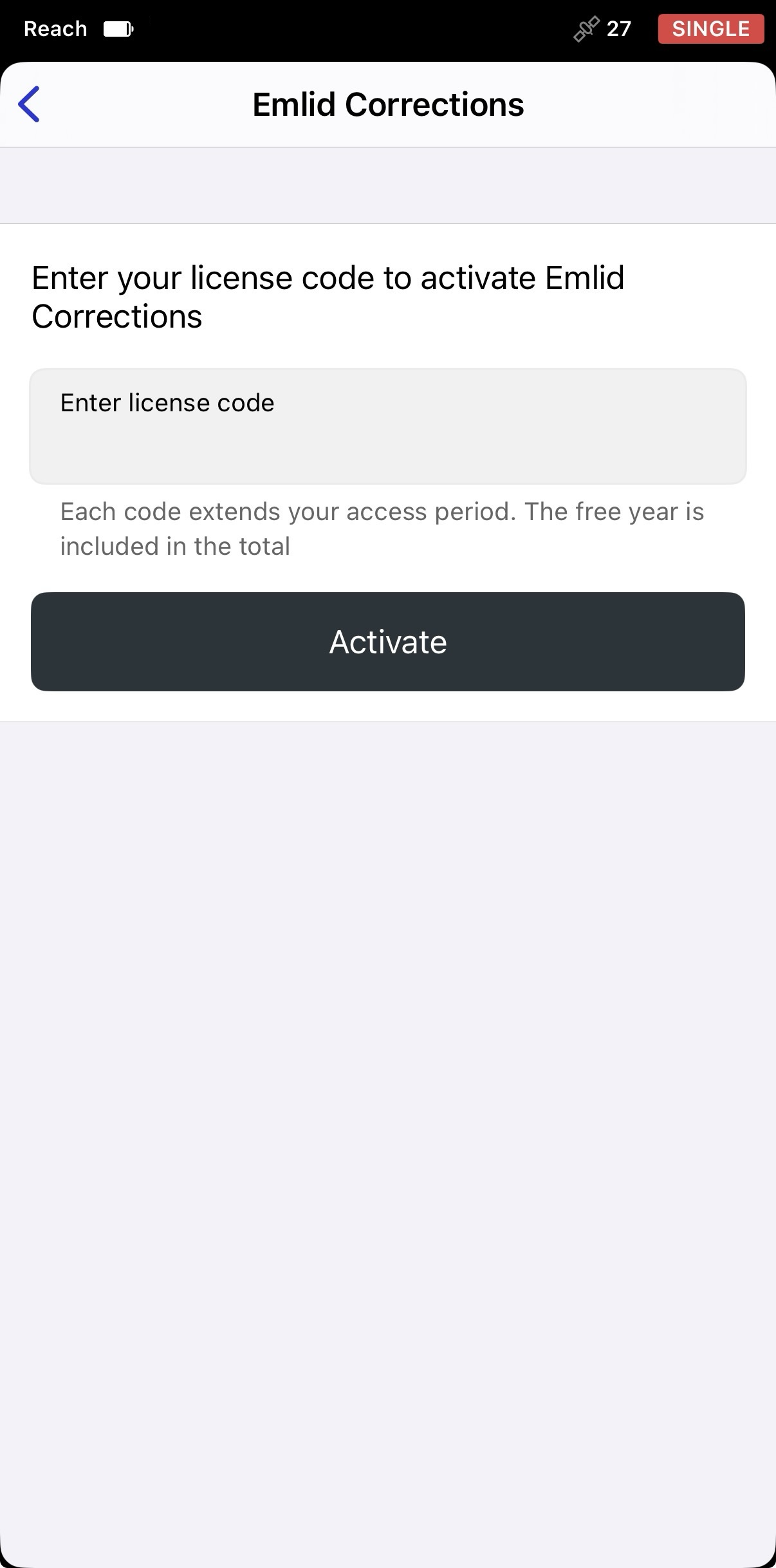
Une fois l'activation terminée, vous verrez la date d'expiration de l'abonnement. L'abonnement gratuit d'un an inclus est automatiquement combiné avec l'abonnement issu de votre code de licence.
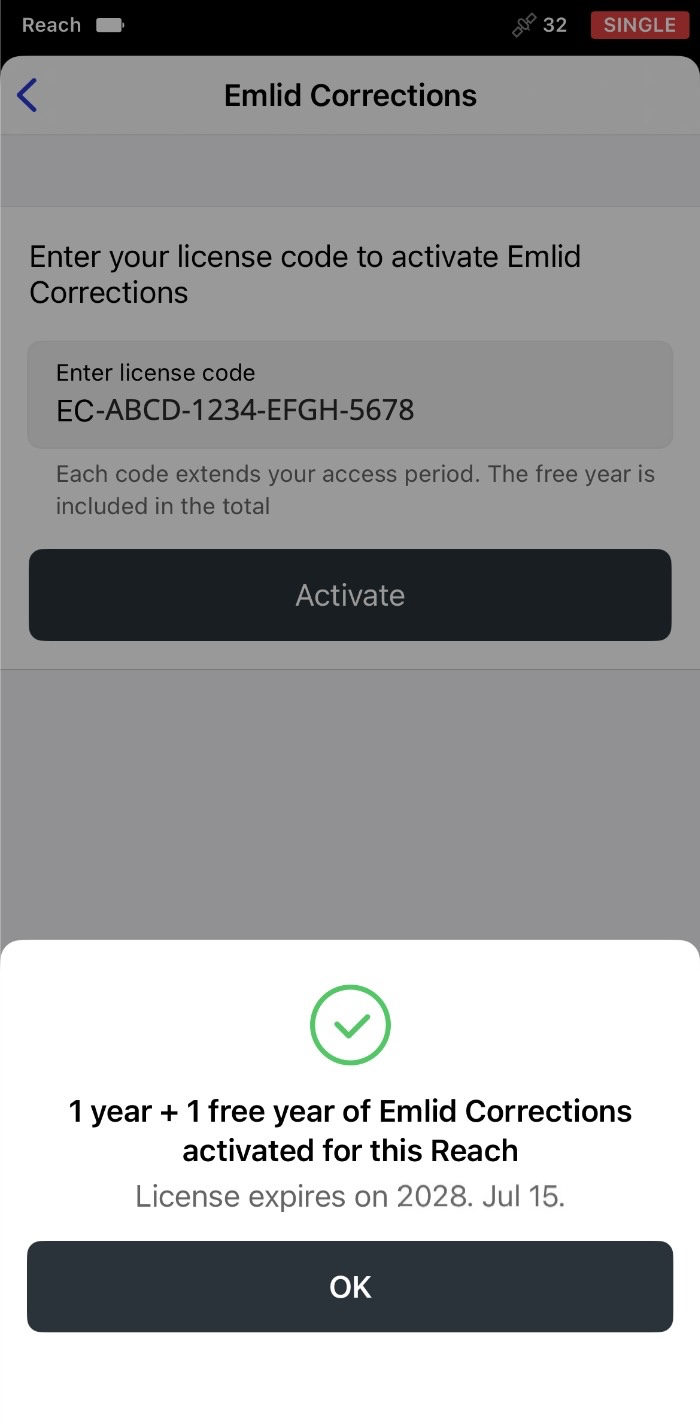
-
Appuyez sur OK. L'écran Emlid Corrections affichera désormais les informations concernant les détails de votre licence.
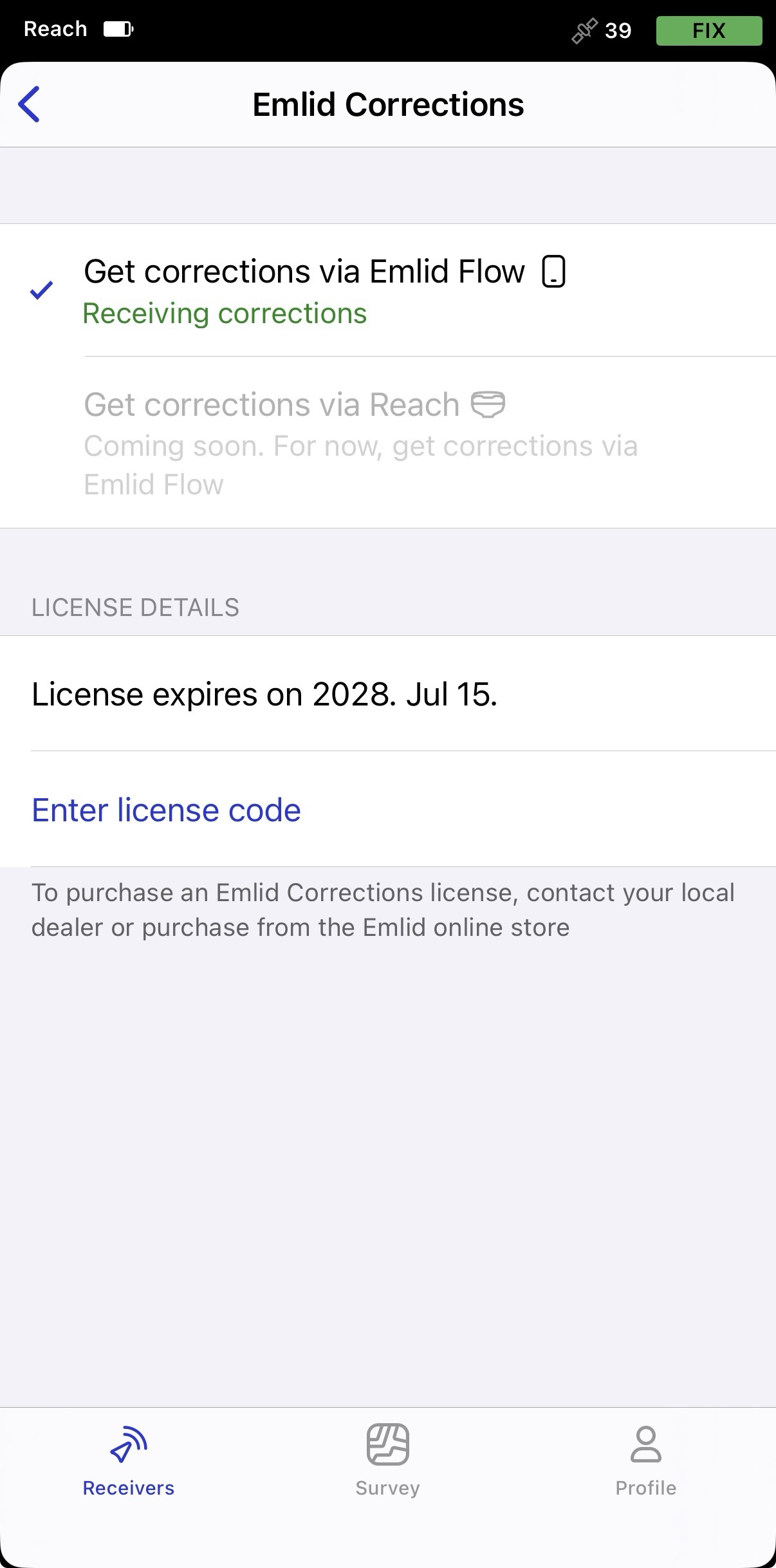
Votre licence est désormais activée. Avant de commencer votre levé, suivez les recommandations de la section Fournir au Reach RS2/RS2+ une vue dégagée du ciel ci-dessous pour recevoir les corrections et obtenir une solution FIX.
Activer l'année gratuite
Chaque récepteur Reach compatible inclut un abonnement gratuit d'un an à Emlid Corrections. Activez-la dans Emlid Flow pour commencer à utiliser le service :
-
Ouvrez Emlid Flow et connectez-vous à votre récepteur Reach via Bluetooth (BLE).
-
Sur l'écran qui s'affiche après la connexion, appuyez sur Activate now (Activer maintenant) pour commencer à utiliser Emlid Corrections. Si vous n'avez pas effectué la Connexion à votre Compte Emlid, faites-le maintenant.
-
Si vous n'êtes pas connecté à votre compte Emlid, connectez-vous maintenant.
-
Ensuite, appuyez sur Activate a free year (Activer une année gratuite) pour commencer à utiliser Emlid Corrections.
-
Appuyez sur Activate a free year (Activer une année gratuite). L'abonnement gratuit d'un an est lié au récepteur sur lequel il est activé et ne peut pas être transféré vers un autre récepteur Reach. Une fois l'activation terminée, vous verrez la date d'expiration de l'abonnement.
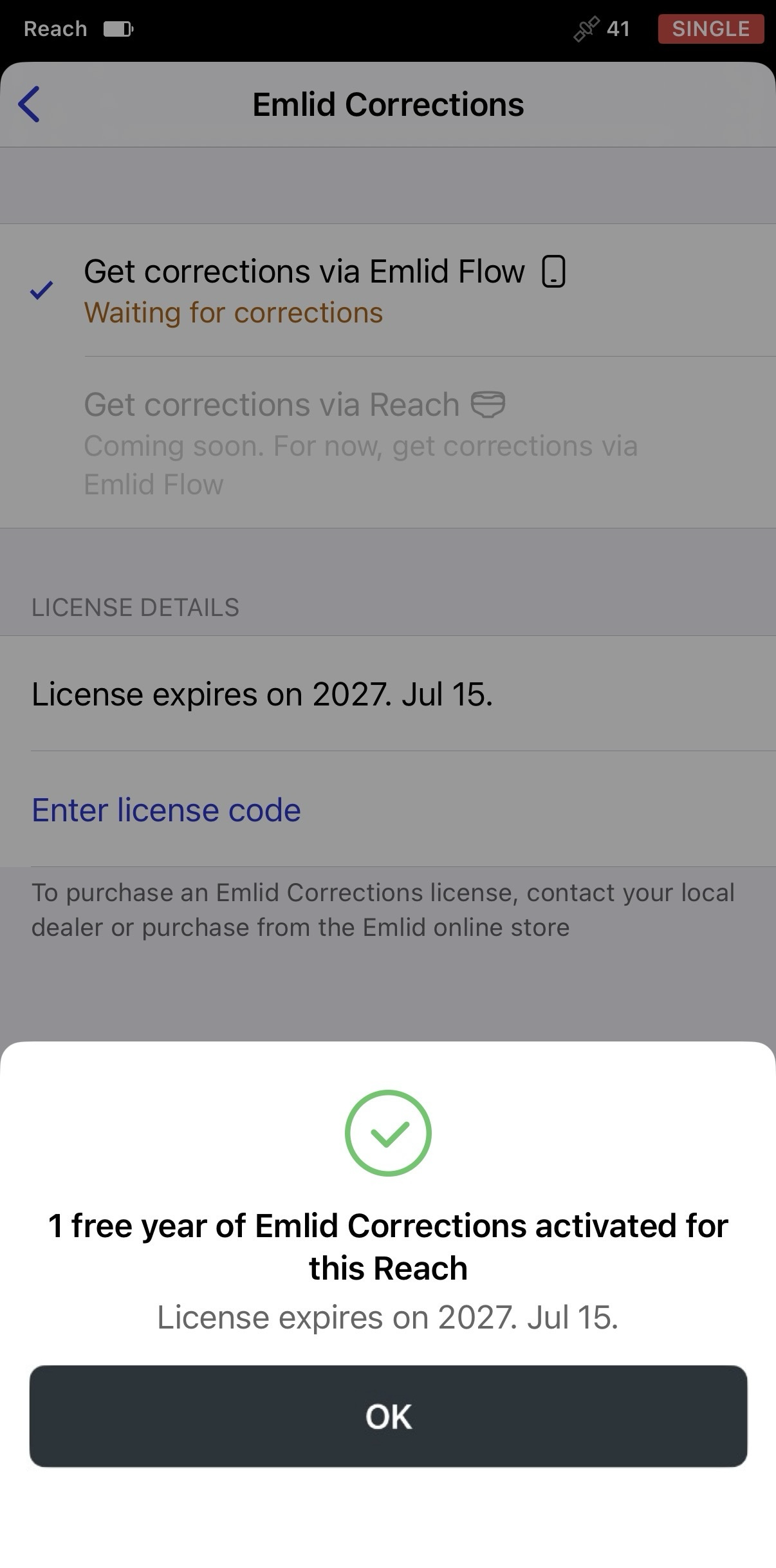
-
Appuyez sur OK, et vous verrez l'écran Emlid Corrections.
attentionÀ l'heure actuelle, Emlid Corrections est disponible uniquement via Emlid Flow en utilisant la connexion Internet de votre appareil mobile. Cela signifie que le récepteur doit être connecté à Emlid Flow via Bluetooth (BLE).
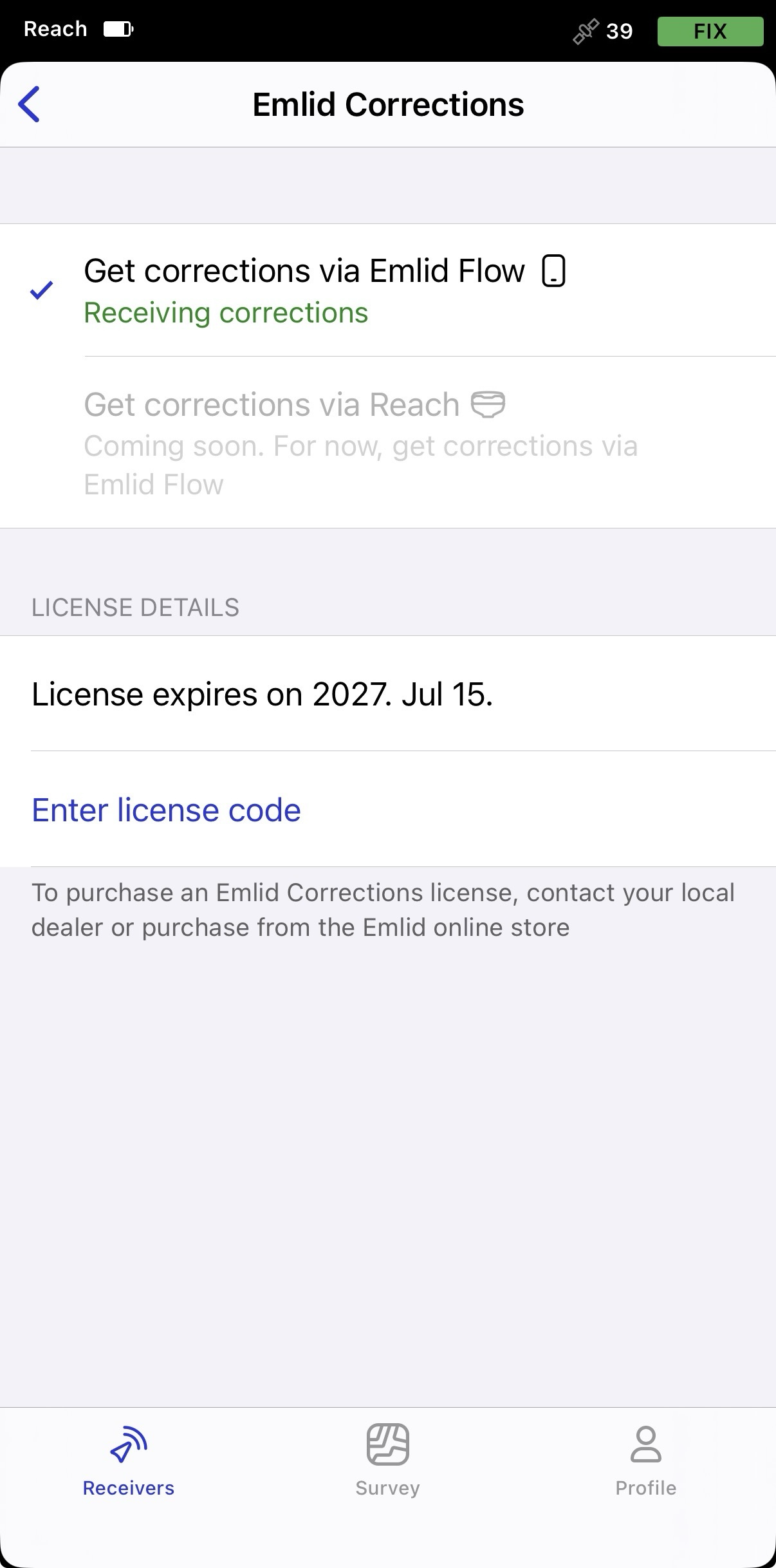
Votre licence est désormais activée. Avant de commencer votre levé, suivez les recommandations de la section Fournir au Reach RS2/RS2+ une vue dégagée du ciel ci-dessous pour recevoir les corrections et obtenir une solution FIX.
Si vous achetez un code de licence Emlid Corrections dans la Boutique Emlid ou chez votre revendeur local après avoir activé la période gratuite, saisissez le code dans Emlid Flow comme suit :
-
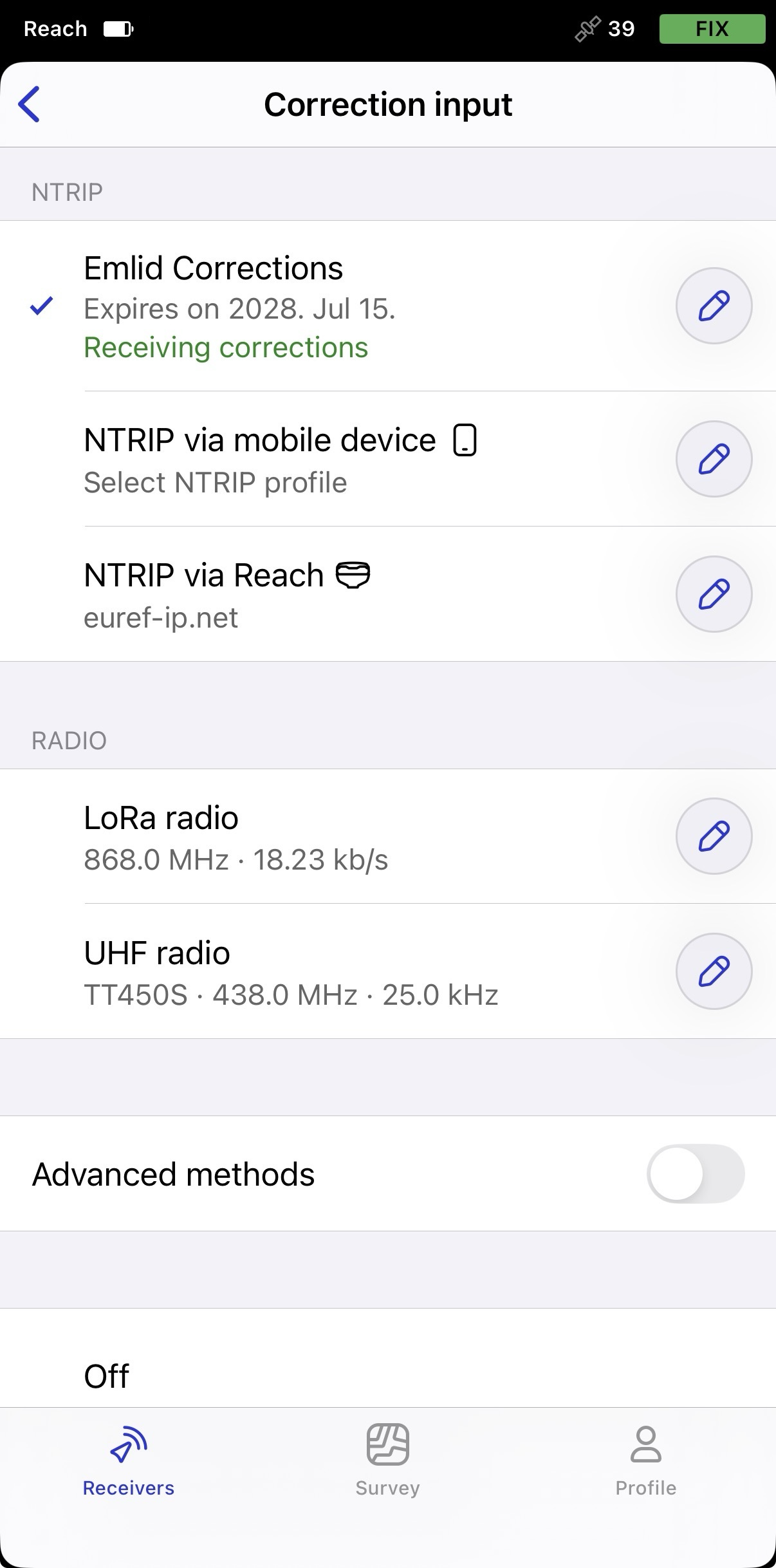
Dans Settings (Paramètres), appuyez sur Correction input (Entrée de correction), puis sur Emlid Corrections
-
À côté de la cellule Emlid Corrections, appuyez sur l'icône en forme de crayon.
-
Sur l'écran ouvert, appuyez sur la section Enter licence code (Saisir le code de licence).
-
Saisissez le code obtenu. L'abonnement acheté sera ajouté à la période gratuite restante, et la date d'expiration mise à jour s'affichera.
Le code de licence est désormais appliqué, et la période de licence achetée est ajoutée à votre période Emlid Corrections existante.
Donnez au Reach RS2/RS2+ une vue dégagée du ciel
Avant de faire des relevés, assurez-vous que votre Reach a une vue dégagée du ciel d'au moins 30 degrés au-dessus de l'horizon. Il ne doit y avoir aucun obstacle pouvant bloquer la vue comme des bâtiments, des arbres, des voitures, des personnes, des ordinateurs portables, etc.
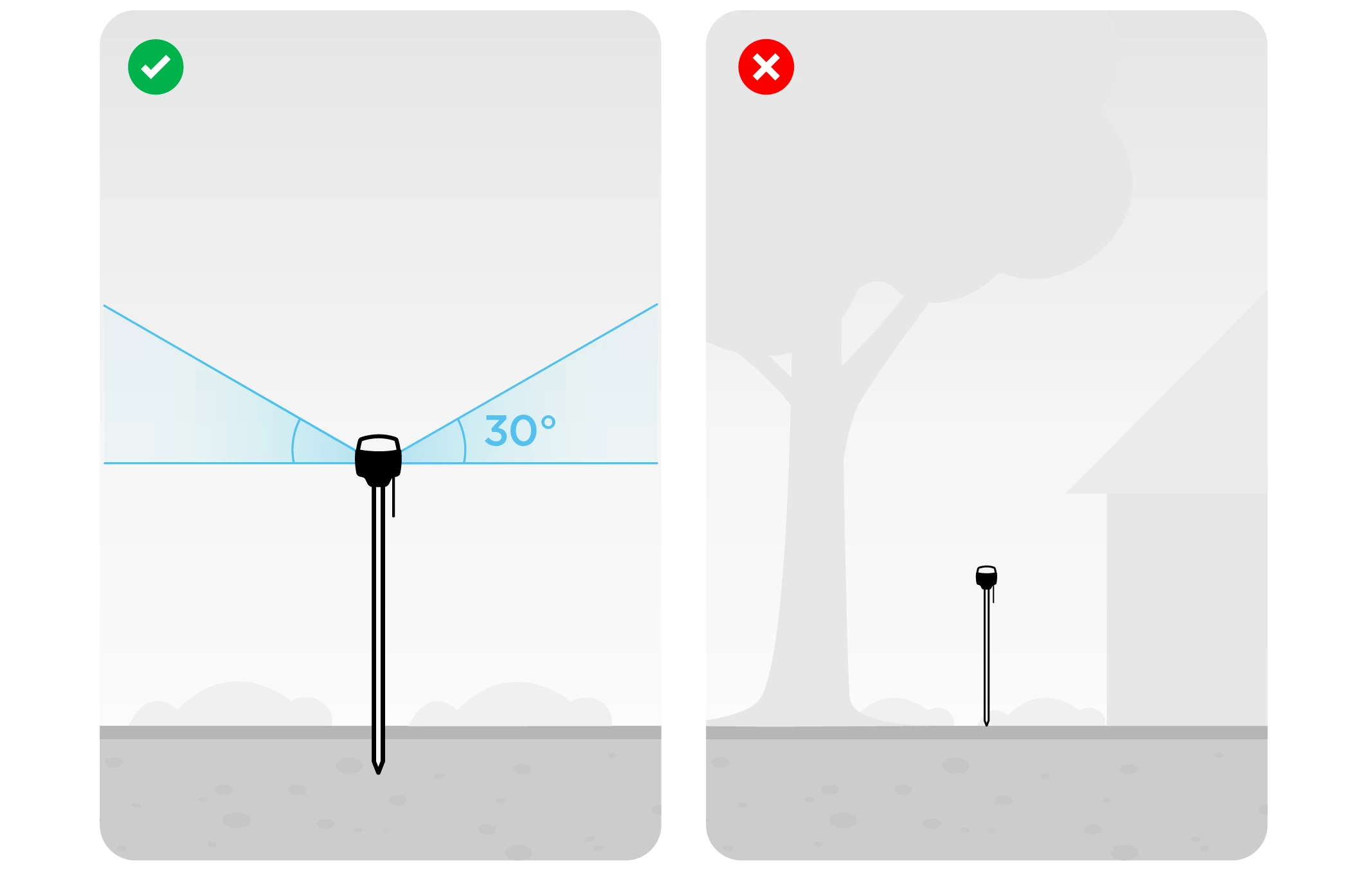
Apprenez-en plus sur la configuration de Reach dans le guide Placement.
Une fois que le récepteur a une vue dégagée du ciel et une visibilité satellite, les corrections débuteront en quelques secondes.
Voir les résultats
Lorsque vous avez terminé la mise en place RTK via Emlid Corrections, vous pouvez voir l'état de la solution dans le coin supérieur droit de l'application Emlid Flow :
- SINGLE signifie que le rover a trouvé une solution en s'appuyant sur son propre récepteur et que les corrections de la base ne sont pas appliquées. La précision en mode autonome est généralement de l'ordre de plusieurs mètres.
- FLOAT signifie que le rover reçoit les données d'observation et la position de la station de base, mais ne peut pas résoudre les ambiguïtés nécessaires pour calculer sa position avec une exactitude au niveau centimétrique. Dans ce cas, l'exactitude du positionnement peut varier de quelques centimètres à environ 1 mètre.
- FIX signifie que le rover utilisant les corrections de la base a résolu les ambiguïtés dans son calcul de position et a atteint une solution avec une précision au niveau centimétrique.
Après une courte période, le rover obtient une solution fixe. Dans de bons environnements, il faudra quelques secondes pour obtenir une solution fixe. Dans des conditions difficiles, cela peut prendre un peu plus de temps. Une fois que le rover obtient FIX, vous êtes prêt pour le nivellement.